***
title: Export Call Data
slug: export-call-data
---------------------
For clean Markdown of any page, append .md to the page URL. For a complete documentation index, see https://docs.synthflow.ai/llms.txt. For full documentation content, see https://docs.synthflow.ai/llms-full.txt.
You can export your call logs as a CSV file for further analysis, record-keeping, or sharing with your team. This allows you to organize, filter, and analyze call data outside of the Synthflow AI platform.
## Set up automatic daily exports
**Note**: This feature is only available on our **Enterprise** plan.
If you're an Enterprise client, you can configure daily exports of your call data to destinations of your choice, including Amazon S3, Google BigQuery or SFTP servers. To set up a data export pipeline, contact your account manager.
## Export call data manually
On the left-hand navigation sidebar, click **Agents**.
Click the agent you want to export call data for.
On the navigation sidebar, click **Calls**.
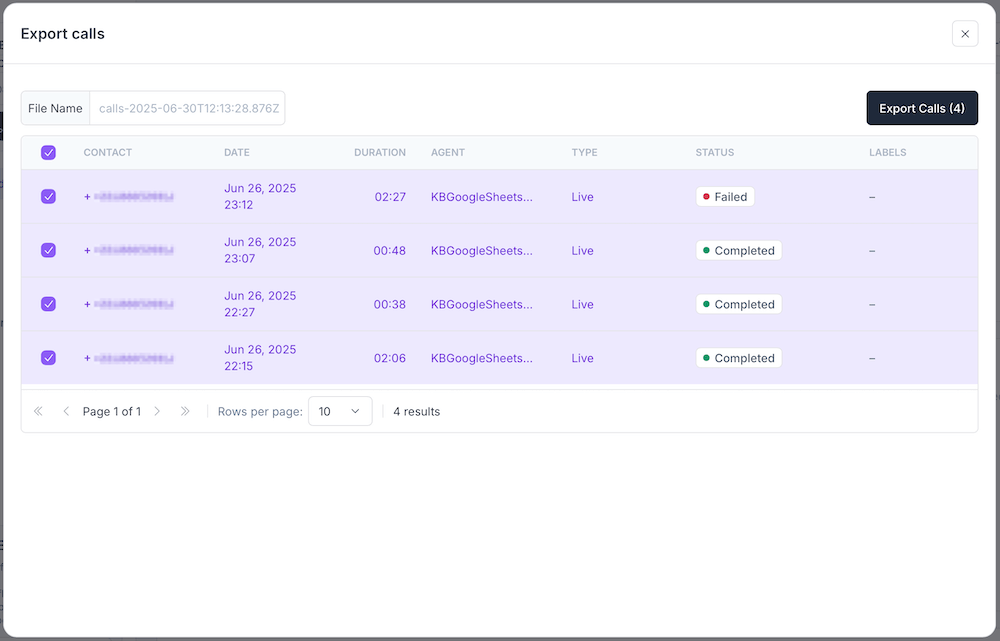
Click the **Export** button in the top-right corner.

All call data is exported by default. To exclude certain calls from the dataset, uncheck the boxes next to them. Once you're done, click **Export Calls**.