***
title: Build agents with Synthflow AI
subtitle: null
slug: getting-started
description: null
-----------------
Meet your AI-powered voice agent. Synthflow AI helps businesses automate conversations by handling both inbound and outbound calls. Your agent can answer questions, engage customers, and streamline operations—so you can focus on what matters most.
## The BELL Framework
Synthflow organizes the entire agent lifecycle around the **BELL** loop—**Build**, **Evaluate**, **Launch**, and **Learn**. This is the operating system behind every polished experience we deliver: a repeatable rhythm that helps teams move from idea to world-class conversations without losing speed or quality.
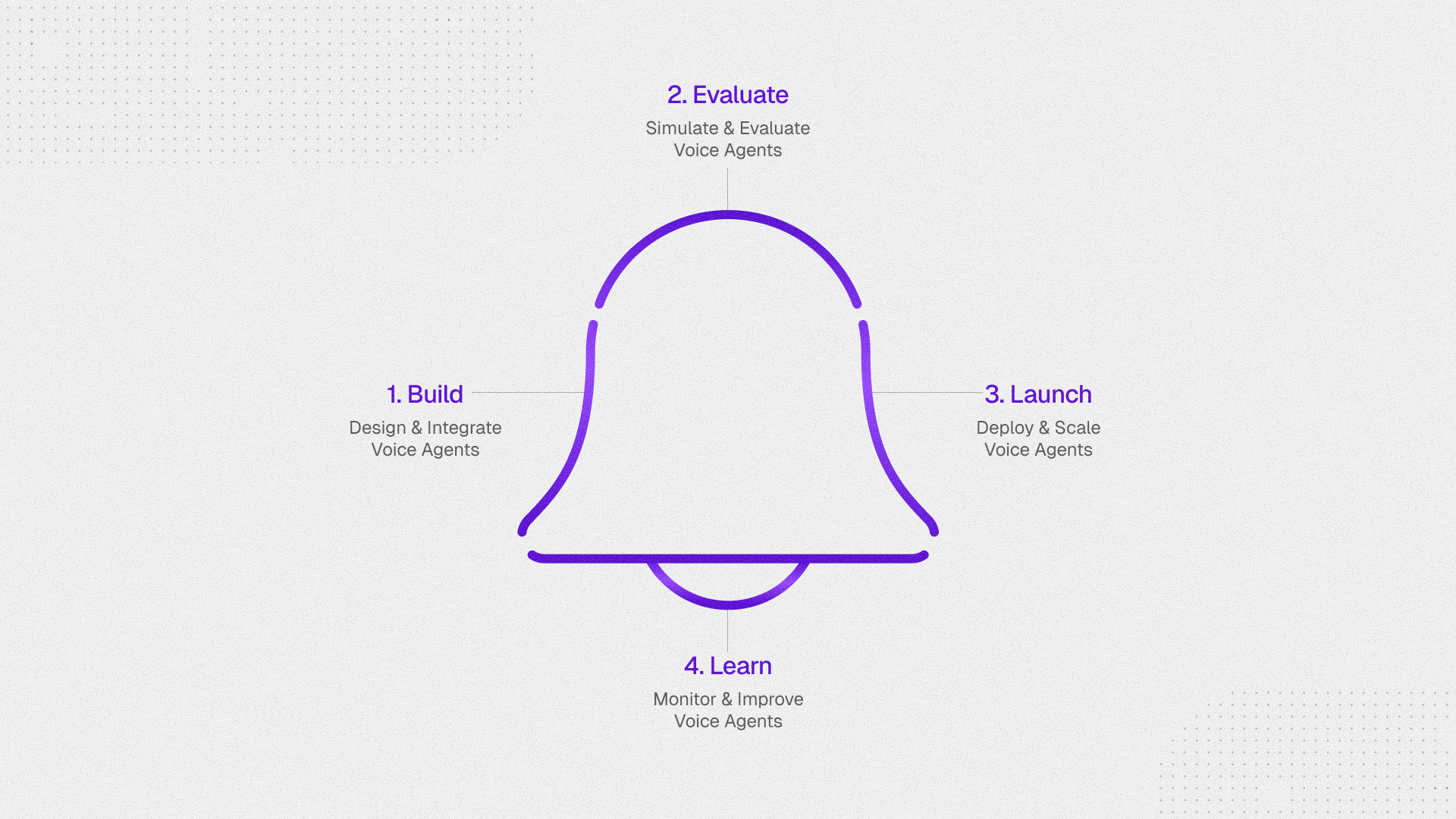
### Build
Design and integrate voice agents. Define, connect, and shape behavior in a clear, reviewable flow. Keep logic predictable so your team can trust every path.
* [Quickstart](/create-an-agent)
* [Call flow designer guide](/flow-designer)
* [Knowledge base](/create-a-knowledge-base)
* [Voice](/voice-configuration)
* [Actions](/actions-overview)
### Evaluate
Simulate and evaluate before going live. Run realistic conversations in safe environments, validate flows end-to-end, and add checks that reflect your domain and compliance needs.
* [About simulations](/simulations)
* [Custom evaluation workflows](/create-a-custom-evaluation)
### Launch
Deploy and scale with confidence. Govern rollouts, trace behavior with execution logs, and manage releases with the ability to safely roll back. Integrate cleanly into your applications and systems.
* [Integrated platforms](/about-integrations)
* [Webhooks](/about-webhooks)
### Learn
Monitor and improve continuously. Close the loop with insights, spot gaps, and refine flows. Track usage, performance, and outcomes to keep quality high over time.
* [Analytics](/collect-analytics)
* [Export call data](/export-call-data)
## Integrations
Synthflow integrates with many platforms to fit into your stack. For the full catalog, visit [Integrated platforms](/about-integrations). Here we show some popular ones.
Deploy an agent that seamlessly accepts calls from WhatsApp Business Accounts.
Embed Synthflow agents into your Salesforce workflows.
Whitelabel our platform and manage your own customers.
Embed Synthflow agents into your HubSpot workflows.
## Quick links
Follow our API Reference and automate your phone calls.
Rate-limiting and queueing for enhanced reliability.
Scale your business and provide a customized AI solution
Edit your billing information and upgrade your plan.
## More resources
Watch tutorials, discover new features, and hear customer stories.
Check our help center with popular articles and how-tos.
In-depth training and video tutorials to level up your team.
Subscribe to our changelog for the latest exciting updates and important bug fixes.
Check the status of Synthflow services.
## FAQ
No, the agent will use the name you gave it in the prompt. It will not use the name you chose in the settings.
For example, if you name your agent "AI Call agent for ACME" in the settings but name it Derreck in the prompt, it'll introduce itself as Derreck to clients.
Yes, the voice must match the language you are using.
The advanced settings are tuned to sound the best in most scenarios. We suggest leaving them as is unless you need to make adjustments, and even then only make small tweaks so you don't degrade the voice quality.
The voicemail detection rate is quite high for our agents, but specific voicemail recordings—especially those in the customer's own voice—can still pass through. If you want a better experience with voicemail, switch your Voicemail Detection setting to "Time based."
Inbound agents do not allow for variables because they won't know who is calling before the call. If you need the agent to reference information outside the application, create a Custom Action that calls the external app's API to fetch the data while the call is happening.
Yes. We have prompt templates in the template section, and you can also use Copilot to build a prompt.
We do not currently offer custom telephone apps for customers on plans lower than the Enterprise level.
At this time it is not possible to query subaccounts to find the minutes used.
Subaccounts share the minutes of the agency account. You can place a subaccount on Pay as You Go by changing this setting when creating the pricing plan.
Concurrency is set by your plan, and your accounts and subaccounts share the main account's total. For agencies, that's now 100 concurrent calls. If you need more, contact sales.
Billing happens on your renewal date. You can find this under **Settings > Plan and billing** in the "Next billing" section.
It is not possible to import or export entire subaccounts.
Provide a valid address in Australia. Once you do, you'll be able to buy an Australian number.