***
title: Import Products
slug: import-a-product
description: Import products from your agency library into subaccounts, including agents, workflows, and phone numbers.
---------------------
For a complete page index, fetch https://docs.synthflow.ai/llms.txt. For full documentation content, fetch https://docs.synthflow.ai/llms-full.txt.
## Types of products
You can import products from your Agency library into your subaccounts. Products include:
* Agents
* Workflows
* Phone Numbers
* Actions (Custom Actions, Information Extractors, Call Transfers, Send SMS)
To import a product into a subaccount, follow these steps:
On the left-hand sidebar, click **Agency**.
On the navigation sidebar, click **Products**.
Click **Import**.
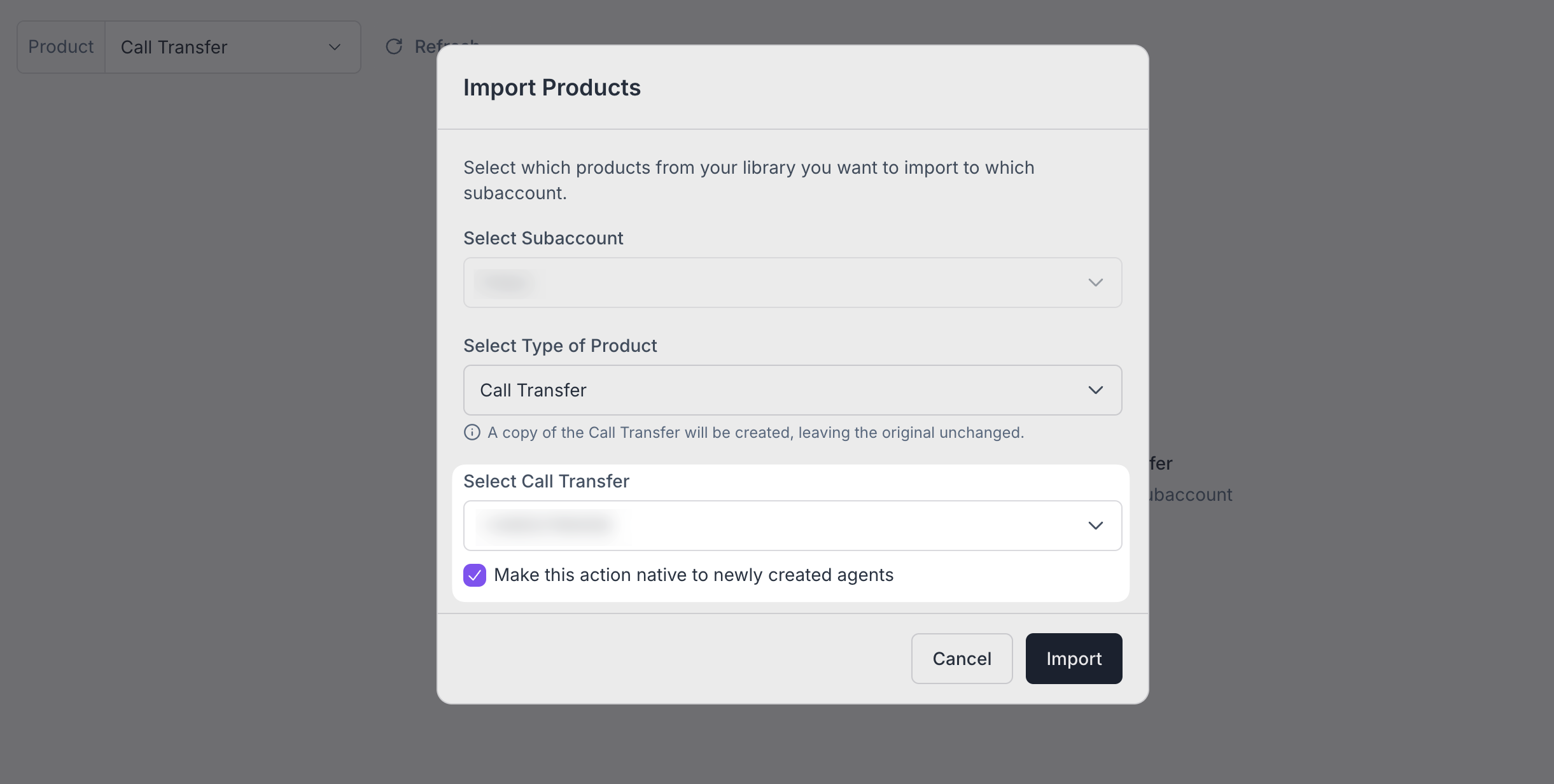
Choose the subaccount you want to import a product into. Next, select the type of product to import and then choose one from your library.
Click **Import**.
Depending on the product, you create a duplicate of it or transfer the product from your workspace to the corresponding subaccount.
## Importing Agents
Importing an agent to a subaccount creates a duplicated version, leaving the original untouched.
All settings will be duplicated except for the
**post-call webhook**
and the
**actions**
attached to that agent
## Importing Workflows
Importing a workflow to a subaccount creates a duplicated version, leaving the original untouched.
## Importing Phone Numbers
Importing an agent to a subaccount **transfers** the phone number from the original workspace to the subaccount. This means the phone number becomes unavailable for the agency workspace. To bring it back, simply select the phone number and remove it from the subaccount in question.
For API instructions, refer to the [API reference](/api-reference/platform-api/subaccounts/update-subaccount#request.body.products).
Importing phone numbers into subaccounts is not supported when your agency workspace has a custom
[Twilio integration](/integrate-twilio)
. However, you can manage each subaccount's Twilio credentials directly from the agency portal.
## Importing Actions
Importing an action (Custom Action, Information Extractor, Call Transfer, or Send SMS) creates a duplicated version, leaving the original untouched.
### Native Actions
When importing an action, you can choose to have it automatically attached to newly created agents to streamline the creation of templated agents. To do this, check the box to make the action native.