***
title: Crawl a Website for Knowledge Base
slug: knowledge-base-website-crawler
description: Import multiple pages into a knowledge base by crawling a website from a root URL.
---------------------
For clean Markdown of any page, append .md to the page URL. For a complete documentation index, see https://docs.synthflow.ai/llms.txt. For full documentation content, see https://docs.synthflow.ai/llms-full.txt.
Use the crawler when you want to import more than a single page from your website. The crawler starts from a root URL, follows links based on your settings, and imports discovered pages into your Knowledge Base.
The crawler runs asynchronously. A crawl can take a few minutes depending on your website size, crawl depth, and page limits.
## Set up a website crawl
Go to **Knowledge Bases** and open your knowledge base. Click **Add Document**, choose **Paste from URL**, then switch to **Website Crawl**.
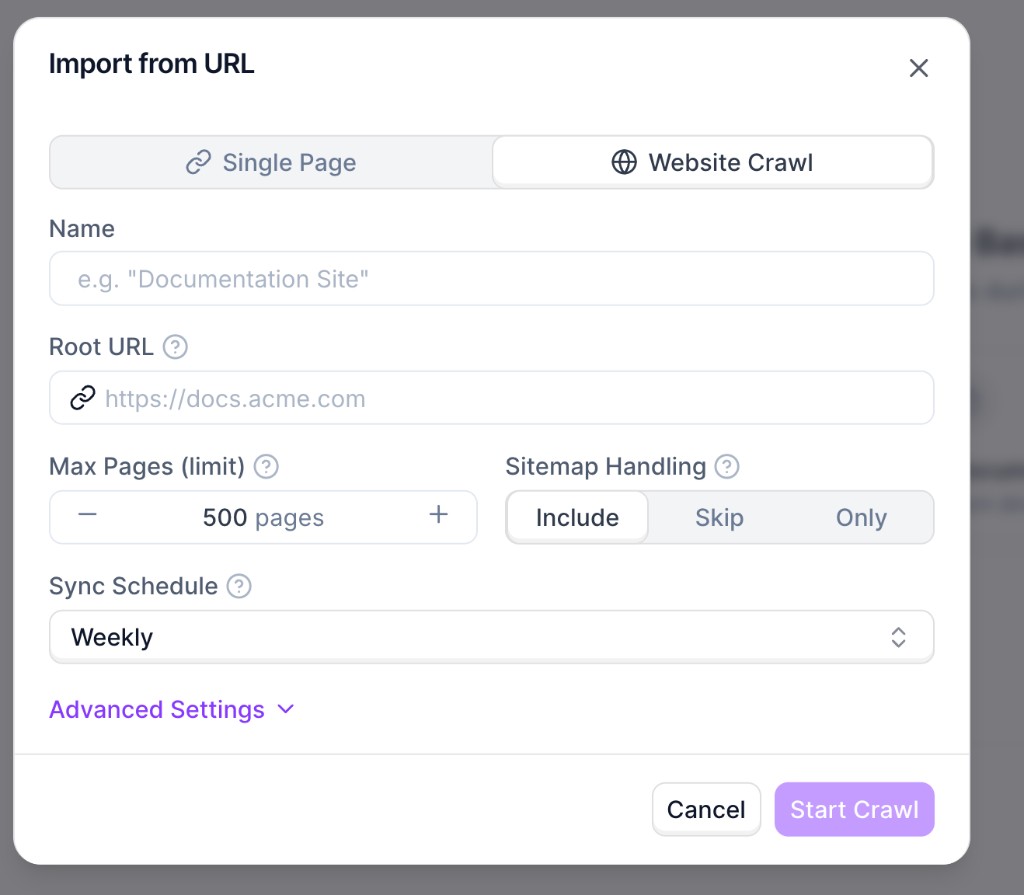
Set the required fields:
* **Name**: internal name for this source.
* **Root URL**: starting URL for discovery (for example, `https://docs.synthflow.ai`).
* **Max Pages (limit)**: maximum number of pages to import.
* **Sitemap Handling**: whether sitemap URLs are included, skipped, or used exclusively.
* **Sync Schedule**: automatic recrawl cadence.
Use **Advanced Settings** for include/exclude path rules, URL parameter handling, subdomain inclusion, and crawl depth.
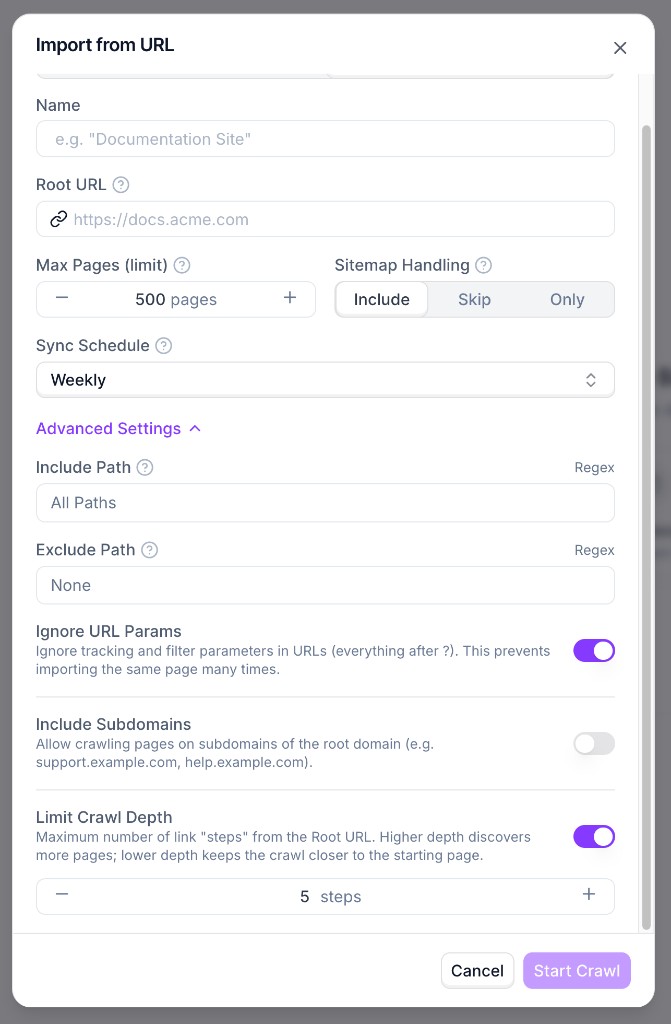
Click **Start Crawl**. Importing starts in the background and the source status shows as **Crawling in progress** while pages are being discovered and indexed.
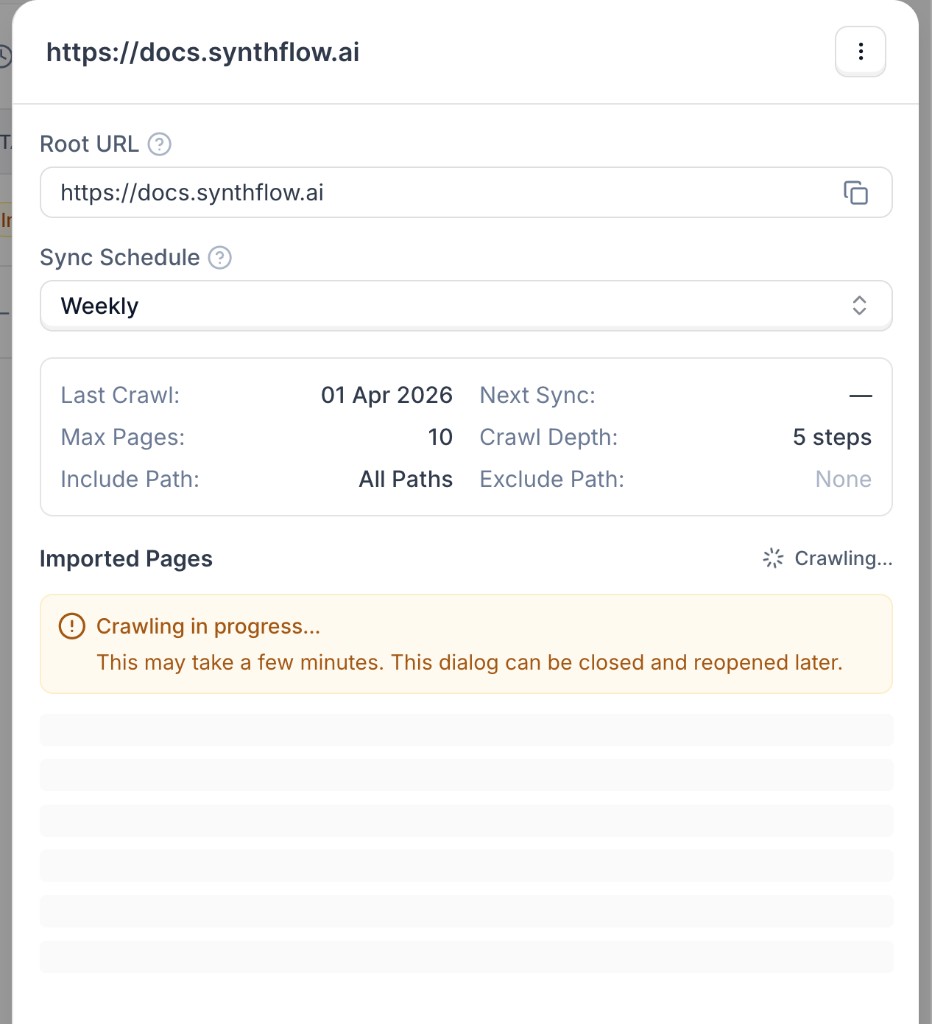
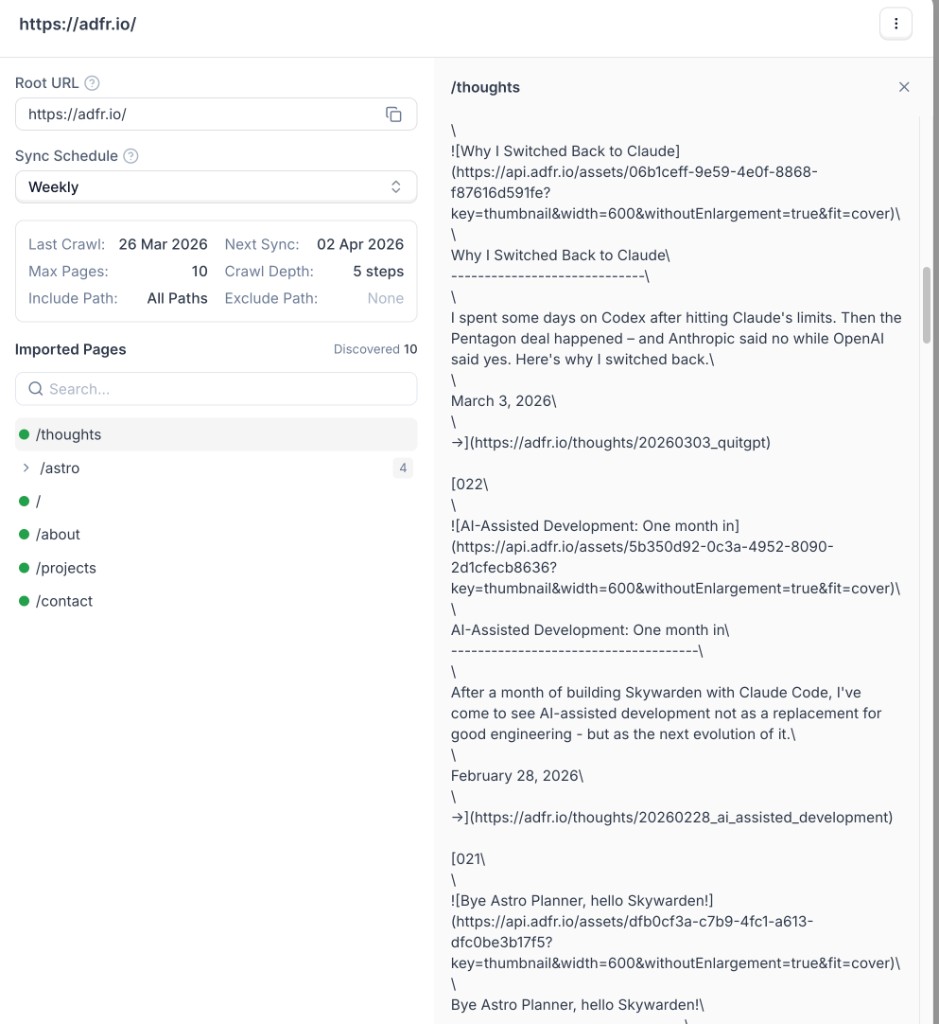
When crawling finishes, open the source details to review the imported pages list and inspect extracted content.
## Recommendations
* Start with a lower page limit while testing, then increase gradually.
* Use include/exclude rules to avoid irrelevant sections (for example `/blog` or `/changelog`).
* Keep URL-parameter ignoring enabled to reduce duplicate page imports.
* Use a lower crawl depth for focused imports and higher depth for full-site coverage.