***
title: Single Sign-On
subtitle: Centralize authentication with your identity provider
slug: sso
description: Connect your identity provider to centralize authentication, and enforce access policies
---------------------
For a complete page index, fetch https://docs.synthflow.ai/llms.txt. For full documentation content, fetch https://docs.synthflow.ai/llms-full.txt.
Single Sign-On (SSO) is available on Enterprise plans only.
## Overview
Single Sign-On (SSO) lets your team sign in to Synthflow through your existing identity provider instead of managing separate workspace credentials.
For enterprise organizations, SSO provides centralized authentication control, consistent access and security policies across teams, and faster onboarding/offboarding through identity provider lifecycle management.
SSO configuration is available only to **Super Admins** and **Admins**. For role details, see [Role Management](/role-management).
Synthflow uses **WorkOS** as the SSO infrastructure provider.
## How to enable SSO
Navigate to **Settings** → **Security**. To enable SSO, you must provide:
* **Organization name** (defaults to your workspace name)
* At least one domain from your [whitelist domains](/allowed-email-domains) policy
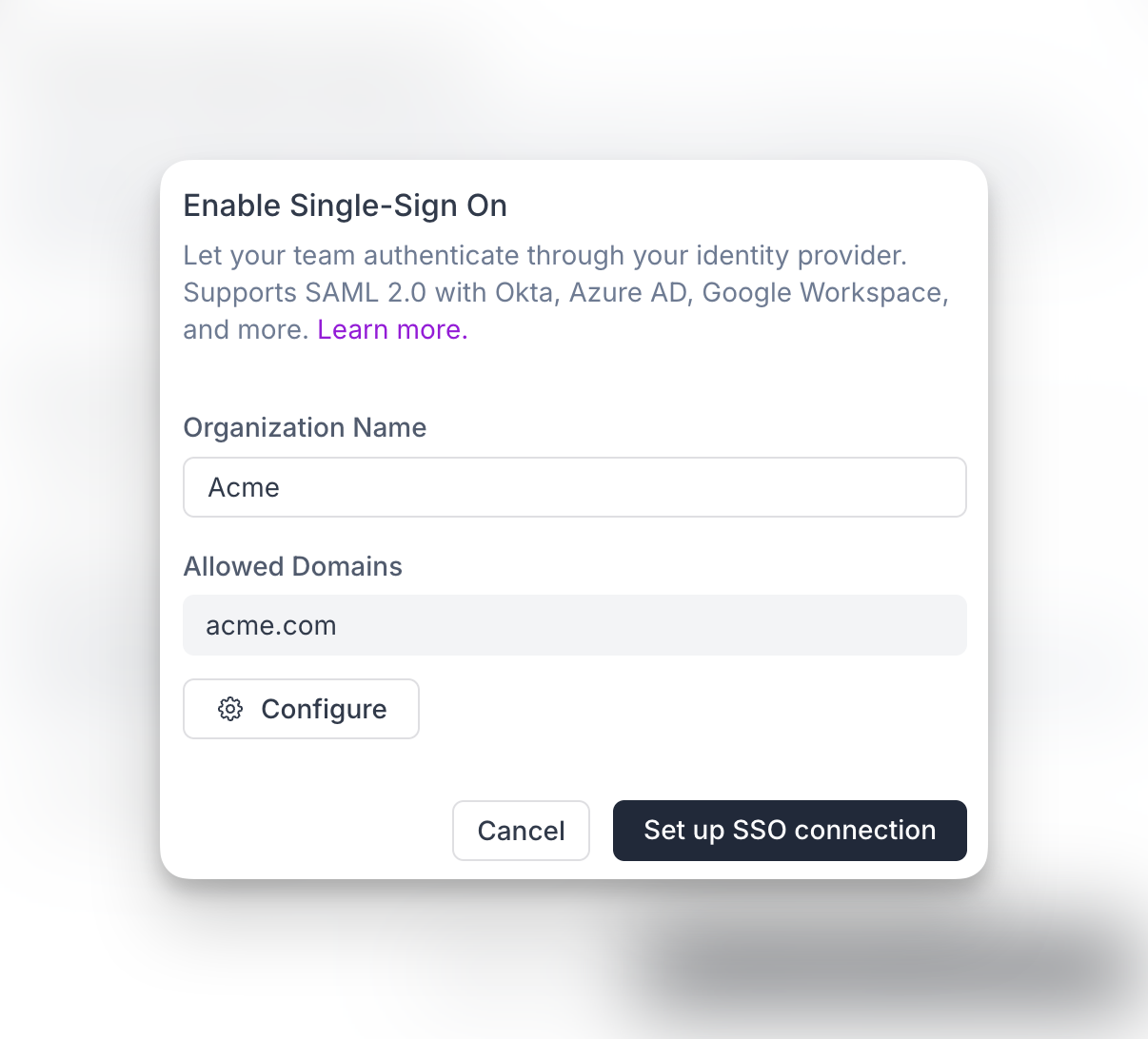
After submitting this form, Synthflow creates an organization in WorkOS and redirects you to the identity provider connection list. You can also continue this setup later if you do not want to complete the provider connection immediately. Until the provider setup is successfully completed, the connection remains pending and inactive.
Available providers:
* Okta SAML
* Entra ID (Azure AD) SAML
* Google SAML
* ADP OpenID Connect
* Auth0 SAML
* CAS SAML
* ClassLink SAML
* Cloudflare SAML
Each provider has slightly different setup requirements. Read the provider instructions carefully to ensure a successful connection.
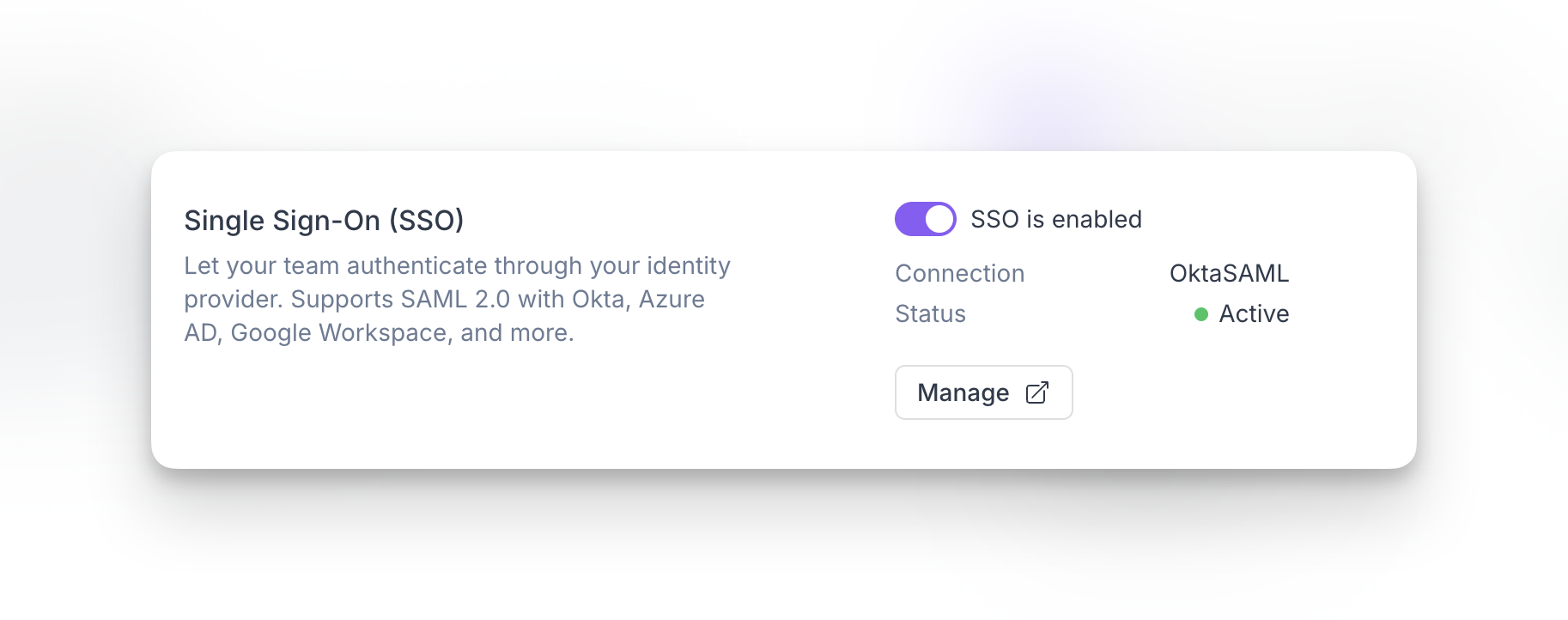
## Disable SSO
Workspace admins can disable SSO when needed.
* Disabling SSO does **not** remove your WorkOS organization or the external identity provider connection (Okta, OIDC, and others).
* Existing and new users who normally authenticate through SSO will not be able to access the workspace via SSO until SSO is enabled again.
## FAQ
Yes. You can configure the same domain policy in multiple workspaces.
Yes. After creating the WorkOS organization, you can return later to complete the identity provider connection. Until setup is completed successfully, the connection remains pending and inactive.
Only **Super Admins** and **Admins** can configure and manage SSO settings.
Users who authenticate through SSO will not be able to access the workspace via SSO until it is enabled again. Disabling SSO does not delete the WorkOS organization or external identity provider connection.
Yes. You can update or reconfigure your SSO connection later by managing your identity provider setup from the SSO settings flow.
No. Allowed email domains and SSO complement each other. Allowed domains control invitation policy, while SSO centralizes authentication through your identity provider.