***
title: Information Extractors
slug: use-the-information-extractor
subtitle: Extract structured data from conversations
description: Learn how to use Information Extractors to capture specific data points from calls, including yes/no answers, single-choice selections, and open-ended responses.
---------------------
For clean Markdown of any page, append .md to the page URL. For a complete documentation index, see https://docs.synthflow.ai/llms.txt. For full documentation content, see https://docs.synthflow.ai/llms-full.txt.
Information Extractors allow your AI agent to capture specific data points from conversations and return them in a structured format. Each extractor defines what information to collect and how to format the answer.
All extracted data is automatically included in the [post-call webhook](/post-call-webhook), making it easy to integrate with your CRM, database, or other systems.
## Overview
Information Extractors are reusable actions that you create once and attach to any agent. They work in the background during calls to identify and extract specific information based on the rules you define.
## Types of Extractors
### Yes/No Question
Returns a boolean (`true` or `false`) based on whether a condition was met during the call.
**Example use cases:**
* "Did the customer confirm their appointment?"
* "Is the lead interested in a demo?"
* "Did the caller request a callback?"
### Single Choice
Provides a predefined list of options, and the AI selects the one that best matches the conversation.
**Example use cases:**
* "What was the customer's mood?" → Options: Happy, Neutral, Frustrated
* "Which product did they inquire about?" → Options: Basic Plan, Pro Plan, Enterprise Plan
* "What is their preferred contact method?" → Options: Email, Phone, Text Message
### Open Question
Allows the AI to extract free-form answers based on the conversation context without predefined options.
**Example use cases:**
* "What specific issue did the customer describe?"
* "What product features did they mention?"
* "What is the customer's company name?"
## Create an Information Extractor
Information Extractors are created globally in your workspace and can be attached to any agent. This example demonstrates creating a Yes/No extractor to determine if a user is open to new career opportunities.
Navigate to your agent and open the **Actions** tab.
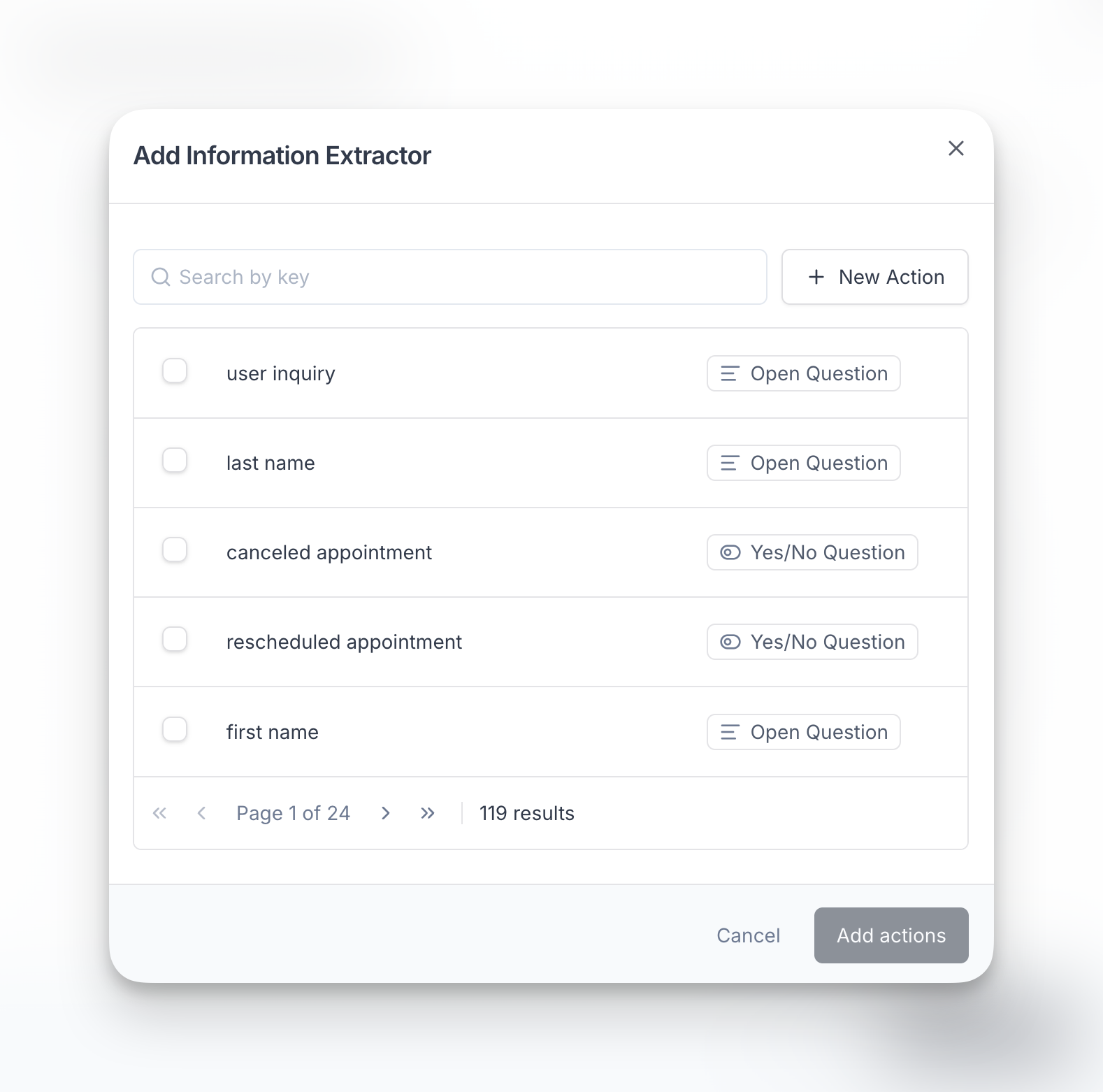
Navigate to the **After the Call** tab, and select **Information Extractor**. A window will show up listing all your existing extractors. Select the ones you wish to attach to your agent, or click on **New Action** to create a new one.
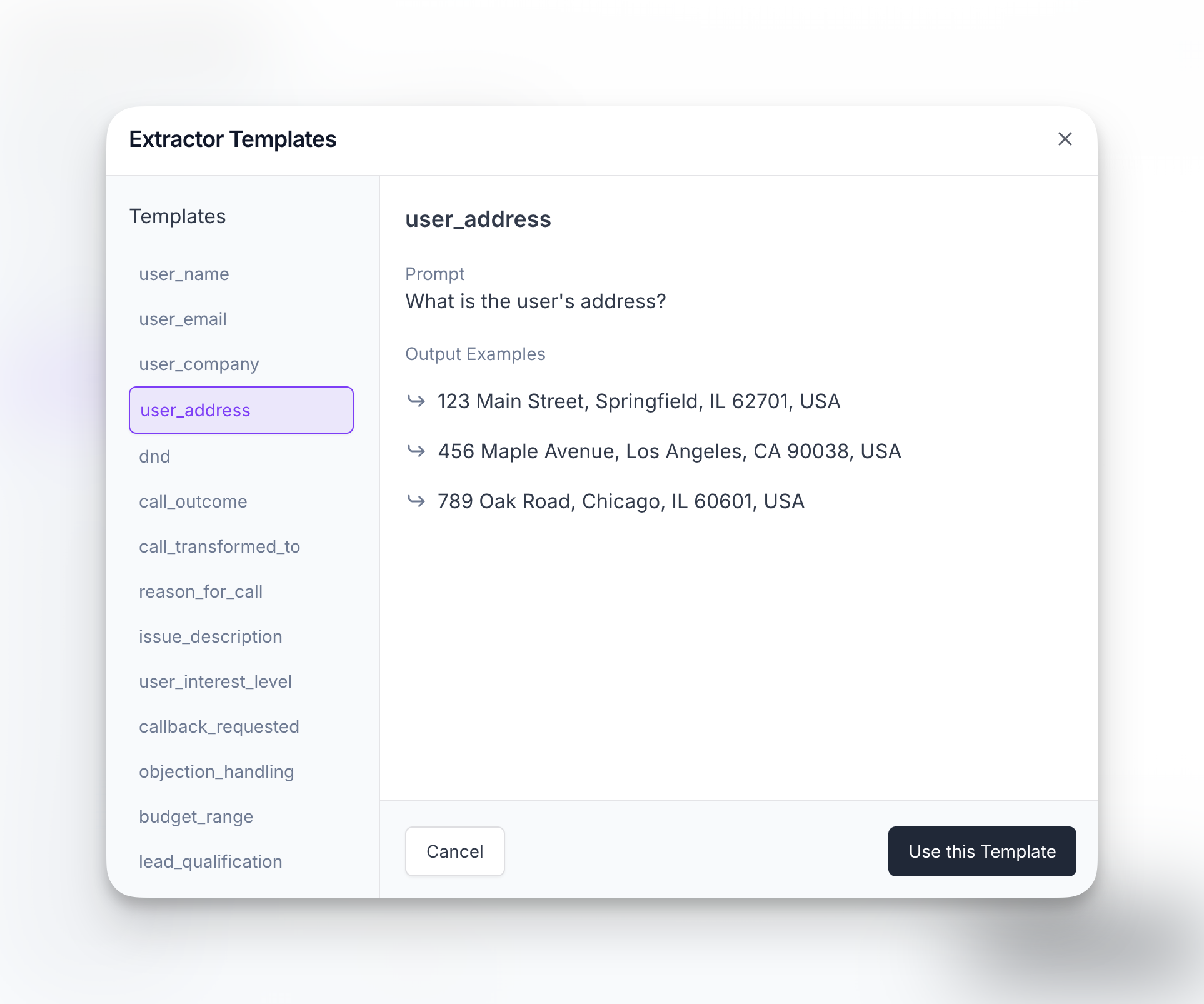
In case you decided to create a new action, we offer extractor templates that can help you simplify the process. You can edit them according to your use case.
Select the extractor type that matches your needs (Yes/No, Single Choice, or Open Question).
In this example, we're using a Yes/No extractor since we want a boolean answer.
Enter a unique name for your extractor using snake\_case format (e.g., `open_to_opportunities`).
This name will be used as the key in your webhook data, so make it descriptive and easy to reference in your code.
Write a clear, simple question or instruction that tells the AI what to extract. For example: "Is the user open to considering new opportunities?"
**Important limitations:**
* Keep your extraction prompt concise and specific
* Avoid complex instructions or multiple questions
* **Do not use pseudocode, code syntax, or special characters like `{}`, `[]`, or `<>`**
* **Do not request JSON, XML, or other structured format outputs**
* Request plain text answers only
Requesting structured outputs (JSON, code formats) will cause JSON parsing errors and may result in failed calls.
Click **Save** to create the extractor. The action is automatically attached to your agent.
## Attach to an Agent
Once created, attach the Information Extractor to your agent so it runs during calls.
Navigate to the **Agents** tab and open the agent you want to configure.
Go to the **Actions** tab within your agent.
Navigate to the **After the Call** tab, click **Add Action** and select your newly created extractor from the modal window.
Your agent will now extract this information during every call and include it in the post-call webhook payload.
## Best Practices
* **Keep questions simple** - One piece of information per extractor
* **Use clear language** - Write extraction prompts as if asking a human
* **Request plain text only** - Never request JSON, code formats, or use special characters like `{}`, `[]`, `<>` in your extraction instructions
* **Name consistently** - Use snake\_case for extractor names (e.g., `customer_sentiment`, `product_interest`)
* **Test thoroughly** - Make test calls to verify extraction accuracy
* **Consider context** - Ensure your agent's prompt discusses topics relevant to what you're extracting
## FAQ
Yes, you can attach multiple Information Extractors to a single agent. Each extractor will run independently and return its own data in the webhook payload.
The extractor will return `null` or an empty value if the requested information isn't found in the conversation. Your webhook handler should account for missing data.
Yes, Information Extractors are global to your workspace. Once created, you can attach the same extractor to as many agents as needed.
All extracted data is automatically included in the [post-call webhook](/post-call-webhook) payload under the extractor's name. You can also view extracted data in your call logs within the Synthflow dashboard.
Yes, you can edit extractors at any time. Changes will apply to all future calls for any agents using that extractor. Past call data will not be affected.
**Single Choice** limits responses to predefined options you specify, ensuring consistent categorization. **Open Question** allows the AI to extract free-form text, which is useful when you don't know all possible answers in advance.
No. Information Extractors must return plain text values only. Do not request JSON, XML, or other structured formats, and avoid using pseudocode or special characters like `{}`, `[]`, or `<>` in your extraction instructions. Using these formats will cause JSON parsing errors and may result in calls remaining in "in progress" status indefinitely.
**Instead of:** "Return JSON with name and email: `{name: string, email: string}`"\
**Use:** "Extract the customer's name and email address" (create two separate extractors)
If a call remains in progress indefinitely after completing, it may be due to a JSON parsing error caused by your Information Extractor configuration. Check that you're not requesting structured outputs (JSON, code formats) or using special characters like `{}`, `[]`, or `<>` in your extraction prompts. Update your extractors to request plain text values only.