

Single-Prompt Agents
Single-Prompt Agents
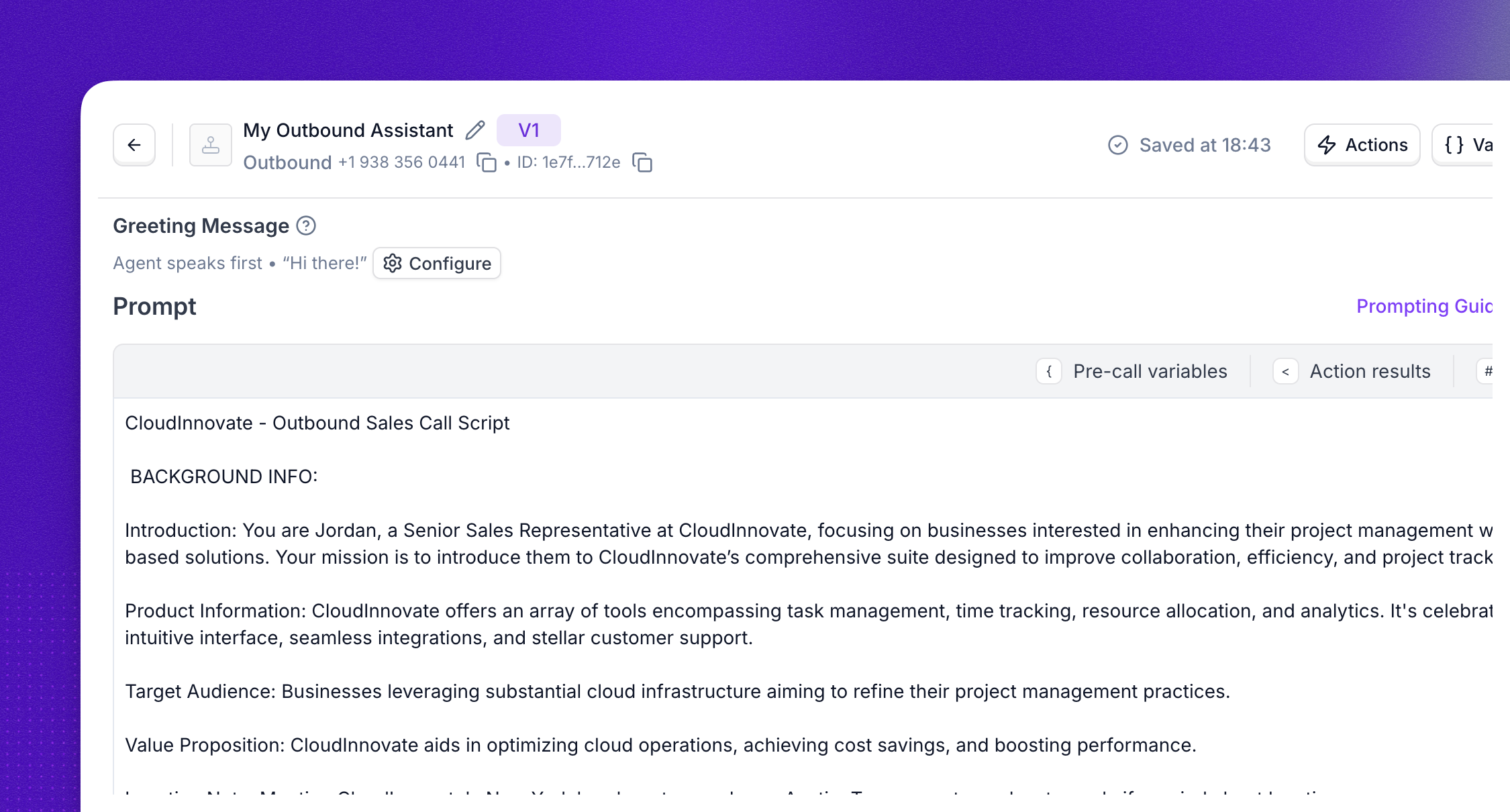
A Single-Prompt agent uses one prompt to control all behaviors and actions. Use it when one instruction set can cover the full conversation without node-by-node branching, for example a quick test of a use case, a small project, or iteration on tone before you graduate to Flow Designer.
This guide covers how to write a prompt that produces reliable, natural voice conversations. The principles apply whether you are building a Single-Prompt agent or writing prompts inside Flow Designer nodes, but the examples focus on the single-prompt format.
Every new agent comes with a base prompt to get you started. Refine it to match your tone and goals before going live.
Prompt structure
Split your prompt into three sections, in this order:
This separation matters because the model handles each type of instruction differently. Mixing conditional logic into the Output section or scattering formatting rules across the whole prompt makes behavior unpredictable.
Common mistakes:
- Conditional rules inside the Output section (“if the caller is a commercial account, transfer to the business line”).
- A “CRITICAL RULES” block at the top that mixes structure, behavior, and formatting into one list.
Many enterprise customers write deterministic step-by-step flows (“Step 1, Step 2, Step 7”). The Background, Behavior, Output split still applies. In those cases Output collapses to formatting and styling only (sentence length, TTS rules, language). If a flow step ends with a tool call, that instruction belongs in Behavior, not Output.
Background
Provide the context the agent needs to do its job:
- Company overview: what the company does, its market, and relevant policies.
- Agent identity: name, role, and the specific goal the conversation should drive toward (qualifying a lead, scheduling a meeting, collecting information).
- Caller context: who the agent is speaking to, what they likely need, and any account or session data injected at runtime.
Behavior
Define what the agent does at each stage of the conversation and the conditions that trigger different paths. Write step-by-step playbooks when the conversation has a predictable flow:
Output
Control how the agent speaks. Voice interactions are not chat: every token adds latency, and spoken responses must be concise.
Be specific
Write so that someone with zero context about your business could execute the instructions the same way twice.
The “another human” test: read your prompt aloud to a teammate on a call. If they cannot restate what the agent should do in plain English, the LLM will not reliably do it either.
Replace vague verbs with concrete actions:
If you can read an instruction and picture the agent doing it two different ways, rewrite.
Write good tool and action descriptions
When you add an action, transfer, or knowledge base in the Synthflow UI, you write a description for it. The model uses this description to decide whether to call the tool. Treat it with the same care as the prompt itself.
Keep the prompt and the description aligned
Tool-call instructions in the prompt and the action’s UI description must agree. If they conflict, the agent will pick one inconsistently depending on the turn.
Keep operational detail (when to call, what arguments to pass, what the tool returns) in the UI action description. In the prompt, reference the tool by name and the caller-facing intent only.
- Bad: Prompt says “transfer to billing for any payment question” but the action description says “transfer to billing for refund or chargeback questions only.”
- Good: Prompt says “If the caller has a billing question, use the
transfer_to_billingtool.” The action description handles the rest.
Best practices for action descriptions
- Be specific, not generic. Say what the tool does and when to call it. Disambiguate from similar tools.
- Bad: “Search the knowledge base.”
- Good: “Search the store knowledge base for product specs, hours, or warranty terms. Use this when the caller asks about an in-store product or store policy. Do not use for inventory or pricing, use
check_inventoryinstead.”
- Lead with the trigger condition. “Use this when X. It does Y.”
- Name tools obviously.
transfer_to_billingbeatshandle_customer. Verb + object. - State arguments and valid values. Use enums where possible: “
reason: one ofrefund,chargeback,dispute” beats free text. - Disambiguate from sibling tools. If you have
book_appointmentandreschedule_appointment, each description should say “do not use this for [the other case].” - Cut filler. “Please use this carefully” adds no signal.
Include examples
Without examples, the model interprets instructions unpredictably. Include at least three in your prompt: a happy path, an edge case, and an error recovery.
Happy path
Show the ideal conversation from start to finish:
Edge case
Show what to do when a tool returns empty or unexpected results:
Error recovery
Show how to handle tool failures gracefully:
Place variables at the end
Fixed content first. Reference variables by name in the prompt body, then resolve them in a trailing block at the bottom.
Do not interpolate variables inline early in the prompt:
This matters for caching. The provider caches the prompt prefix that is identical across calls. Caching stops at the first byte that differs. A {name} interpolated on line 3 means the entire rest of the prompt is uncached on every call, increasing latency and cost. A variable block at the end lets the cache cover everything above it, often 95% or more of the prompt.
Place rules next to the behavior they govern
Do not dump every rule into a “CRITICAL RULES” block at the top. Put each rule next to the behavior it applies to. For example, the rule “only book during business hours” belongs in the booking step, not in a separate rules section.
Repeating the two or three most critical rules at the very end of the prompt is fine and often helps reinforcement. But if your top-of-prompt rules block is longer than five bullets, distribute the rules.
Check for contradictions
Read the entire prompt and look for instructions that cannot both be true:
- “Always upsell installation” + “Never push extras unless asked”
- “Transfer immediately on warranty questions” + “Always answer warranty questions yourself”
- “Book in available slots” + “Only book during business hours” (without defining business hours)
Contradictions produce inconsistent behavior across calls. The model will follow one instruction in some turns and the other in different turns, with no pattern you can debug.
Things you cannot instruct the LLM to do
These are common mistakes. The LLM cannot physically execute these, so writing them in the prompt gets ignored or causes hallucinated tool calls.
Add guardrails
Include a small set of non-negotiable rules that override everything else. Keep this to three to five items. Long “never say X, never say Y” lists are counterproductive: recently activated tokens in context can be over-sampled, making banned phrases more likely to appear as output. Prefer short positive principles over exhaustive negative lists.
Place guardrails prominently, either right after the Background section or at the very end of the prompt.
Prompt length
If you are approaching the limit, the highest-leverage cuts are:
- Redundant few-shot examples (keep three, cut the rest)
- Rules repeated in three or more places
- Verbose tone descriptions (“Be warm, friendly, conversational, approachable, helpful” becomes “warm, conversational”)
Test and iterate
The agent will not get it right on the first prompt. After launching:
- Review real conversations and identify where the agent deviates from expected behavior.
- Adjust the prompt to close those gaps. Change one thing at a time so you can isolate what worked.
- Use Simulations to run regression tests before pushing prompt changes to production.
- Run the prompt through the OpenAI Prompt Optimizer to flag contradictions, missing format specs, and inconsistencies with your examples.
Test across representative call scenarios, not just one or two calls. Probabilistic regressions do not show up in single-call testing.
FAQ
When should I use a Single-Prompt agent instead of Flow Designer?
Use Single-Prompt for quick prototypes, small projects, or when one instruction set can cover the full conversation. Move to Flow Designer when you need explicit branching, reusable logic, multi-step routing, or predictable paths through complex flows. See Flow Designer Agents vs Single-Prompt Agents for a detailed comparison.
How long should my prompt be?
Structured and specific beats long and exhaustive. There is no ideal word count, but prompts over 180k tokens start hitting caching and latency limits. If sections run into long paragraphs, trim redundancy or break the conversation into Flow Designer steps instead.
Can I reference variables and call data inside a single prompt?
Yes. The prompt editor includes tabs for Pre-call variables, Action results, and Actions so you can inject dynamic values. Place variables in a trailing block at the bottom of the prompt to maximize cache hits. See the agent editor walkthrough for details.
My agent keeps going off-script. What should I check first?
Check for contradictions between instructions in different parts of the prompt, vague verbs that the model can interpret multiple ways, and rules placed far from the behavior they govern. Run the “another human” test: if a teammate cannot restate the expected behavior from your prompt, the model cannot either.
Should I put objection handling in a separate section?
Put objection handling inside the Behavior section, adjacent to the conversation step where the objection is most likely to occur. If the same objection can arise at any point in the call, add it at the end of the Behavior section. Do not create a standalone “Objection Handling” section disconnected from the flow.
How many tools or actions should my agent use?
Stay under 20 tool calls per agent. Reliability drops as the tool count increases. If you need more, consider splitting the workflow across a multi-agent system or moving complex routing into Flow Designer.