

Call Configuration
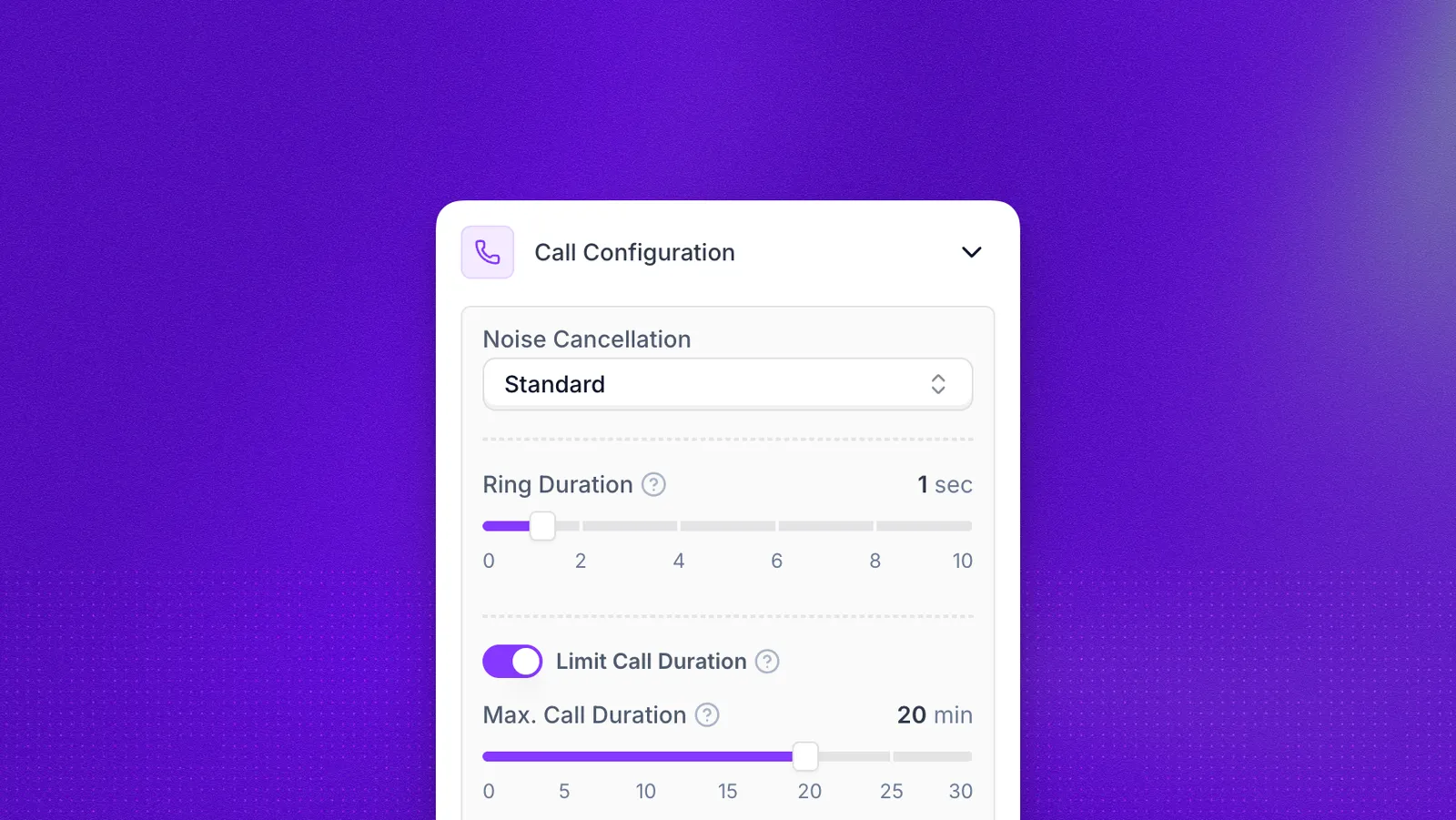
The Call Configuration section of the agent editor governs the mechanics of how your agent handles phone calls, from noise cancellation and ring behavior to call duration limits and idle handling. Start here when you need to reduce background noise, cap call length, adjust idle behavior, or enable voicemail handling.
Noise cancellation
Noise Cancellation removes background noise (chatter in a café, keyboard typing) so the caller’s voice is clearer and easier for the agent to understand. The recommended setting for most use cases is Standard. For environments with heavy background noise, switch to Voice Isolation, which leverages Krisp noise cancellation for more aggressive filtering.
Strength
When Voice Isolation is selected, Strength controls how aggressively it filters. Higher levels remove more background noise but can affect the caller’s voice.
Through the API, Strength is set with the suppression_level field on the agent API. Each level maps to the following range:
Strength has no effect when Standard is selected. Agents created through the API without a noise cancellation setting start on Voice Isolation with Extreme strength.
Ring duration
Ring Duration controls how long the phone rings before the agent picks up the call. A short ring (1 to 2 seconds) feels responsive for support lines, while a longer ring can feel more natural for outbound calls.
Limit call duration
Toggle this on to cap how long a call can run. When enabled, the Max. Call Duration slider lets you set the limit up to 30 minutes. If the toggle is off, no fixed cap is enforced and the call ends only when the caller, the agent, or another rule stops it.
Leave a voicemail
When enabled, the agent leaves a voicemail message after detecting that the call has reached voicemail, instead of simply hanging up.
Leaving a voicemail only works when the agent waits for the caller to speak first, since voicemail detection depends on listening for that opening audio. Switch the greeting to Human speaks first before enabling Leave a Voicemail, and keep it on for as long as voicemail handling is on.
There are two modes:
You can also configure this via the voicemail_message object on the Create Assistant and Update Assistant endpoints.
Advanced settings
The settings below are collapsed under Advanced Settings by default. They give you control over idle behavior and ambient audio.
Max. idle duration
Max. Idle Duration sets how long the agent waits for the caller to respond before automatically disconnecting. Avoid setting this too low. Callers sometimes need a moment to think or look something up, and a premature disconnect creates a poor experience.
Idle reminders
When enabled, the agent sends a reminder message after the caller has been silent for a set period. You can customize the Message the agent says (for example, “I’m still here. Do you have any questions?”) and the Idle Duration threshold that triggers it.
Background noise
The Background Noise toggle adds subtle ambient audio to the call, making the conversation feel less sterile. This can help callers feel more comfortable, especially in consumer-facing use cases where a completely silent line may seem unnatural.
FAQ
Why isn't my voicemail message playing?
Voicemail handling requires Human Speaks First so the agent can listen for the initial speaker and recognize a voicemail greeting. If your agent uses an automatic greeting, switch the greeting mode and re-enable Leave a Voicemail.
What's the difference between Standard and Voice Isolation?
Standard is the default and works for most environments. Voice Isolation uses Krisp for more aggressive noise cancellation, which is better for callers in cafés, airports, or open offices but slightly more intrusive on the audio.
Can I cap a call beyond 30 minutes?
The Max. Call Duration slider tops out at 30 minutes. For longer calls, leave Limit Call Duration off and rely on the agent’s own end-call logic or other guardrails to stop the conversation.
Why is my agent reaching voicemail?
Some voicemail greetings pass voicemail detection, especially ones recorded in the customer’s own voice. If voicemail handling matters, switch the Voicemail Detection setting to Time based.