

Languages
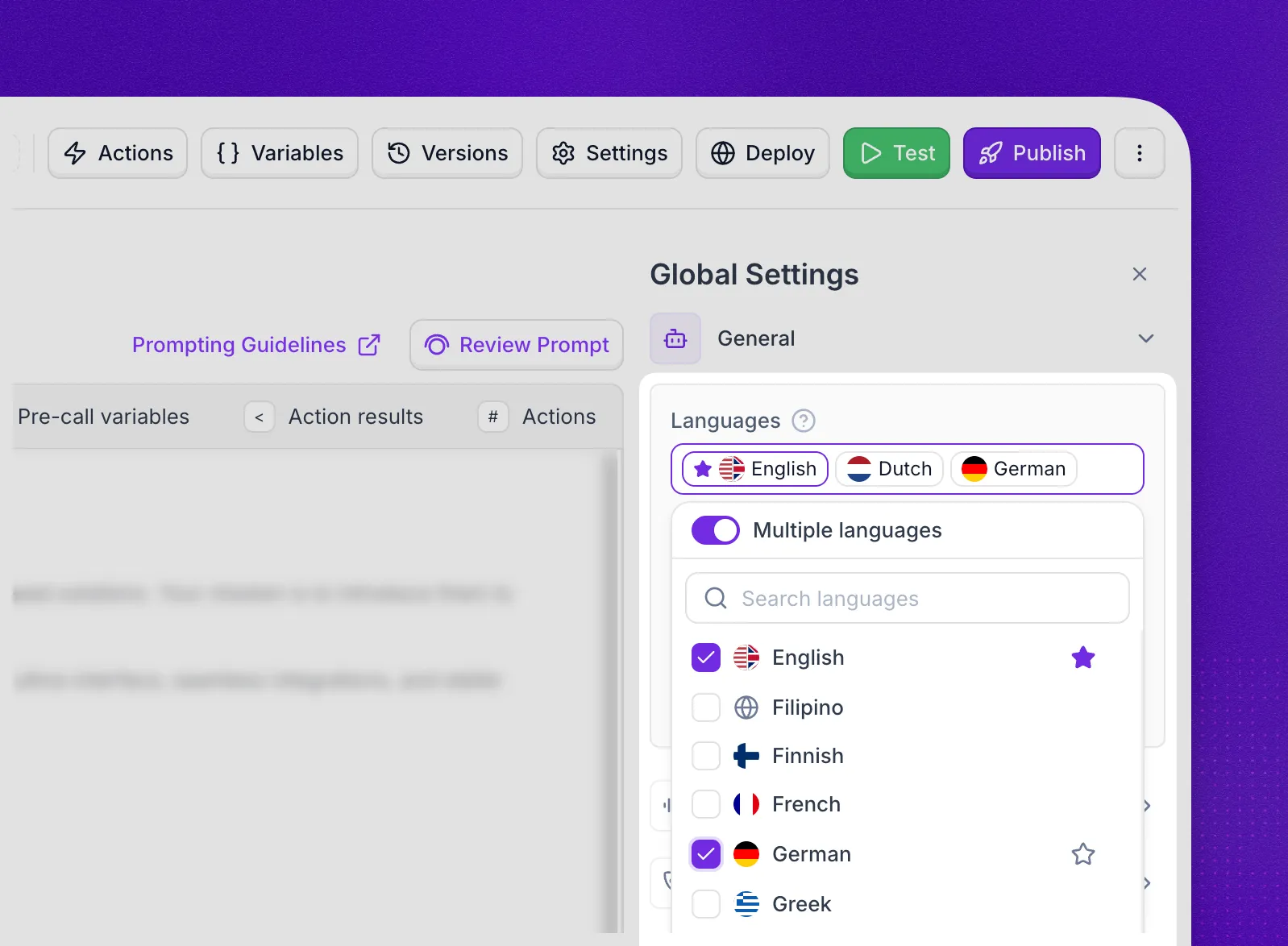
The Languages field sets which languages your voice agent understands and speaks. Select one language, or turn on Multiple languages and select every language your callers speak.
The field is in the General section of the agent editor. Chat agents have a single Language dropdown instead.
Multiple languages
Select Languages, then turn on Multiple languages. Select each language your callers speak. The agent understands and answers only in the languages you select. All languages selects the whole list.
The Multiple languages switch replaces the Multilingual option that used to be in the language list.
The list shows the languages your agent’s transcriber, voice model, and voice all support:
- Synthflow STT supports up to 60 languages.
- Deepgram supports 10: English, Spanish, French, German, Hindi, Russian, Portuguese, Japanese, Italian, and Dutch.
A voice model or voice that covers fewer languages shortens the list. Some languages, such as Arabic and Tamil, are available only with Multiple languages turned on.
Primary language
The primary language is the one marked with a star. The agent uses it for dynamic greetings and when the caller speaks first.
The first language you select becomes the primary language. Select the star next to another selected language to change it.
Transcribers
Synthflow supports two transcribers for speech-to-text:
- Deepgram — a robust transcription service with strong English language support.
- Synthflow STT — Synthflow’s native speech-to-text engine.
Supported Languages
With Multiple languages turned off, a voice agent speaks and understands one of these languages:
- English (you can choose between American, British and Australian accents)
- Portuguese (Brazil)
- Spanish
- French
- German
- Italian
- Greek
- Dutch
- Polish
- Swedish
- Norwegian
- Danish
- Finnish
- Romanian
- Bulgarian
- Czech
- Slovak
- Hungarian
- Russian
- Ukrainian
- Turkish
- Mandarin
- Japanese
- Korean
- Malay
- Hebrew
- Hindi
- Thai
- Vietnamese
- Indonesian
- Catalan
- Slovenian
- Welsh