

Greeting Message
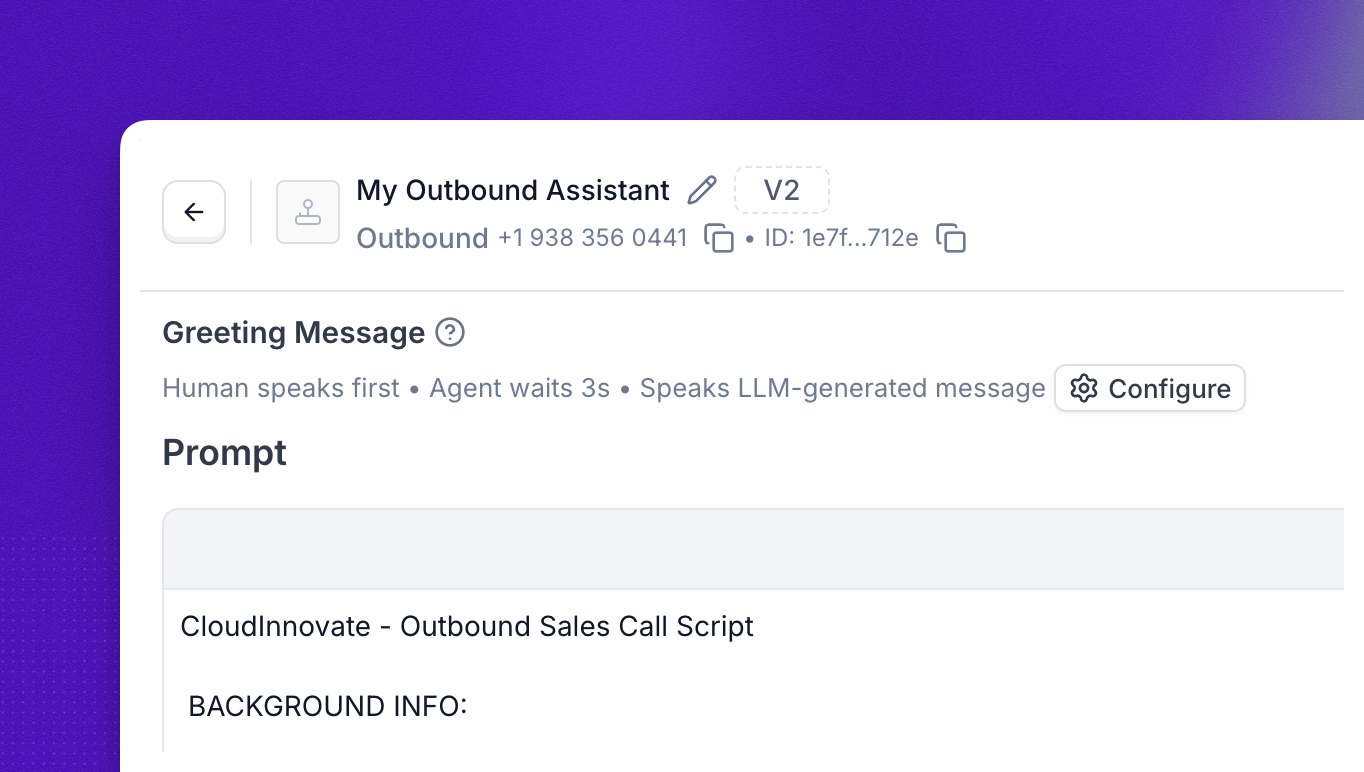
Every call begins with a greeting. You can decide whether the agent kicks things off with a friendly hello, or whether it waits for the caller to speak first and only then responds. The right choice depends on whether the call is inbound or outbound and on how natural you want the opening to feel.
Where to find it
For Prompt Builder agents, open the agent editor and click into the Greeting Message card to open the dialog shown below.
For Flow Designer agents, the greeting is configured in the Greeting Message node, the first node in every flow.
Agent speaks first
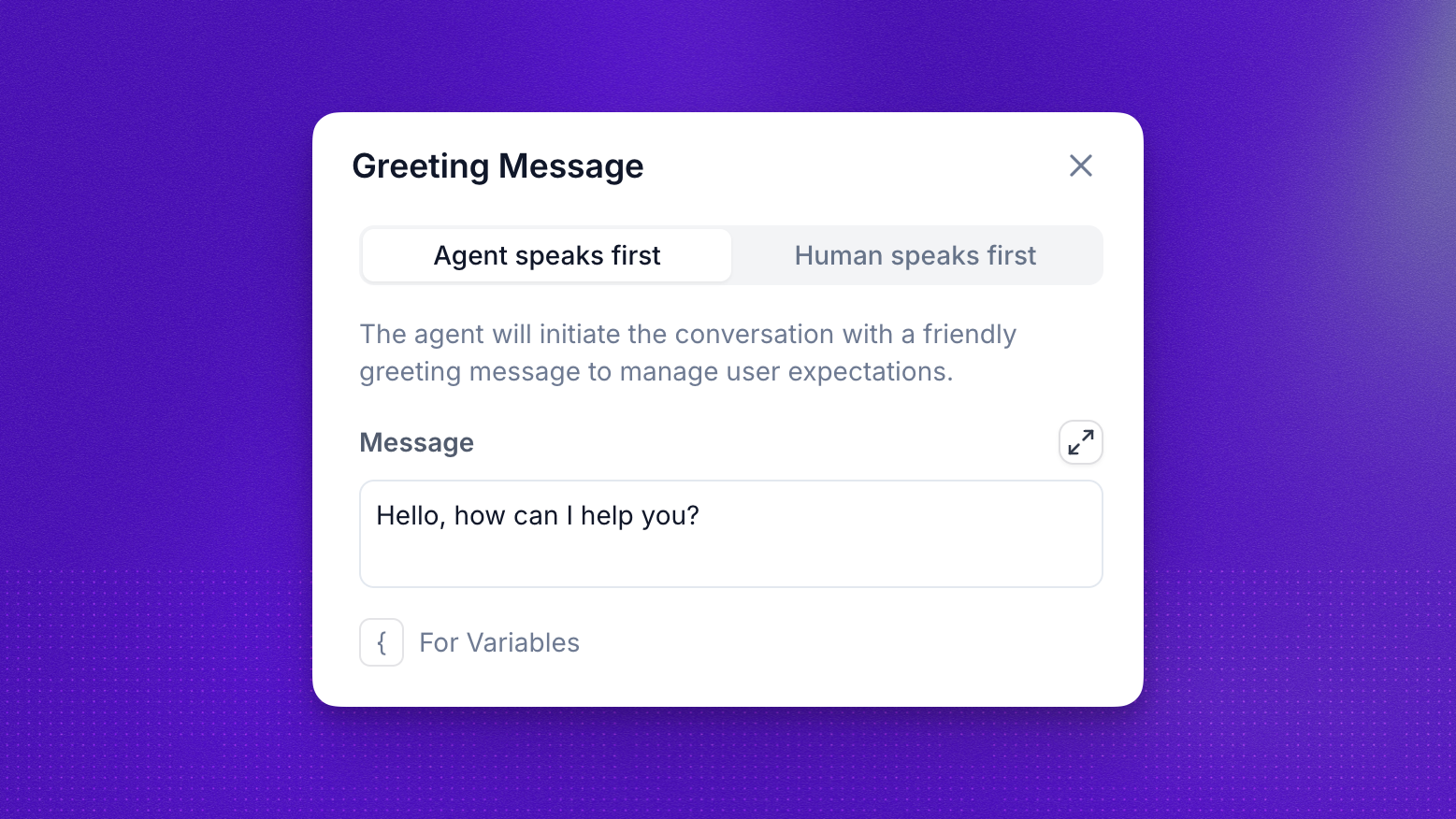
The agent initiates the conversation with a friendly greeting to manage caller expectations. As soon as the call connects, the agent speaks the Message you configure.
Type the greeting directly into the Message field. Use the { For Variables button to insert dynamic values such as the caller’s name or the company they’re calling about. This is a great fit for outbound calls and most inbound flows where you want the agent to set the tone immediately.
Human speaks first
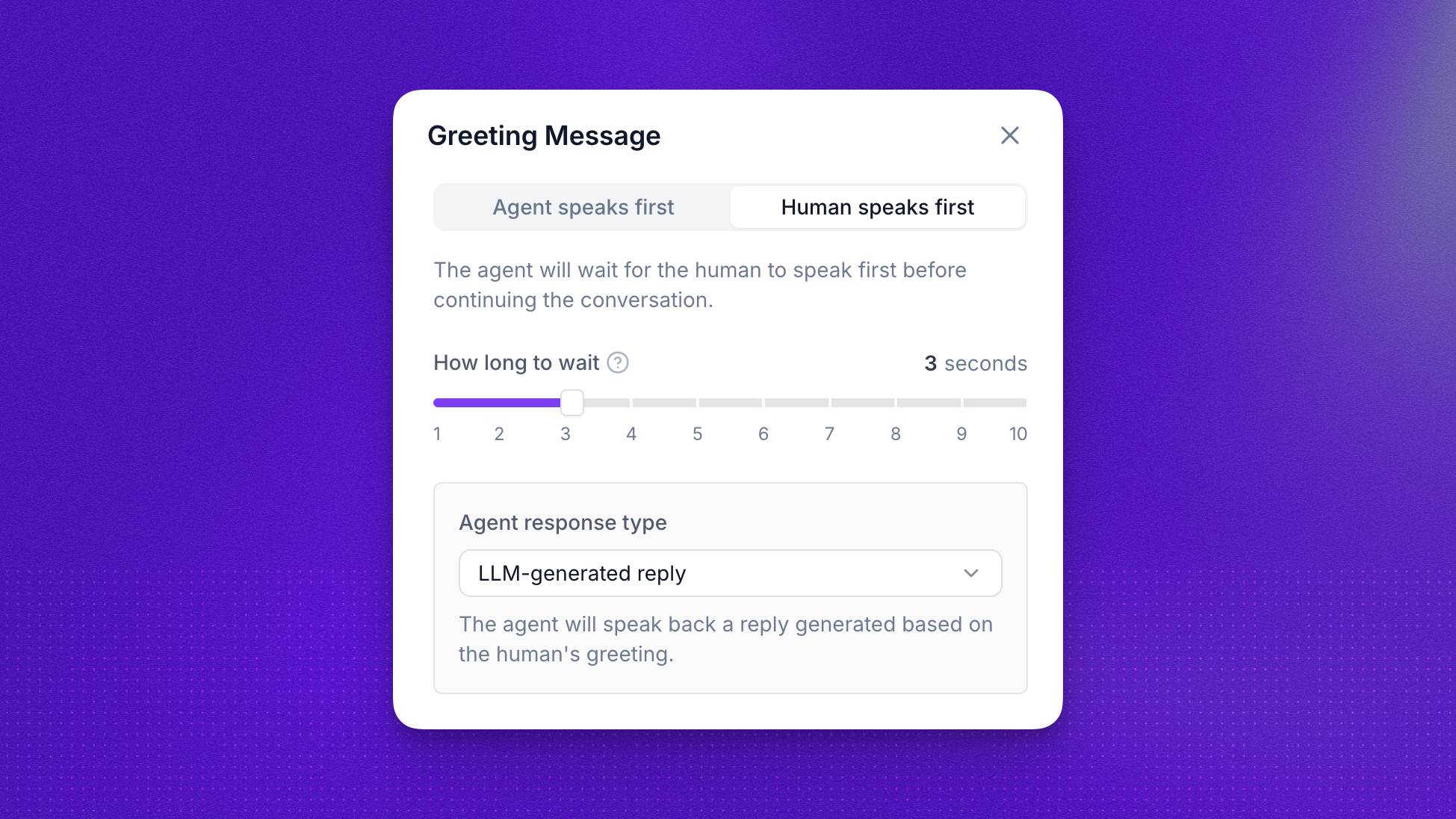
The agent waits silently for the caller to speak before continuing. This is the more natural option for inbound support lines, where callers expect to introduce themselves first. It is also a prerequisite for voicemail handling, since the agent needs to listen for the opening audio to recognize a voicemail greeting.
The How long to wait slider sets a fallback timeout (1 to 10 seconds). If the caller stays silent past that point, the agent steps in and starts the conversation on its own. Three seconds is a balanced default.
Once the caller speaks, the Agent response type dropdown decides what the agent says back.
Custom reply
The agent speaks back the exact message you type, regardless of what the caller said. Use this when you need consistent, predictable wording (for example, a compliance disclosure or a standard handoff line).
AI-generated reply
The agent generates a reply contextually based on what the caller just said. Use this when you want the opening exchange to feel conversational and tailored to the caller’s intent.
Configure via the API
You can also set greeting behavior through the Platform API. The fields below live on the nested agent object of the Create Assistant and Update Assistant endpoints.
greeting_message_mode
Defines how the agent starts the conversation and how the greeting message is delivered.
Notes:
agent_staticuses the exact text provided ingreeting_message.agent_dynamicignores the staticgreeting_messagevalue and generates the greeting using the agent’s prompt context.humanmode is useful when the caller is expected to initiate the conversation (for example, inbound support calls).
greeting_message_human_talk_timeout
Defines how long the agent waits for the human to speak when greeting_message_mode is set to human. If the caller does not speak within the configured time, the agent automatically starts the conversation.
Behavior:
- The call connects.
- The agent waits for the human to speak.
- If the human speaks, the agent responds normally.
- If the timeout is reached, the agent automatically begins the conversation.
Examples
Agent speaks first, static greeting:
Agent speaks first, dynamically generated greeting:
Human speaks first with a 3 second timeout and dynamic fallback:
Human speaks first with a 3 second timeout and static fallback message:
FAQ
Which option should I pick for inbound support?
Pick Human speaks first so the caller can state their issue first, and set How long to wait to a few seconds so the agent steps in if the caller stays silent. Pair it with AI-generated reply for a natural opening.
What's the difference between Custom reply and AI-generated reply?
Custom reply speaks back the exact text you type, every time. AI-generated reply lets the model craft a response based on what the caller actually said. Use Custom reply for fixed disclosures or scripted handoffs, and AI-generated reply for natural-sounding conversation.
Can I include variables in my greeting?
Yes. In the Agent speaks first tab, click the { For Variables button under the Message field to insert dynamic values such as the caller’s name or the company name.
Can I change the greeting at runtime?
Yes. Update the agent through the Update Assistant endpoint, changing greeting_message_mode or greeting_message. Changes apply to new calls.