

Campaigns
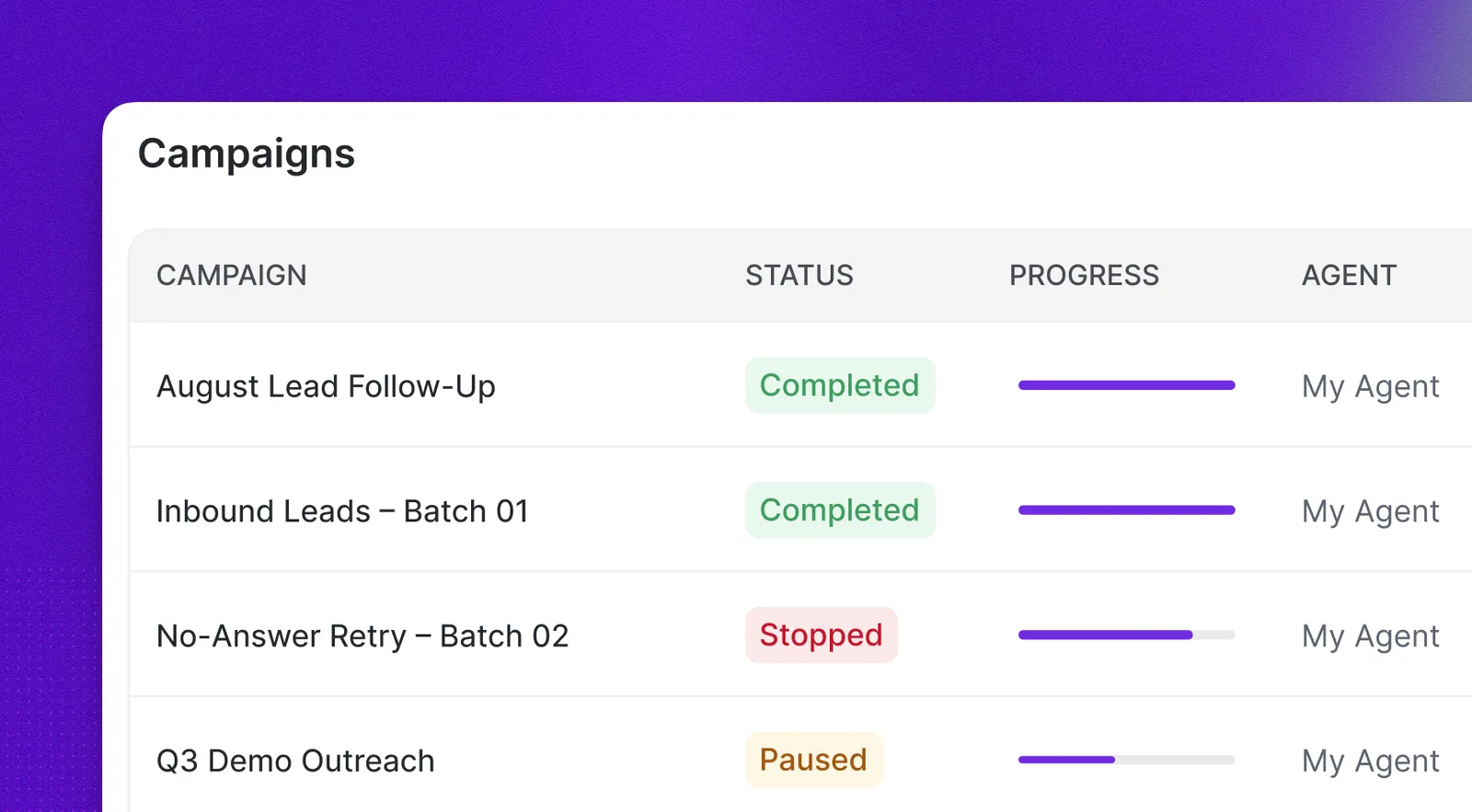
A campaign calls a whole list of people with one agent, without you having to place each call yourself. You hand Synthflow the list, and it dials through it over time, as fast as your account’s concurrency allows, inside the hours you allow it to call.
Every recipient that gets dialed becomes a regular call. It shows up in your call history with the same transcripts, recordings, billing, and webhooks as a call you place one at a time.
Campaigns are created through the Platform API. You start one with a single request, get back a batch_call_id, and use that id to follow the campaign, pause it, resume it, cancel it, or add more people to it later. In the Synthflow portal, each one appears under Campaigns, where you can watch progress without calling the API.
Campaigns are available on our Enterprise plans. Reach out to our support team to activate them on your account.
Create a campaign
Creating a campaign takes the agent that does the talking (model_id), the caller ID it dials from (from_phone_number), and the list of people to call (tasks, between 1 and 10,000 per request). Only tasks is marked required, because the same request also adds recipients to an existing campaign, where the other fields are ignored.
Expand the endpoint below to send a test request with your API key, then use the table for the fields that shape the campaign.
Each entry in tasks describes one recipient:
The response returns the batch_call_id you use everywhere else, along with the campaign’s status and total_task_count.
The agent and the phone number are not checked when the campaign is created. If the from_phone_number is not attached to your workspace, every recipient fails at dialing time with the reason in its error_message.
Choose when calls go out
Two optional settings decide when your recipients hear from the agent.
Set trigger_timestamp to start the campaign later instead of immediately. It is a Unix timestamp in milliseconds, so a campaign created on Friday can start dialing Monday morning.
Set call_time_window to keep calls inside acceptable hours. Windows are evaluated in the agent’s timezone and are defined per weekday:
Use lowercase day names (monday to sunday) and HH:MM in 24-hour format. A start must be earlier than its end, so a window cannot span midnight, and a day can hold several windows as long as they do not overlap. A day you leave out means no calls that day.
While a campaign’s window is shut, dialing stops and picks up again the next time it opens. Nothing in the queue is lost.
Campaign windows and agent business hours
The campaign window and the agent’s business hours are two separate gates, and a call has to clear both. The window decides whether a recipient waits. The agent’s hours are checked as the call goes out, and a recipient dialed while the agent is closed fails on the spot with Call cannot be initiated outside the configured working hours. It does not wait for the agent to reopen.
The simplest split is one gate per direction: business hours on the agents that take inbound calls, and a campaign’s calling window for anything outbound. Each direction then has a single schedule to reason about.
Use one or the other, not both. With the agent open 10:00 to 17:00 and a campaign window of 18:00 to 22:00, every recipient fails: the campaign waits until 18:00, and the agent gate then rejects each call. If you do set both, keep the campaign window inside the agent’s business hours.
Leave the campaign window out and the agent’s hours are the only gate, so recipients that come up while the agent is closed fail rather than wait. With neither configured, recipients are dialed at any time.
Add more recipients
A request carries at most 10,000 recipients, while a campaign holds up to 1,000,000 of them. To go past 10,000, or to keep feeding a campaign that is already running, send the same create request again with the batch_call_id of the existing campaign:
The campaign keeps its original setup, so model_id, from_phone_number, trigger_timestamp, reserved_concurrency, and call_time_window are ignored in this mode. The returned total_task_count is the campaign’s new total once duplicates have been skipped. Adding recipients to a completed or canceled campaign returns a 400 error.
Control dialing speed
How fast a campaign dials is bounded by your account’s concurrency limit. On every dialing cycle, Synthflow counts the calls your workspace currently has running, campaign and non-campaign alike, and only starts as many new ones as fit under that limit.
Set reserved_concurrency to keep room for everything else, such as inbound traffic or one-off outbound calls. With a limit of 10 concurrent calls and reserved_concurrency: 4, the campaign never uses more than 6 slots. The value has to be lower than your account’s maximum concurrent calls, otherwise the request fails with a 400 error.
Campaigns also share your account’s CAPS limit with warm transfers. If many campaign calls end in a warm transfer, the transfers take capacity from new campaign calls and can interrupt the campaign. See Warm transfers and CAPS.
Follow a campaign
Fetch a campaign by its id to see where it stands. The response carries its status alongside total_task_count, dispatched_count, failed_count, and pending_count, which is enough to build a progress bar or decide when to stop polling.
To see every campaign in the workspace, most recent first, list them instead:
A campaign is always in one of five states:
Track individual recipients
For a per-person view, list the campaign’s recipients. Each one comes back with its outcome, and the list accepts a status filter when you only care about, say, the failures.
Three failures cover most cases, each spelled out verbatim in error_message: Insufficient minutes remaining. Please top up or switch to a higher plan. when the workspace is out of minutes, Please attach a phone number to the agent when the agent has no number attached, and Call cannot be initiated outside the configured working hours when the recipient came up while the agent was closed.
To work with the conversations themselves (transcripts, recordings, outcomes), filter the list calls endpoint with ?batch_call_id=. That list only holds recipients whose call was actually placed, while the recipient list above also covers everyone still queued and everyone who failed before a call happened.
Pause, resume, and cancel
Pausing suspends dialing, whether the campaign is waiting to start or already working through its list. Queued recipients stay queued, and calls already in progress carry on as normal.
Resuming restarts dialing within a few seconds, picking up with the recipients that were still queued. The campaign goes back to scheduled rather than in_progress, and dials again as soon as capacity and its calling window allow. Only a paused campaign can be resumed.
Canceling stops the campaign for good. Queued recipients are marked canceled and will never be dialed, while calls already connected are not hung up. A canceled campaign cannot be resumed and cannot take new recipients, so pause instead if you might continue later.
All three return the campaign’s updated status.
How long a campaign runs
A campaign has seven days to work through its list. It can sit in scheduled, in_progress, or paused across that time, but once the seven days are up an unfinished campaign is canceled, and everything still queued is canceled with it, exactly as if you had canceled it yourself.
Two things make that deadline easier to hit than it sounds. A narrow calling window leaves only a few hours a day to dial, and a pause nobody lifts keeps burning days while nothing goes out. Size a list against the hours you have actually opened, and split anything that will not fit into more than one campaign.
FAQ
How many people can one campaign call?
Up to 1,000,000. Each request carries at most 10,000, so you build a larger campaign by adding more recipients with additional requests that carry the batch_call_id.
What happens if a campaign does not finish in time?
Campaigns run for seven days. An unfinished campaign is canceled at that point and its queued recipients are canceled with it, so plan long lists against the hours your calling window actually leaves open.
Are campaign calls billed differently from regular calls?
No. Every dialed recipient becomes a regular outbound call with the same billing, call records, and webhook events as a call created through the calls endpoint.
Do I get a webhook when the campaign finishes?
No. Webhooks fire per call, not per campaign. Poll the campaign status to detect completion: it turns completed when no recipients are left to dial.
What happens if a recipient's call fails?
That recipient is marked failed with the reason in error_message, and the campaign moves on. Failed recipients are not retried automatically. Send them again in an append request (with a new id, or no id) to try once more.
Does canceling a campaign hang up calls that are already connected?
No. Canceling only removes recipients that have not been dialed yet. Connected calls run to their natural end.
Can I change the calling window after the campaign starts?
A campaign’s own call_time_window cannot be changed after creation. If the campaign relies on the agent’s business hours instead, editing those hours takes effect on the next dialing cycle.