

Memory
Memory Groups let an agent remember a contact across conversations. Synthflow summarizes each past interaction (the questions the contact asked, the solutions they received, their preferences) and injects that summary into every new voice or chat conversation with the same contact.
Use memory when callers should not have to repeat themselves: support that recalls earlier troubleshooting, sales follow-ups that remember objections and pricing discussed, or account management that surfaces renewal dates and custom requirements.
Create a Memory Group
Prefix group names by team, such as “Support” or “Sales”, to keep the list organized.
You can also manage groups programmatically with the Memory stores API.
Attach memory to an agent
The agent now fetches past summaries for the contact in real time at the start of each conversation.
Tell the agent how to use memory
Add instructions to the prompt so the agent knows what to do with what it remembers. For Flow Designer agents, put them at the end of Global Settings:
Memory can also change the path of a call. For example, you can let the agent skip steps it already covered:
Share memory across channels
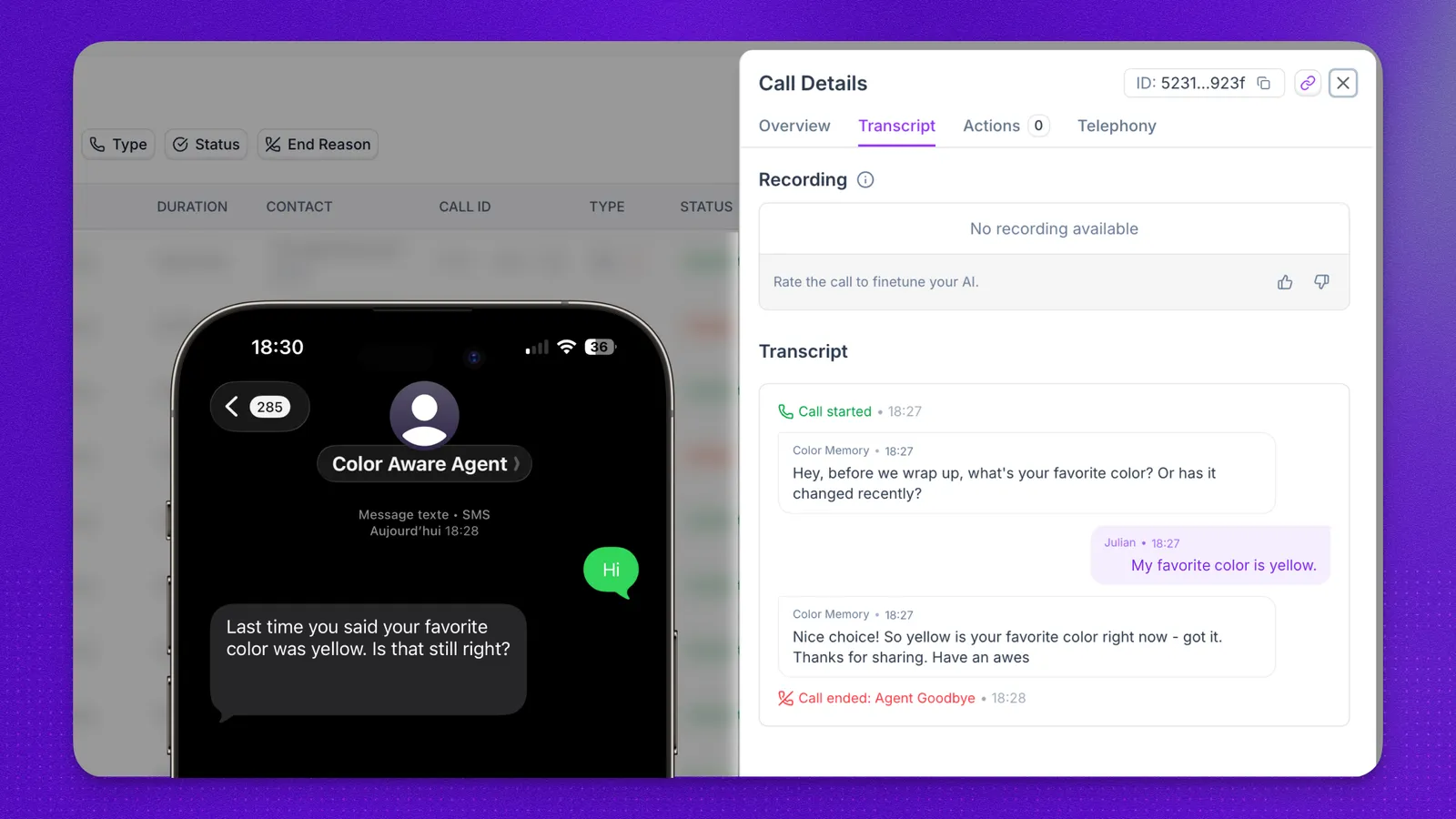
Memory Groups work for voice agents and for chat agents deployed through SMS or WhatsApp. When a contact uses the same phone number on every channel, agents that share a Memory Group share what they learned: a detail from a WhatsApp chat is available on a later voice call, and a voice call summary is available in a later SMS conversation.
In the example above, a voice agent asked the contact for their favorite color and saved the answer, “yellow”. Later, the same contact texted the Color Aware Agent over SMS from the same number. Because both agents use the same Memory Group, the chat agent opened with “Last time you said your favorite color was yellow. Is that still right?”
Troubleshooting
FAQ
Which agents can use memory?
Voice agents and chat agents deployed through SMS or WhatsApp.
How does Synthflow know it's the same contact?
Contacts are matched by phone number, so a conversation is linked to the contact’s memory only when it comes from the same number.