

Phone Numbers
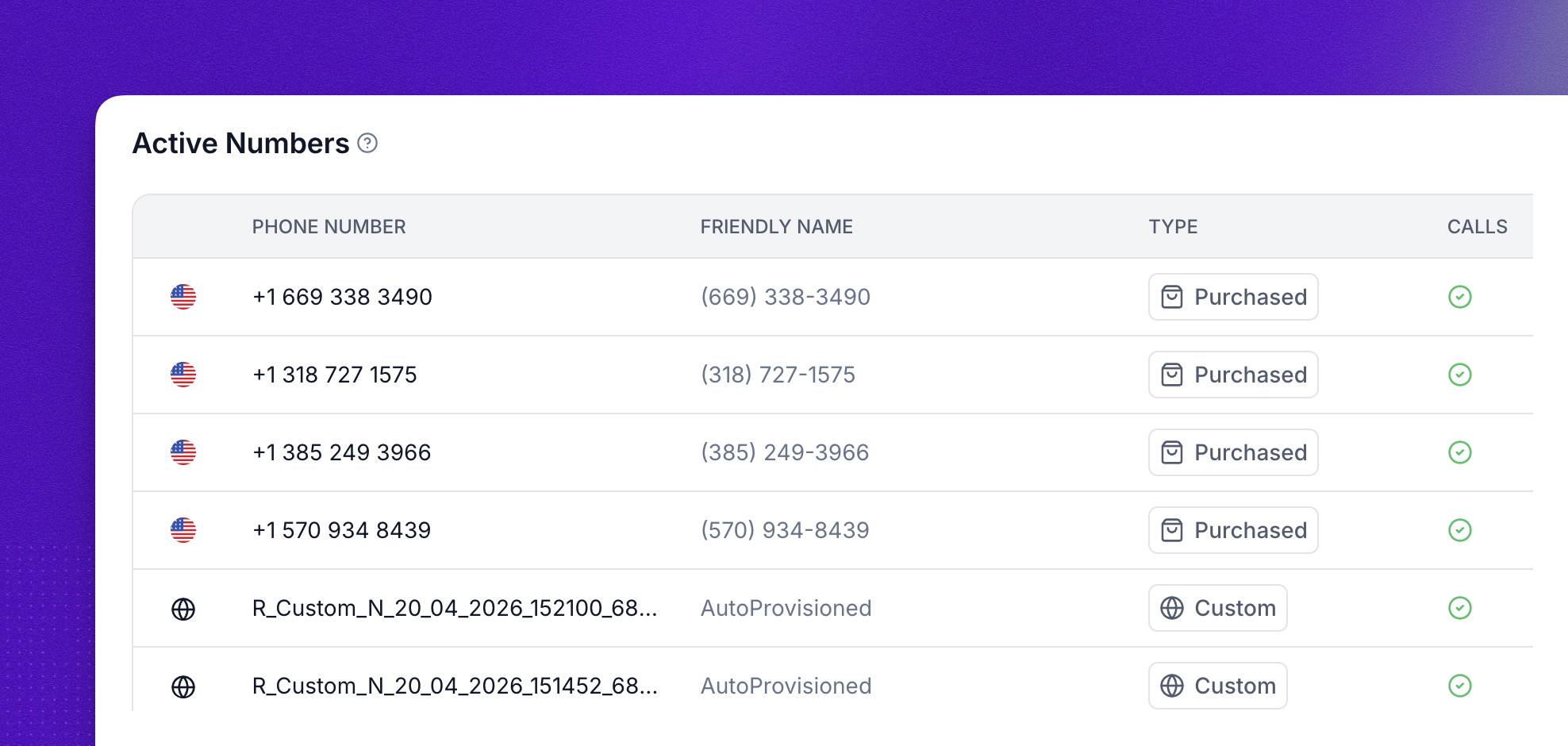
Synthflow lets you manage phone numbers for inbound and outbound calls and SMS messaging. You buy numbers directly for quick testing, import your own through a SIP trunk or PBX, or bring numbers from your own Twilio account. Configure active numbers and addresses in the Phone Numbers tab.
Each agent needs a phone number to place or receive calls. From the dashboard you can assign numbers to agents, track call and SMS activity per number, and configure voice and messaging settings.
Phone number options
You have three ways to get a number into Synthflow:
- Buy a number: Purchase U.S., Canadian, or Australian numbers directly through Synthflow for quick testing.
- Import a custom number: Connect your own carrier, trunk, or PBX over SIP.
- Bring your Twilio numbers: Keep numbers in your Twilio account and route them through Synthflow.
One phone number can serve one inbound agent and multiple outbound agents. No two inbound agents can share the same number. For long-term production use, bring numbers from Twilio or another SIP provider so you keep full control over your setup, regional rules, and configuration.
Purchased numbers
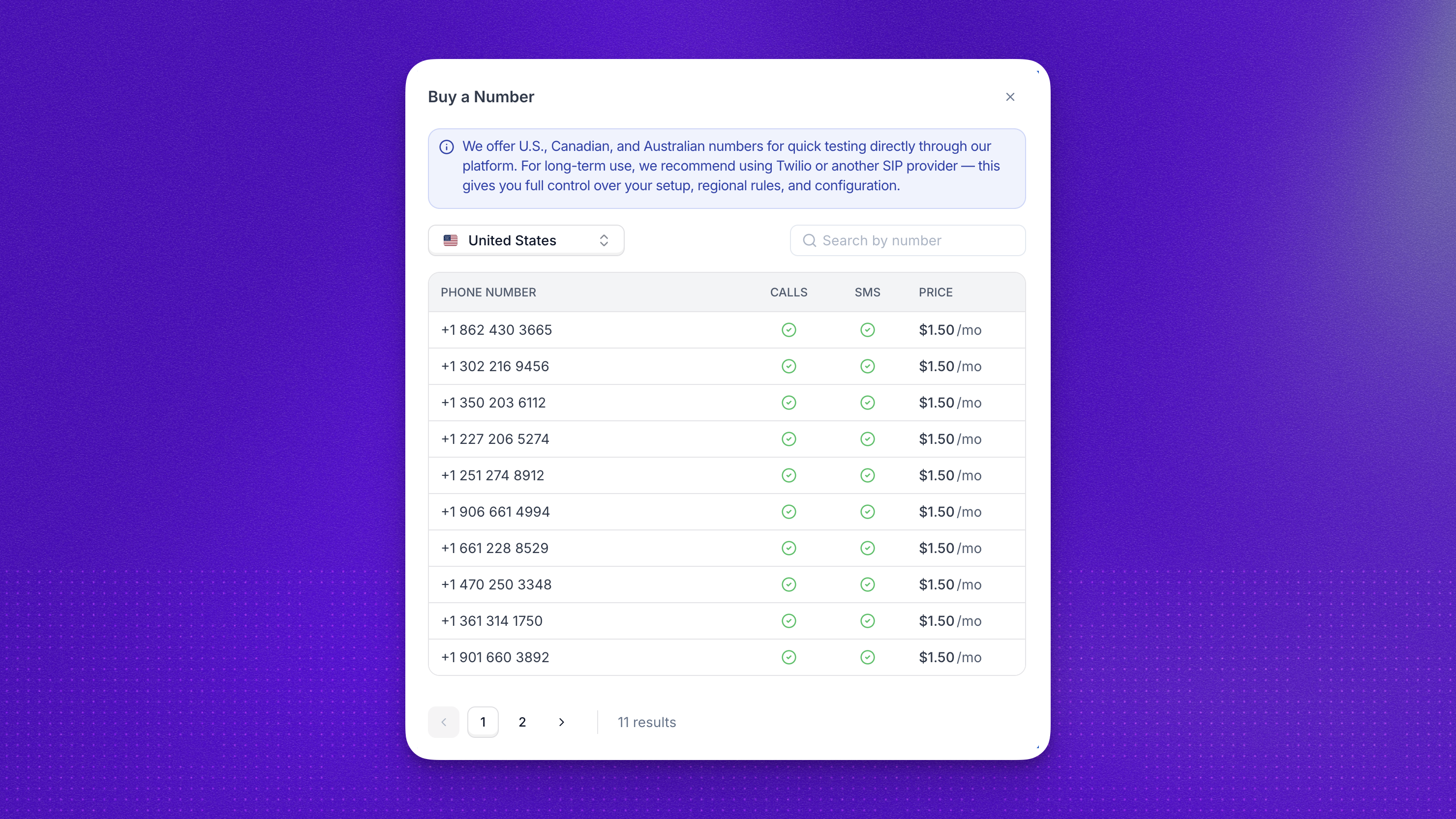
To buy a phone number, select Phone Numbers → New Phone Number → Buy a Number.
Synthflow offers U.S., Canadian, and Australian numbers for quick testing directly through the platform. Phone numbers cost $1.50 USD per month.
Subscription
After purchasing a phone number, manage your subscription to that number under Admin → Workspace Settings → Plan & Billing → Manage Billing. Deleting a purchased phone number also cancels its subscription, so you are no longer charged for it.
Australian numbers
If you want to purchase an Australian number, you need to provide an address. Some local authorities require users to provide their name and address to purchase and own a phone number.
To register an address, go to Phone Numbers > Addresses. See Addresses for details.
Custom numbers
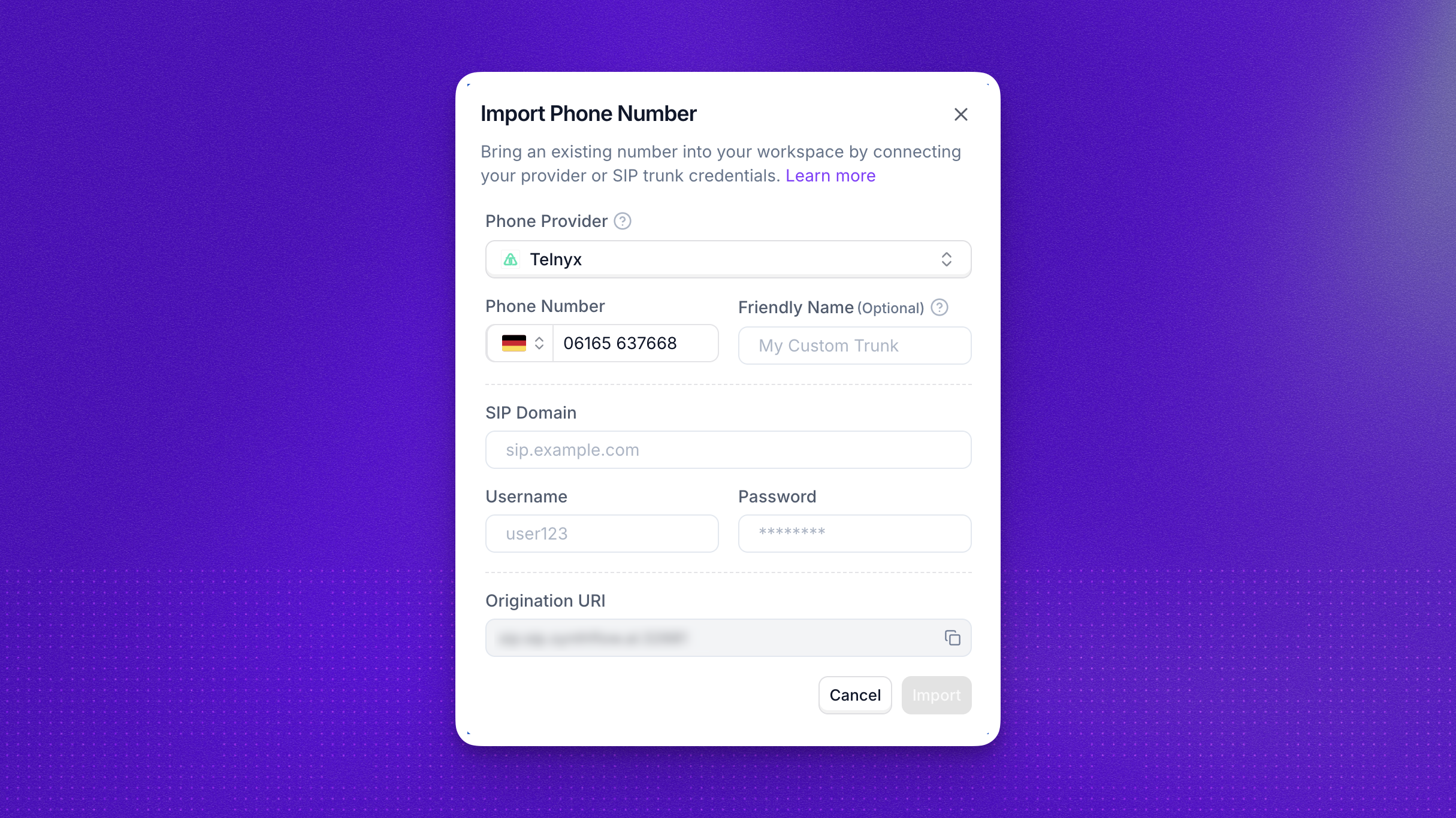
Bring your own numbers (BYON) to Synthflow and connect your carrier, trunk, or PBX directly to our network. A custom number lets Enterprise customers connect their own phone numbers through SIP trunks or PBX systems.
With this setup, Synthflow agents act as an extension of your trunk or PBX, giving you more control over call routing and number management.
Supported integrations
When you import a custom number, you pick a Phone Provider. Each provider has its own setup steps, so follow the guide that matches your carrier or PBX. For the full tier breakdown and every supported provider, see the SIP integration overview.

Connect a Twilio SIP trunk to Synthflow.

Route Telnyx numbers through Synthflow over SIP.

Bring Vonage numbers into Synthflow via SIP.

Connect RingCentral (RingCX) to Synthflow.

Route Zoom Phone numbers through Synthflow.

Connect any other SIP carrier or PBX.
We are constantly adding new partners. Ask your account manager if you don’t see your vendor listed.
Custom number fields
When adding a custom number in the Synthflow portal, you configure several fields:
- Phone Provider: Your carrier, trunk, or PBX. Select Custom for any provider without its own entry.
- Phone Number: The CLI your AI Agent will use. Must be in E.164 format (
+<countrycode><number>). - SIP Domain: The destination domain for outbound calls.
- Username: Optional. The username Synthflow presents to your carrier, trunk, or PBX to authenticate outbound calls. Synthflow does not issue SIP credentials of its own.
- Password: Optional. The password for that username.
- Protocol: The SIP transport Synthflow uses to reach your carrier, trunk, or PBX, such as UDP.
- Outbound Proxy: Use when sending requests via a mid-registrar or proxy (format:
sip:fqdn/ip:port), using a non-standard SIP port such as5065(format:sip:fqdn/ip:port), or using a specific transport such asTCP(format:sip:fqdn/ip;transport=tcp). When specified, it overrides SIP Domain as the destination for all outbound calls and registrations. Leave the port off for DNS SRV routing. A port on the proxy evaluates the A record only. - Auth Username: Used for
REGISTERrequests from Synthflow to your carrier, trunk, or PBX (optional, depending on carrier). - Enable outbound SIP registration: Optional. Tick this box when your carrier or PBX expects Synthflow to register (send
REGISTERtraffic) before it will accept calls. When enabled, Username and Password become required, and a Registration Expiry field appears. - Registration Expiry: Only shown when outbound SIP registration is enabled. How often (in seconds) Synthflow refreshes the registration. Whole numbers only, between 60 and 3600 seconds. Default: 300 (5 minutes).
- Origination URI: The Synthflow SIP address and port your carrier, trunk, or PBX sends calls to. Synthflow fills it in from your workspace region.
With no port on Outbound Proxy, outbound calls try DNS SRV first. If no SRV record is found, routing falls back to the A record on port 5060.
Before enabling outbound SIP registration, make sure your firewall allows Synthflow’s signalling and media addresses. See IP allow lists for the addresses to allow in each region.
To import a custom number, select Phone Numbers → New Phone Number → Import a Custom Number. If you see an Upgrade button instead, this feature requires an Enterprise account. Contact your account manager for details.
Twilio numbers
If your numbers already live in Twilio, connect your Twilio account instead of importing each number over SIP. Numbers stay in Twilio while routing, recording, and call transfers run through Synthflow.
To connect your account, open Admin → Workspace Settings → Integrations → Twilio and paste your Twilio Account SID and Auth Token. For the full setup, including regional routing and compliance, see the Twilio integration guide.
Phone number ownership
Phone numbers you buy through Synthflow or import from your own carrier belong to your workspace. You manage their agent assignments, settings, and, for purchased numbers, the monthly subscription.
If your workspace has subaccounts, transferring a number to a subaccount does not change ownership: the number is still yours, and the subaccount cannot delete it. Only numbers a subaccount purchases itself are its own.
Addresses
Addresses are required when purchasing phone numbers in most countries due to regulatory compliance. Provide a valid address before acquiring a number.
To set up an address:
- Create an address in the dashboard under Phone Numbers > Addresses.
- Assign the address to any phone number that requires one.
- Verify compliance to ensure smooth activation.
Once assigned, the address is linked to your active numbers and can be managed as needed.
Address validation may take some time to complete.
FAQ
How much does a purchased number cost?
Purchased numbers cost $1.50 USD per month. Manage the subscription under Admin → Workspace Settings → Plan & Billing → Manage Billing.
How do I stop being charged for a phone number I don't use?
Delete the purchased number from the Phone Numbers tab. Deleting it also cancels its monthly subscription, so no further charges apply. You can review past charges in the Billing Portal.
Why are inbound calls not answered even though the number is assigned to an agent?
Work through these checks in order:
- Confirm the number is assigned to the correct inbound agent. One number can serve only one inbound agent, so a recent reassignment may have left it pointed elsewhere.
- If the agent has an inbound webhook configured, an empty response from your endpoint disconnects the call, and a timeout without a
default_agentset does too. - For imported SIP or provider numbers, verify the provider is routing calls to Synthflow and the SIP settings match your provider’s guide. Most guides have a troubleshooting section, for example Zoom.
- Review the call in Logs to see whether the call reached Synthflow at all.
Who owns a phone number transferred to a subaccount?
The account that bought or imported the number keeps ownership, and for purchased numbers keeps paying the subscription. The subaccount can use the number but cannot delete it. See phone number ownership for the full rules.
Which countries can I buy numbers in?
You can buy numbers in the U.S., Canada, and Australia directly through Synthflow. For local numbers in other regions, import a custom number from your own carrier or bring your Twilio numbers.
How do I enable custom numbers?
Go to your workspace, click Phone Numbers in the top-right, and select New Phone Number → Import a Custom Number. If you see an Upgrade button instead, this feature requires an Enterprise account. Contact your account manager for details.
I just upgraded to Enterprise. When can I add numbers?
Immediately. If the option doesn’t appear, try logging out and back in. If it still doesn’t show, contact support.
Do you support non-standard SIP ports?
Yes. Use the Outbound Proxy field when adding a number to specify a custom port (for example, fqdn.example.com:5065). A port evaluates the A record only. Leave the port off for DNS SRV routing.
When should I enable outbound SIP registration?
Enable it when your carrier or PBX requires Synthflow to register (send REGISTER traffic) before it will route calls for your number. Tick Enable outbound SIP registration when importing a custom number, then provide the Username and Password and, optionally, adjust the Registration Expiry (60 to 3600 seconds, default 300). The same options are available on POST /custom-numbers via uac_enabled and uac_register_expires. Make sure our signalling and media IPs are allow-listed first. See the IP allow lists.
Who do I ask about a carrier that isn't listed?
Contact your account manager, or reach out to our support team.