

Twilio

Bring your own Twilio account so your Synthflow agents can place and receive calls, send SMS, and run on existing telephony infrastructure. Numbers stay in Twilio while routing, recording, and call transfers run through Synthflow.
If your Twilio account is already trunked into other systems, create a Twilio subaccount for the number you connect to Synthflow so the integrations don’t interfere with each other.
Account connection
In the Synthflow dashboard, open Settings → Workspace Settings → Integrations → Twilio and paste your Twilio Account SID and Auth Token. If you can’t find them, see Twilio’s guide to locating your Account SID and Auth Token. For Enterprise SIP trunking, see Twilio SIP Trunking.
Twilio Marketplace
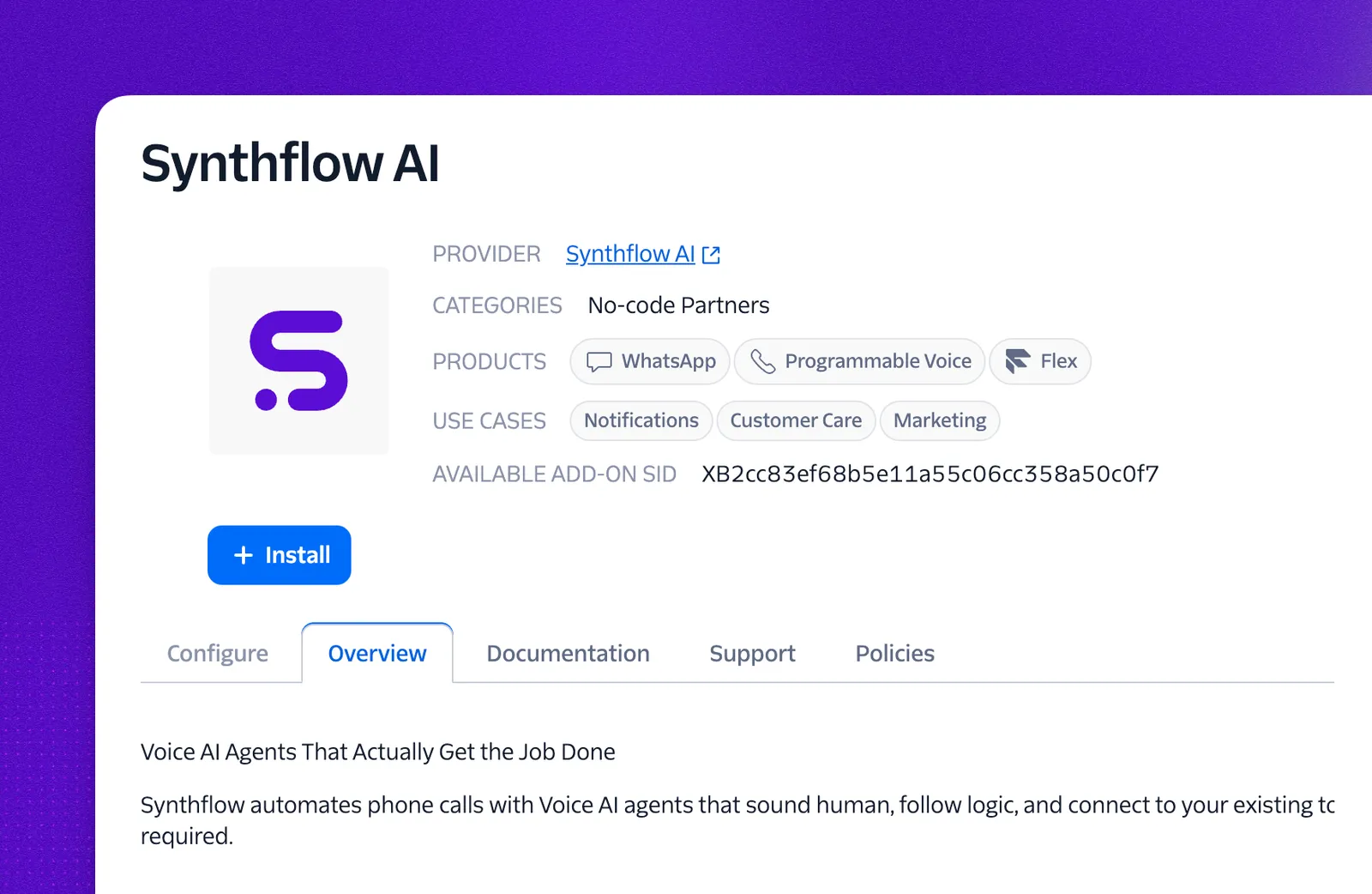
If you manage Twilio first, install Synthflow from the Synthflow AI listing in the Twilio Marketplace to layer voice AI agents on top of your existing Programmable Voice, Flex, or WhatsApp setup without changing your telephony stack.
Regional API routing
Twilio operates regional infrastructure (US1, IE1 for Ireland, and others). Not every Twilio product runs in every region: requests for products that don’t support IE1 automatically fall back to US1. This only matters when you bring your own Twilio integration into an EU workspace and want to keep voice traffic on European infrastructure.
The table below shows where each Twilio request that Synthflow makes is processed when an EU workspace is connected to your own Twilio account. Sourced from Twilio’s Regional product availability docs.
IE1 credentials
To route the EU-eligible operations above through Twilio’s Ireland region, the credentials you connect must be issued in IE1. Twilio resources (API keys, TwiML applications, call logs) are isolated per region, so an IE1 API key can only manage IE1 resources.
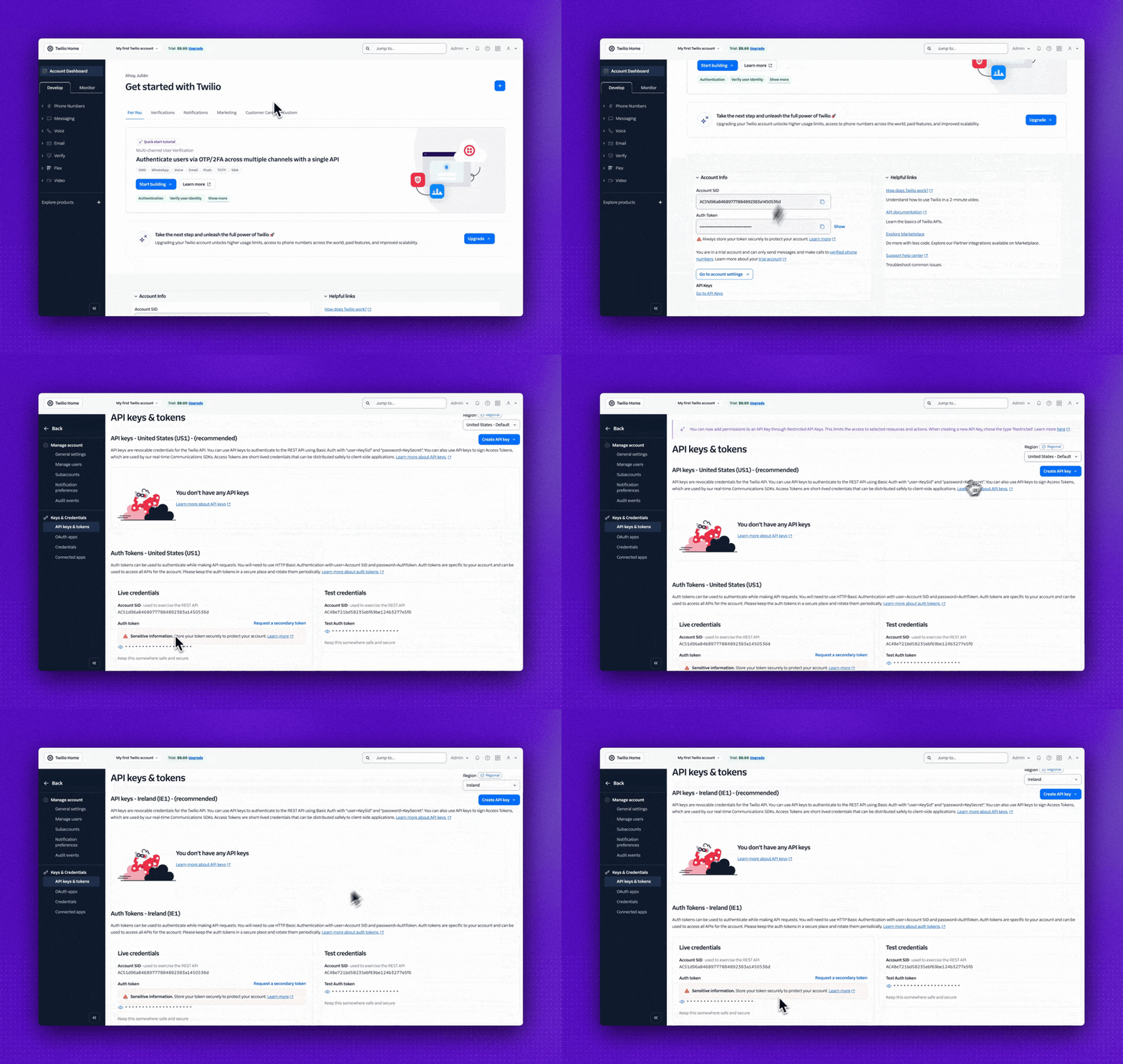
To find or create an Ireland-region credential:
- In the Twilio Console, open the Account menu in the upper right and select API keys & tokens under Keys & Credentials.
- In the Region dropdown at the top right of the page, switch to Ireland (IE1).
- Copy the IE1 Auth Token, or select Create API key (Standard or Main) to issue a new IE1 key.
- Paste those credentials into Synthflow’s Settings → Workspace Settings → Integrations → Twilio under the regional token field.
For full details, see Twilio’s Manage Regional API Credentials and Using the Twilio REST API in a non-US Region guides.
Compliance
Twilio enforces regulatory and messaging requirements that affect any Synthflow deployment running on your own Twilio account:
- Voice calls must follow Twilio’s regulatory guidelines for each country you operate in. Create a regulatory bundle in the Twilio console and submit it for review with up-to-date documentation.
- SMS must follow Twilio’s A2P 10DLC regulations. Register your brand and campaign use case with The Campaign Registry; the resulting trust score determines your message throughput and protects messages from carrier filtering.
When a Synthflow call or message fails unexpectedly, compliance is the first thing to check:
- A2P SMS errors lead to messages being filtered or blocked. Confirm your messaging service matches the registered campaign.
- Regulatory errors lead to call completion failures. Confirm country-specific documentation is on file in your Twilio console.
External Twilio resources
Reference docs for the Twilio products and policies mentioned on this page:
- Account SID and Auth Token: find your credentials in the Twilio console.
- Regional product availability: which Twilio products run in which region.
- Manage Regional API Credentials: create and manage region-specific Auth Tokens and API keys.
- Using the Twilio REST API in a non-US Region: target the Ireland (
IE1) region with regional credentials. - Regulatory guidelines: country-by-country requirements for placing calls.
- A2P 10DLC: register your brand and campaign for SMS deliverability in the US.
- Geo-permissions: enable calling for specific destination countries.
- Synthflow AI listing in the Twilio Marketplace: install Synthflow from inside the Twilio Console.
FAQ
How do I import phone numbers and other data?
You can import phone numbers from Twilio. Other phone providers are available on Enterprise plans only; contact sales to discuss access.
How do I add Twilio to my subaccounts?
Twilio subaccounts let you delegate a phone number to a separate set of credentials. Each subaccount has its own Account SID and Auth Token that only grant access to the numbers delegated to it.
Why is Twilio not allowing me to call customers located in certain countries?
Enable the relevant settings in Twilio’s geo-permissions guide.