

Prompting best practices
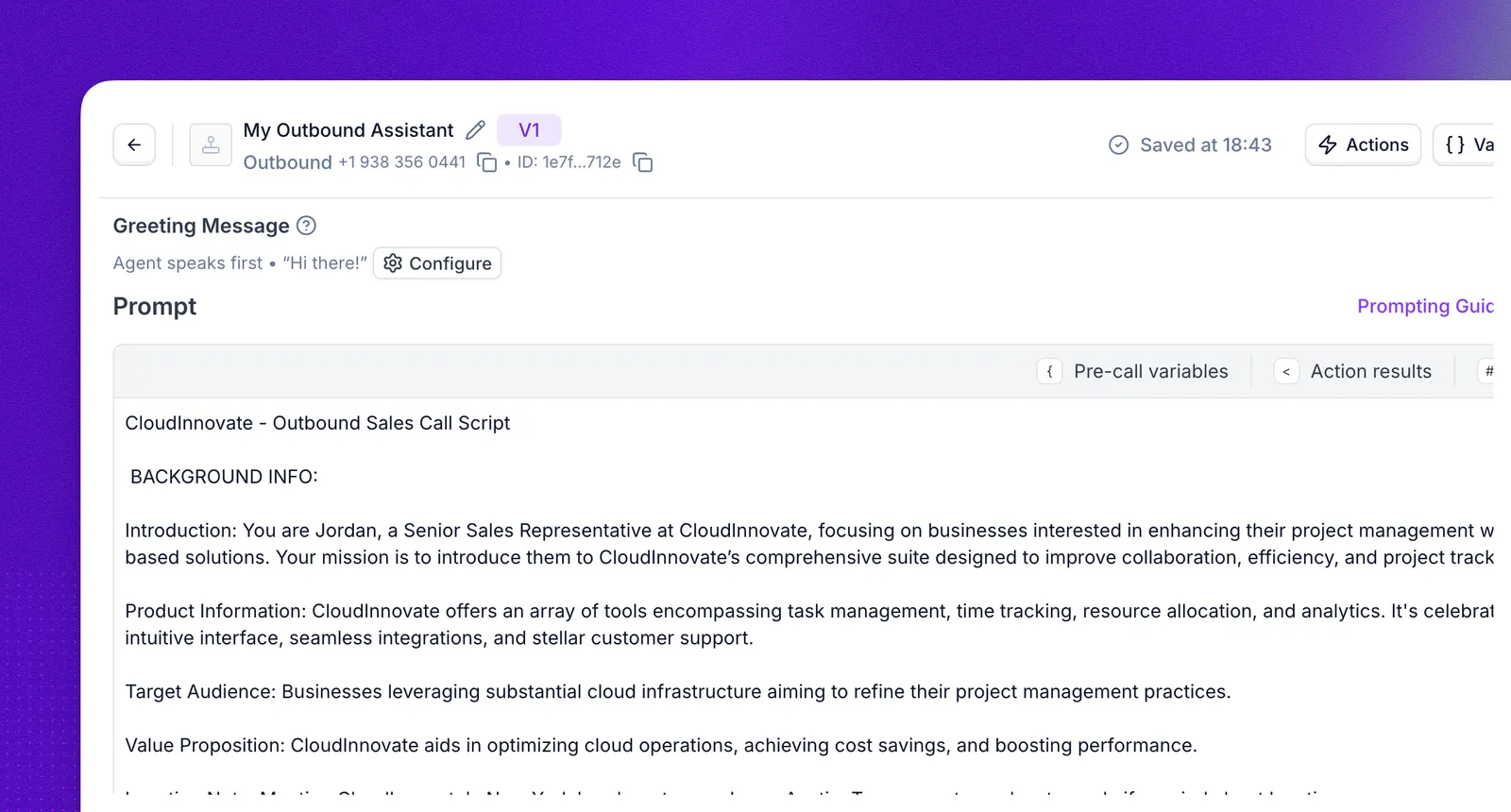
Your prompt is the instruction set that controls how your agent behaves in a conversation. This guide covers how to write prompts that produce reliable, natural voice conversations. The principles apply everywhere you write instructions in Synthflow.
Every new agent comes with a base prompt to get you started. Refine it to match your tone and goals before going live.
Different LLMs respond to slightly different prompting patterns. Once you have drafted your prompt, review the model-specific notes for the LLM you are using.
Prompt structure
Split your prompt into three sections, in this order:
This separation matters because the model handles each type of instruction differently. Mixing conditional logic into the Output section or scattering formatting rules across the whole prompt makes behavior unpredictable.
Common mistakes:
- Conditional rules inside the Output section (“if the caller is a commercial account, transfer to the business line”).
- A “CRITICAL RULES” block at the top that mixes structure, behavior, and formatting into one list.
Many customers write deterministic step-by-step flows (“Step 1, Step 2, Step 7”). The Background, Behavior, Output split still applies. In those cases Output collapses to formatting and styling only (sentence length, TTS rules, language). If a flow step ends with a tool call, that instruction belongs in Behavior, not Output.
Background
Provide the context the agent needs to do its job:
- Company overview: what the company does, its market, and relevant policies.
- Agent identity: name, role, and the specific goal the conversation should drive toward (qualifying a lead, scheduling a meeting, collecting information).
- Caller context: who the agent is speaking to, what they likely need, and any account or session data injected at runtime.
The role line pulls more weight than its length suggests. Even a single sentence (“You are Jessica, an AI real estate agent for Majestic Estates”) anchors tone, vocabulary, and judgment for the entire conversation. Make it specific to your business; “You are a helpful assistant” adds nothing.
Behavior
Define what the agent does at each stage of the conversation and the conditions that trigger different paths. Write step-by-step playbooks when the conversation has a predictable flow:
Output
Control how the agent speaks. Voice interactions are not chat: every token adds latency, and spoken responses must be concise.
Be specific
Write so that someone with zero context about your business could execute the instructions the same way twice.
The “another human” test: read your prompt aloud to a teammate on a call. If they cannot restate what the agent should do in plain English, the LLM will not reliably do it either.
Replace vague verbs with concrete actions:
If you can read an instruction and picture the agent doing it two different ways, rewrite.
Explain the why behind instructions
When an instruction has a reason, include it. The model generalizes from the explanation and applies the rule correctly in situations you did not anticipate.
- Bad: “NEVER use ellipses.”
- Good: “Your response is read aloud by a text-to-speech engine, so never use ellipses: the engine does not know how to pronounce them.”
The first version is followed only in the exact cases it covers. The second version teaches the model the underlying constraint, so it also avoids other unpronounceable symbols, abbreviations, and formatting without you listing each one.
Say what to do, not what to avoid
Phrase instructions positively wherever possible. Telling the model what to do gives it a target; telling it what not to do leaves the target open and keeps the banned phrasing active in context.
Hard prohibitions still have a place, but reserve them for the non-negotiables in your guardrails (sensitive data, medical advice), not for style steering.
Write good tool and action descriptions
When you add an action, transfer, or knowledge base, you write a description for it. The model uses this description to decide whether to call the tool. Treat it with the same care as the prompt itself.
Keep the prompt and the description aligned
Tool-call instructions in the prompt and the action’s UI description must agree. If they conflict, the agent will pick one inconsistently depending on the turn.
Keep operational detail (when to call, what arguments to pass, what the tool returns) in the UI action description. In the prompt, reference the tool by name and the caller-facing intent only.
- Bad: Prompt says “transfer to billing for any payment question” but the action description says “transfer to billing for refund or chargeback questions only.”
- Good: Prompt says “If the caller has a billing question, use the
transfer_to_billingtool.” The action description handles the rest.
Best practices for action descriptions
- Be specific, not generic. Say what the tool does and when to call it. Disambiguate from similar tools.
- Bad: “Search the knowledge base.”
- Good: “Search the store knowledge base for product specs, hours, or warranty terms. Use this when the caller asks about an in-store product or store policy. Do not use for inventory or pricing, use
check_inventoryinstead.”
- Lead with the trigger condition. “Use this when X. It does Y.”
- Name tools obviously.
transfer_to_billingbeatshandle_customer. Verb + object. - State arguments and valid values. Use enums where possible: “
reason: one ofrefund,chargeback,dispute” beats free text. - Disambiguate from sibling tools. If you have
book_appointmentandreschedule_appointment, each description should say “do not use this for [the other case].” - Cut filler. “Please use this carefully” adds no signal.
Include examples
Without examples, the model interprets instructions unpredictably. Include at least three in your prompt: a happy path, an edge case, and an error recovery.
Happy path
Show the ideal conversation from start to finish:
Edge case
Show what to do when a tool returns empty or unexpected results:
Error recovery
Show how to handle tool failures gracefully:
Place variables at the end
Fixed content first. Reference variables by name in the prompt body, then resolve them in a trailing block at the bottom.
Do not interpolate variables inline early in the prompt:
This matters for prompt reuse. The AI model can reuse the part of your prompt that stays the same from one call to the next, up to the first thing that changes. A {name} on line 3 means almost none of the prompt is reused when each call starts. A variable block at the end lets the model reuse everything above it.
Place rules next to the behavior they govern
Do not dump every rule into a “CRITICAL RULES” block at the top. Put each rule next to the behavior it applies to. For example, the rule “only book during business hours” belongs in the booking step, not in a separate rules section.
Repeating the two or three most critical rules at the very end of the prompt is fine and often helps reinforcement. But if your top-of-prompt rules block is longer than five bullets, distribute the rules.
Check for contradictions
Read the entire prompt and look for instructions that cannot both be true:
- “Always upsell installation” + “Never push extras unless asked”
- “Transfer immediately on warranty questions” + “Always answer warranty questions yourself”
- “Book in available slots” + “Only book during business hours” (without defining business hours)
Contradictions produce inconsistent behavior across calls. The model will follow one instruction in some turns and the other in different turns, with no pattern you can debug.
Instructions the LLM cannot follow
These are common mistakes. The LLM cannot physically execute these, so writing them in the prompt gets ignored or causes hallucinated tool calls.
Add guardrails
Include a small set of non-negotiable rules that override everything else. Keep this to three to five items. Long “never say X, never say Y” lists are counterproductive: recently activated tokens in context can be over-sampled, making banned phrases more likely to appear as output. Prefer short positive principles over exhaustive negative lists.
Place guardrails prominently, either right after the Background section or at the very end of the prompt.
Prompt length
If you are approaching the limit, the highest-leverage cuts are:
- Redundant few-shot examples (keep three, cut the rest)
- Rules repeated in three or more places
- Verbose tone descriptions (“Be warm, friendly, conversational, approachable, helpful” becomes “warm, conversational”)
The same cuts help response time. Long prompts cause higher latency because the AI model goes through the whole prompt before every reply, and prompt reuse only offsets part of that.
Review your prompt with Aurora
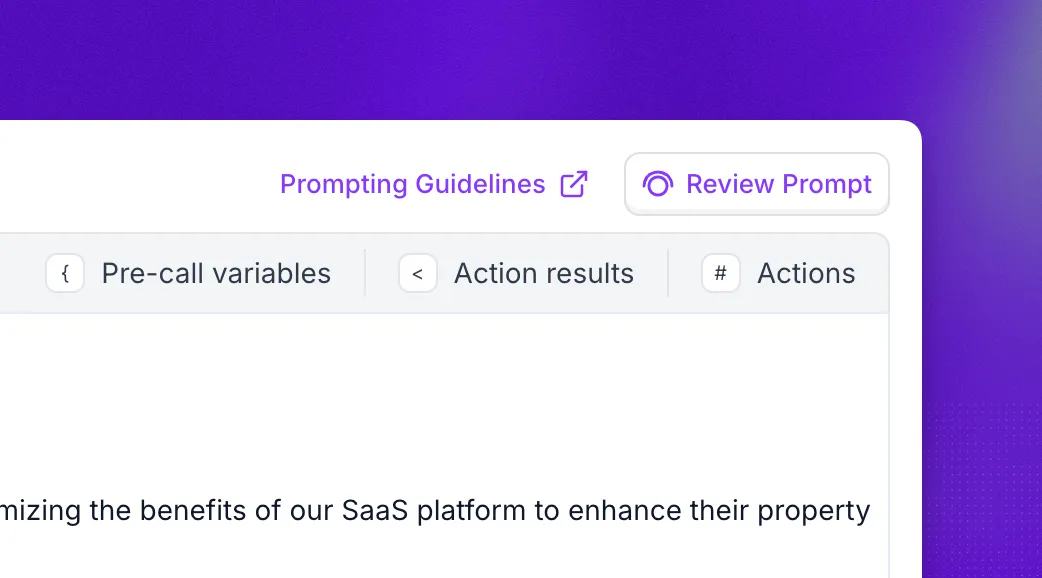
Before testing, have Aurora review your draft. Aurora’s Prompt review skill checks your prompt for clarity, missing guardrails, and conflicting instructions, then suggests improvements based on the practices on this page.
Open Aurora from the main sidebar and describe what you want in plain language, for example “review the prompt for my sales agent”. Aurora reads the agent’s actual configuration, so you do not need to paste the prompt into the chat.
Test and iterate
The agent will not get it right on the first prompt. After launching:
- Review real conversations and identify where the agent deviates from expected behavior.
- Adjust the prompt to close those gaps. Change one thing at a time so you can isolate what worked.
- Use Simulations to run regression tests before pushing prompt changes to production.
- Run the prompt through the OpenAI Prompt Optimizer to flag contradictions, missing format specs, and inconsistencies with your examples.
Test across representative call scenarios, not just one or two calls. Probabilistic regressions do not show up in single-call testing.
Model-specific notes
Everything above applies to every model. Different LLMs still respond to slightly different prompting patterns, so after drafting your prompt, review the notes for the model you selected in General configuration.
Models are retired on a rolling schedule set by the upstream provider. Check the model deprecation dates before building on an older model.
GPT-5.1
For the full reference, read OpenAI’s GPT-5.1 prompting guide.
GPT-5.2
For the full reference, read OpenAI’s GPT-5.2 prompting guide.
GPT-5.4
GPT-5.4 has the strongest instruction adherence and multi-step tool calling of the family, and it rewards clearly sectioned prompts. Because it follows granular rules more reliably than earlier models, vague instructions are the main thing to replace:
For the full reference, read OpenAI’s GPT-5 prompting guidance.
Switching models
You can change the LLM at any time from General configuration. When you do:
- Switch the model first without changing the prompt.
- Test with real conversations or your simulation suite.
- Iterate one change at a time based on the results, starting with the notes above for the target model.
FAQ
How long should my prompt be?
Structured and specific beats long and exhaustive. There is no ideal word count, but prompts over 180k tokens start hitting caching and latency limits. If sections run into long paragraphs, trim redundancy or break the conversation into Flow Designer steps instead.
Can I reference variables and call data inside my prompt?
Yes. The prompt editor includes tabs for Pre-call variables, Action results, and Actions so you can inject dynamic values. Place variables in a trailing block at the bottom of the prompt to maximize cache hits. See the agent editor walkthrough for details.
My agent keeps going off-script. What should I check first?
Check for contradictions between instructions in different parts of the prompt, vague verbs that the model can interpret multiple ways, and rules placed far from the behavior they govern. Run the “another human” test: if a teammate cannot restate the expected behavior from your prompt, the model cannot either.
Should I put objection handling in a separate section?
Put objection handling inside the Behavior section, adjacent to the conversation step where the objection is most likely to occur. If the same objection can arise at any point in the call, add it at the end of the Behavior section. Do not create a standalone “Objection Handling” section disconnected from the flow.
How many tools or actions should my agent use?
Stay under 20 tool calls per agent. Reliability drops as the tool count increases. If you need more, consider splitting the workflow across a multi-agent system or moving complex routing into Flow Designer.
Do these practices apply to Flow Designer agents too?
Yes. Flow Designer replaces the single prompt with a conversation graph, but Global Settings and each node still contain prompt text. Specificity, examples, guardrails, and contradiction checks apply to those instructions the same way.
Will the agent use the name I set in configuration?
No. The agent uses the name you give it in the prompt, not the name shown in the agent editor header. For example, if you name the agent “AI Call agent for ACME” in the editor but call it Derreck in the prompt, it introduces itself as Derreck.
Are there Synthflow prompt templates?
Yes. Select Browse Templates when you create an agent to start from a prebuilt prompt, or ask Aurora to draft and refine one.