

Business Hours
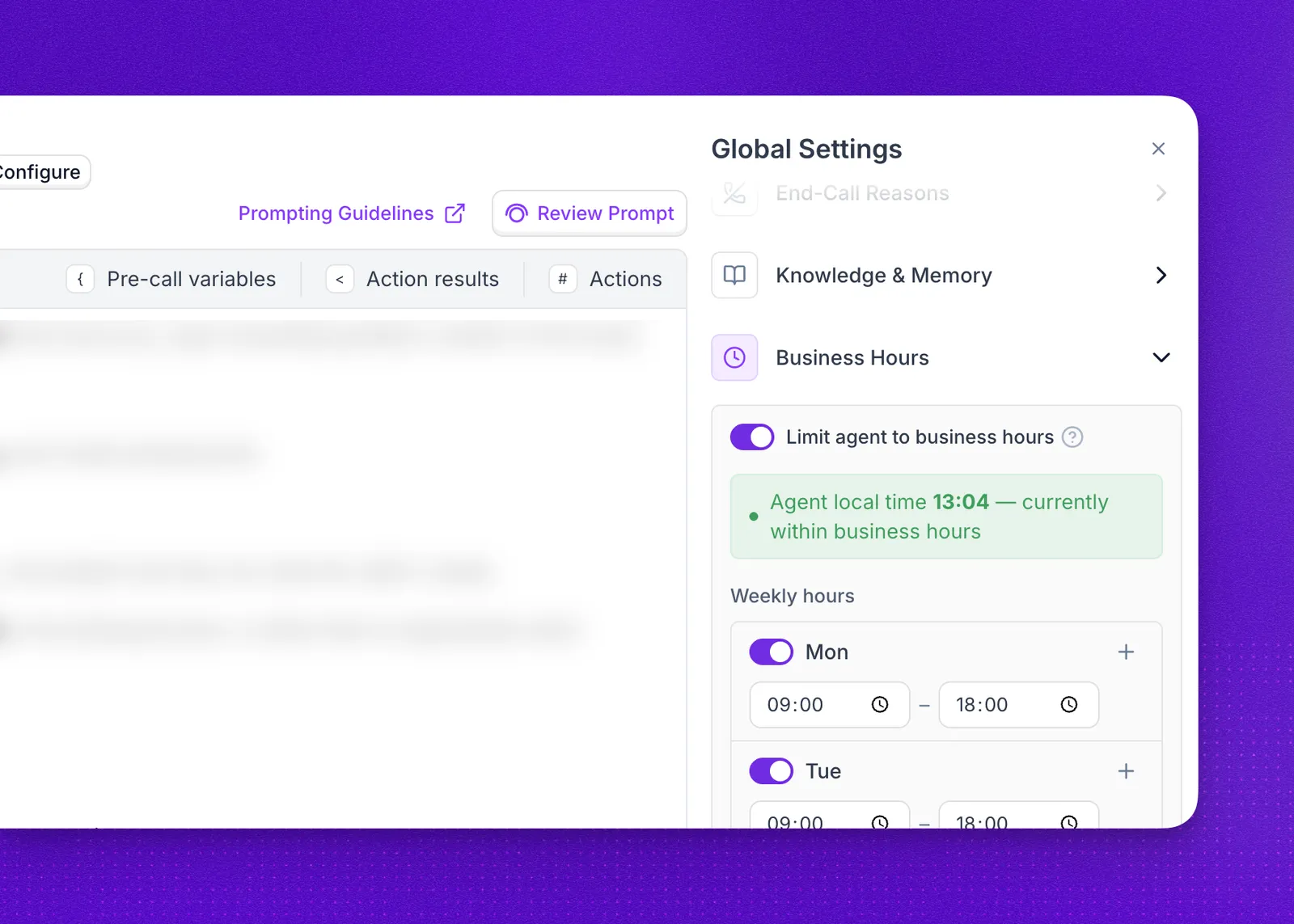
The Business Hours section of the agent editor decides when your agent is available. Inside the hours you set, the agent answers as usual. Outside them, inbound calls follow a fallback you choose, and outbound calls are declined.
Use it for inbound lines that should only be answered while your team is around. Open the agent editor and select Business Hours in the Global Settings panel.
Turn business hours on
Enable Limit agent to business hours. While the toggle is off, the agent takes calls at any time on any day.
Once it is on, the panel shows the agent’s current local time and whether that moment falls inside your hours. That readout is the quickest way to confirm a schedule behaves the way you expect before you publish the agent.
Hours are always evaluated in the agent’s own timezone, never the caller’s and never your browser’s. An agent set to Europe/Berlin with hours of 09:00 to 18:00 is open from 09:00 in Berlin, whichever country the call comes from. If a schedule looks shifted by a few hours, check the timezone first.
Set your weekly hours
Every day of the week has its own toggle under Weekly hours. Turn on the days you are open and set a start and end time for each one. Days you leave off show Closed, and the agent never takes calls on them.
Select + on a day to add a second window to it. Two windows on the same day cover a break, for example 09:00 to 12:00 and 13:00 to 17:00 for a closed lunch hour. Times use a 24-hour clock, the start has to be earlier than the end, so a window cannot run past midnight into the next day.
Decide what happens outside hours
Inbound calls outside business hours sets the fallback for callers who reach you when you are closed. All three apply to inbound calls only:
Only Decline shows up as an unanswered call. Transfer and Custom action both finish as completed calls, so they sit in your call history and analytics alongside ordinary conversations rather than standing out as blocked.
For Transfer, pick one of your existing call transfers in the Transfer action dropdown. The handoff happens immediately, with no agent conversation first, and if the transfer cannot be completed the call ends rather than falling back to the agent. An out-of-hours transfer is worth testing end to end, since a destination that is also closed leaves the caller with nothing.
How business hours affect outbound calls
Outbound has no caller to hand off to, so there are no options to choose. A call placed while the agent is closed is declined, and the end call reason on the record points at business hours, which is how you tell these apart from calls that failed for another cause.
Campaigns add a second gate rather than replacing this one. A campaign can carry its own calling window, which decides whether a recipient is dialed now or waits for the window to open, but the call still has to clear the agent’s business hours when it goes out. A recipient dialed while the agent is closed fails immediately instead of waiting.
The simplest split is one gate per direction: business hours on the agents that take inbound calls, and a campaign’s calling window for anything outbound. Each direction then has a single schedule to reason about.
Use one or the other, not both. With the agent open 10:00 to 17:00 and a campaign window of 18:00 to 22:00, every recipient fails: the campaign waits until 18:00, and the agent gate then rejects each call. If you do set both, keep the campaign window inside the agent’s business hours.
FAQ
Which timezone are business hours measured in?
The agent’s timezone, set in the General section of the agent editor. Callers in other timezones are still judged against the agent’s local time.
Can one day have two sets of hours?
Yes. Select + on that day to add another window, which is how you close for lunch while staying open in the morning and afternoon.
What happens to a call that is already connected when business hours end?
Nothing. Business hours decide whether a call starts, not how long it runs, so a conversation in progress continues to its natural end.
Do business hours stop my campaigns from dialing?
They fail those recipients rather than holding them. A campaign’s own calling window is what makes recipients wait, and it does not exempt them from the agent’s hours: a recipient dialed while the agent is closed fails with Call cannot be initiated outside the configured working hours in its error_message. Keep the campaign window inside the agent’s hours, or better, leave business hours to your inbound agents and let the campaign window handle outbound timing on its own.
Can I set business hours through the API?
Yes. Send working_hours inside the agent object when you create or update an agent, and out_hours_action to choose the fallback for inbound calls. Campaigns have their own calling window, set with call_time_window on the create batch call endpoint.