

Team members
Super Admins and Admins can invite new members from Admin → Workspace Settings → Members, assign roles on acceptance, and manage existing team access. Workspace access is controlled by roles. You can also combine invitations with allowed email domains, Single Sign-On (SSO), and two-factor authentication (2FA) to tighten who can join and how they sign in.
Invitations
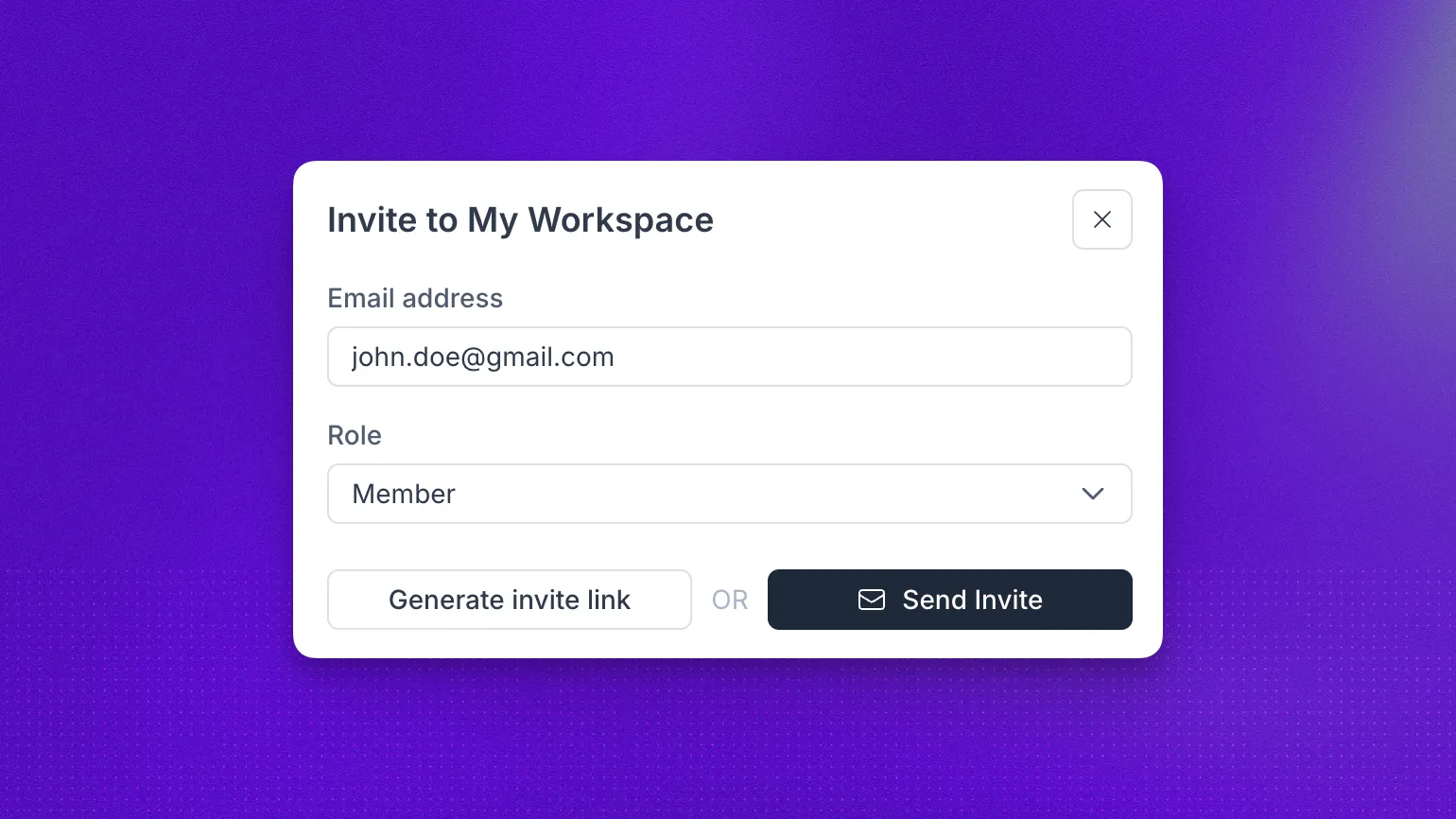
Users with the pertinent roles can invite users. Open Admin → Workspace Settings → Members and click Invite User.
Enter the invitee’s email address and select the role they receive when they accept. You can generate a link to copy and share, or send the invitation directly to that email address. New users are added to your workspace when they accept the invitation. If the invitee already has a Synthflow account, they are added without receiving an email notification and can switch to the workspace from the workspace switcher.
Selecting a role assigns it automatically when the invite is accepted. The invitation is valid only for the specified email address.
Roles
Synthflow has three workspace roles. The table below summarizes what each role can do.
Super Admin
The Super Admin has full access to every feature and setting in the organization and serves as the primary contact for the workspace.
Admin
Admins share the same management permissions as Super Admins except they cannot assign the Super Admin role or remove or demote existing Super Admins.
Member
Members have standard access to core workspace features. They cannot invite users, change roles, or manage billing, API keys, or security settings.
FAQ
Who can invite users to a workspace?
Only Super Admins and Admins can invite users and assign roles. Members cannot invite or manage other users. See the permission table for the full breakdown.
What is the difference between Super Admin and Admin?
Both roles can manage users, billing, API keys, allowed email domains, SSO, and mandatory 2FA. The key difference is that Admins cannot demote or remove Super Admins, and they cannot assign the Super Admin role.
Can Members manage other users?
No. Members have standard access to core features but cannot invite users, change roles, or manage workspace security settings.