

Billing Overview
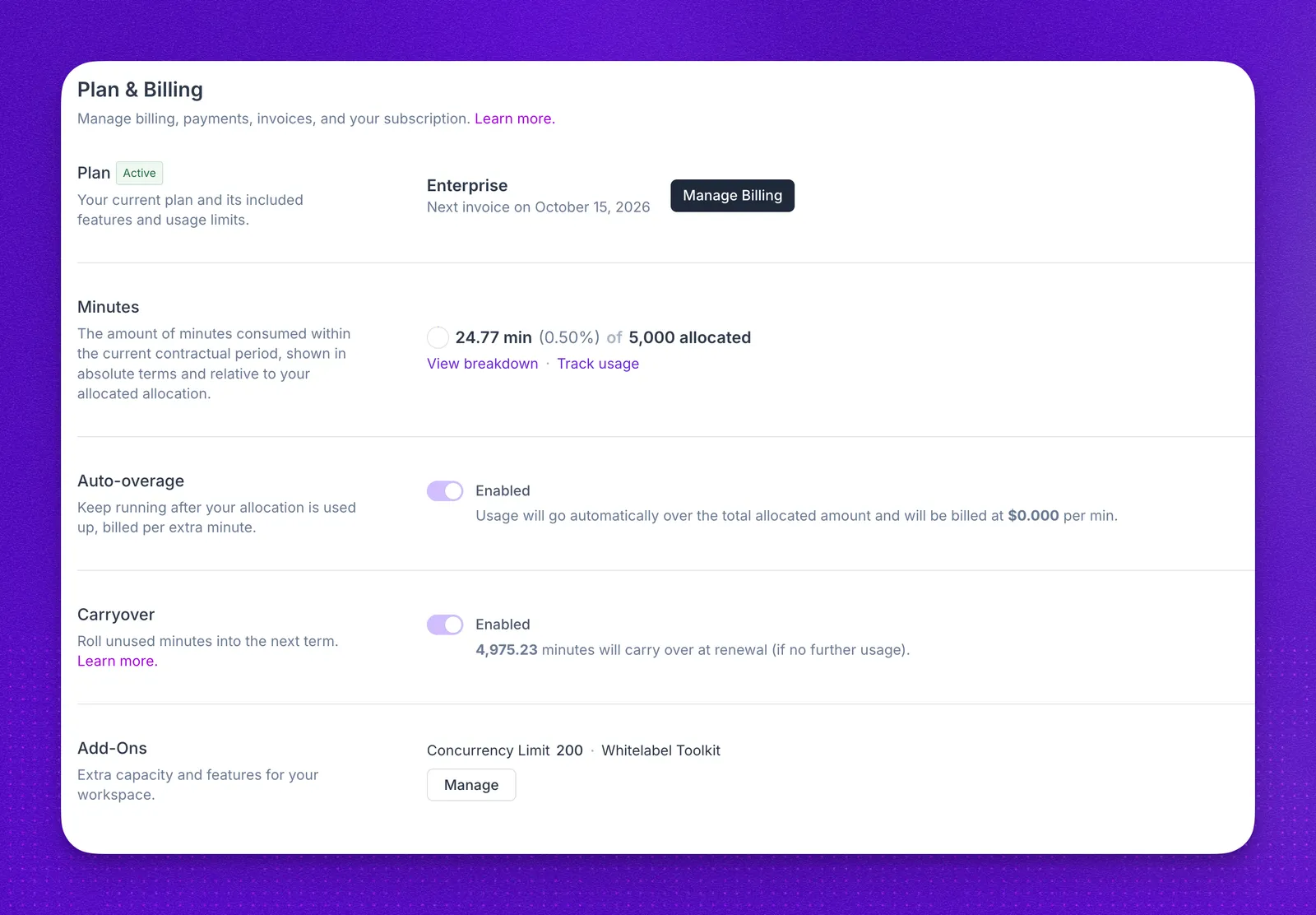
Synthflow billing is tied to your account terms. New pricing is scoped with the Synthflow team based on expected usage, telephony, integrations, security requirements, and launch support.
Use this page to understand where billing is managed, how usage is measured, and when to contact your account team.
Current pricing model
Synthflow uses sales-led pricing. Your package is scoped with the Synthflow team based on expected volume, telephony, integrations, and support needs.
Existing billing setups
Some existing workspaces may still have legacy billing labels or account-specific billing controls in the product. Those terms remain governed by your agreement and the billing setup visible to your workspace.
If you already have an active workspace, do not use public documentation as a quote. Review your agreement, invoices, and Plan & Billing page, or contact your account team.
Get started with billing
Scope a new deployment
For a new deployment, contact Synthflow before launch. The team will review:
- Expected call volume and concurrency
- Telephony setup and number ownership
- Required integrations and workflow actions
- Security, procurement, and governance needs
- Launch support, testing, and success criteria
Manage an existing workspace
Billing controls for your workspace live in Admin → Workspace Settings → Plan & Billing. The sections you see depend on your account.
To change your package, capacity, or support, contact your account team.
Track your usage
Your current used minutes are shown in the sidebar. For more detail, open Admin -> Workspace Settings -> Usage for usage totals and provider breakdowns. See Usage and Billing for how Synthflow measures calls, chat, simulations, and allowances.
Main accounts can view usage per subaccount in the Admin dashboard.
For partners
In-product reselling was removed on September 15, 2026, so Synthflow no longer bills your subaccounts. The reselling guide explains how to bill and limit them now.
For custom pricing on your own partner or white-label package, contact your account team or sales.
FAQ
How do I get pricing for a new deployment?
Visit the pricing page or contact sales. Synthflow will scope pricing around your use case, expected volume, telephony, integrations, security, and launch needs.
Where can I see my invoices?
Open Admin -> Workspace Settings -> Plan & Billing. The invoice and billing controls shown there depend on your workspace and agreement.
Can I change my package?
Contact your account team or sales. Package changes are reviewed against your expected usage, capacity needs, and current agreement.
What payment methods do you accept?
Available payment methods depend on your agreement and billing setup. Review Plan & Billing or contact your account team.
How do I cancel or reduce service?
Contact your account team. Cancellation, renewal, and package changes are handled according to your agreement.