

Create an Agent
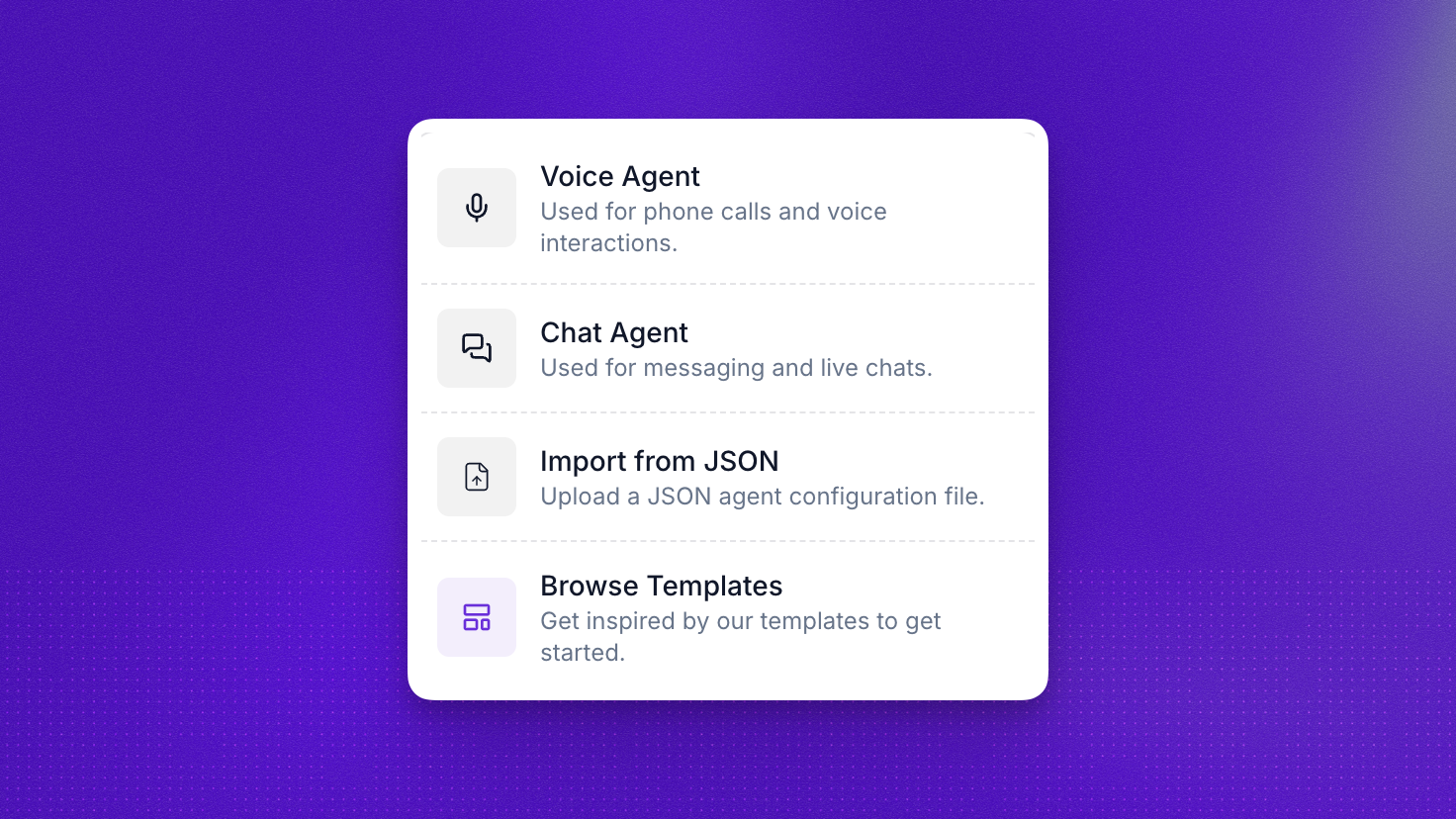
To create a new agent, go to the Agents tab and click + New Agent. You’ll see the following options:
Voice Agent
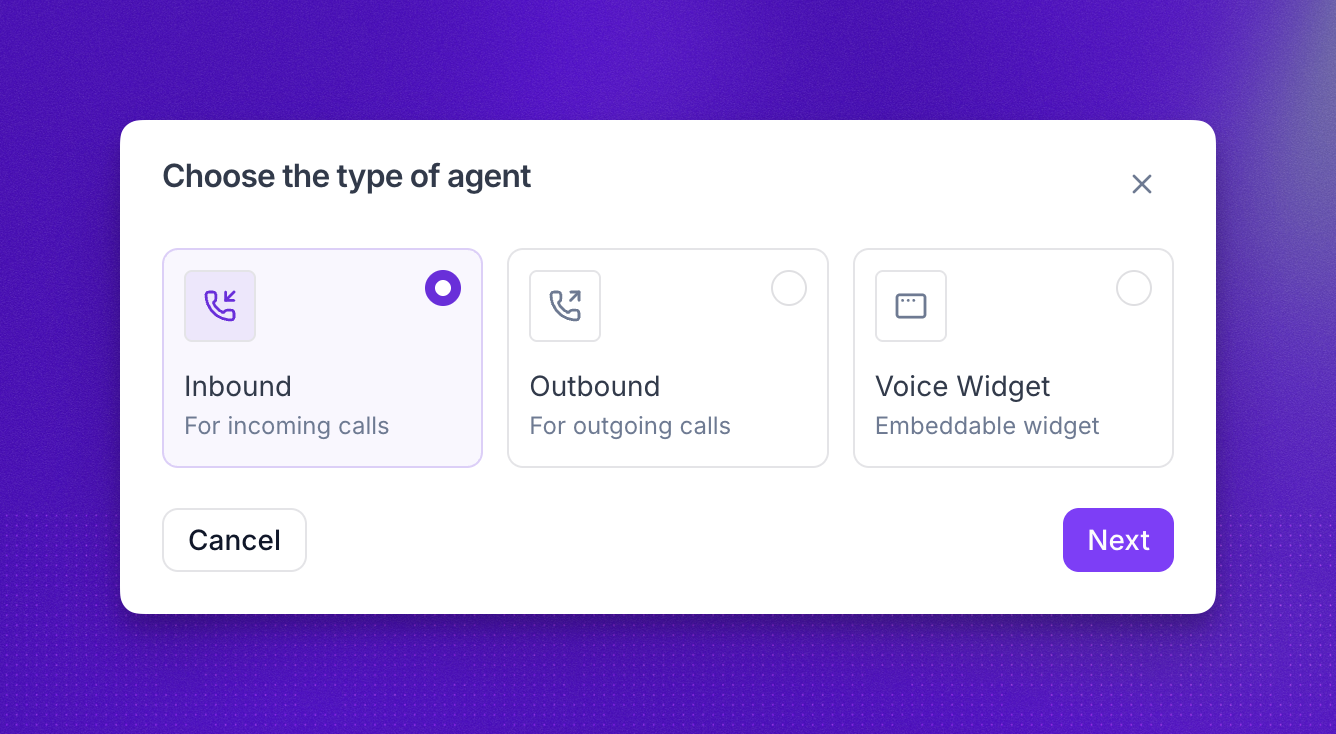
Select Voice Agent to create an agent for phone calls and voice interactions. You’ll be prompted to choose a sub-type:
- Inbound: handles incoming calls. Ideal for customer support, order tracking, and call routing.
- Outbound: initiates outgoing calls. Great for lead generation, appointment reminders, and surveys.
- Voice Widget: an embeddable voice agent for your websites and apps. Perfect for live voice support and lead qualification directly on your pages.
After choosing a sub-type, you’ll select a prompt configuration to define how your agent conducts conversations.
Chat Agent
Chat agents enable you to deliver conversational AI experiences through text-based interfaces, such as web chat widgets, support portals, or custom applications.
Launching a chat agent works through the API, an embeddable widget, WhatsApp, or SMS.
For WhatsApp and SMS, the requirements are:
- Your own Twilio account
- A workspace in a US-region cluster
Prompt configuration
Whether you’re building a voice or chat agent, Synthflow offers two ways to configure how your agent handles conversations:
- Prompt Builder is best for lightweight setups where one prompt can define the agent’s behavior: open-ended conversations, simple Q&A, and quick prototyping.
- Flow Designer is best for structured, multi-step conversations with explicit branching, reusable logic, and predictable paths: compliance-heavy scenarios, multi-step processes, and workflows with many decision points.
You choose one mode per agent and cannot mix them in the same agent. Whichever you pick, write the agent’s instructions following the prompting best practices.

Browse Templates
Select Browse Templates to start from a prebuilt configuration. Templates come ready with prompts, voice settings, and many include actions that expand what your agent can do right away. Filter by industry and call type to find the right fit for your use case.
Choose templates when you want a working baseline you can adapt instead of starting from a blank configuration.
Import from JSON
For advanced users, select Import from JSON to upload a JSON agent configuration file directly.
Import from JSON is best when you already manage agent configurations as files, want to duplicate an existing setup, or need a repeatable handoff between workspaces.
FAQ
Should I create a voice or a chat agent?
Choose Voice Agent for phone calls and the Voice Widget for spoken interactions on the web. Choose Chat Agent for text: widgets, portals, API-driven messaging, and (with Twilio) SMS or WhatsApp. You pick the type when you create the agent.
What is the difference between Flow Designer and Prompt Builder?
Flow Designer uses nodes and branches for structured, multi-step flows. Prompt Builder uses one main prompt for simpler setups. Both work for voice and chat. See Prompt configuration above and the Flow Designer guide for detail.
Can I switch between Prompt Builder and Flow Designer after creating the agent?
Yes, but you’ll need to rebuild the agent in the other mode. Test thoroughly before switching a live agent, or create a new agent and gradually transition traffic to it.
Which mode handles unexpected user input better?
Prompt Builder agents are generally more flexible with unexpected input, as the model can improvise. Flow Designer agents require explicit handling of edge cases, but that also means more control. If you find yourself writing many conditional statements or more than 3-4 distinct conversation stages in one prompt, consider Flow Designer.
When should I use Browse Templates or Import from JSON?
Browse Templates when you want a ready-made agent (prompts, voice, and often actions) you can tweak. Import from JSON when you are copying a configuration from another workspace, restoring a backup, or managing agents as files.
Can I create agents with the API?
Yes. Use the Create an agent endpoint and the request schema for your agent type. You can also update an agent via the API reference.
How many agents can I create?
There is no limit. You can create as many agents as you need in your workspace, whether they use Prompt Builder or Flow Designer.
What is pricing for chat?
Synthflow measures chat at 5 AI-generated messages per usage minute. The rate applied to your account comes from your agreement or account setup. SMS or WhatsApp through Twilio add Twilio’s messaging fees on top.
Does chat work for both Prompt Builder and Flow Designer?
Yes. You can use either a single prompt or a Flow Designer flow for a chat agent.
Can I connect my chat agent to SMS or WhatsApp?
Yes. Connect Twilio, configure a WhatsApp sender or SMS-capable number, then deploy. Follow Launch Chat Agents for steps.
How do I monitor chat agent performance?
Chat analytics in the main analytics experience are coming soon.
Ready to build? Explore the BELL framework, our Build-Evaluate-Launch-Learn loop that keeps quality high and makes your agents easy to scale with confidence.