RingEX
Legacy SIP-extension setup for existing RingEX deployments.
This integration is being sunset and is no longer recommended. The SIP-extension setup relies on RingCentral behavior outside Synthflow’s control, so we can no longer guarantee its reliability.
For RingEX, we recommend forwarding your RingEX number over the PSTN to a Synthflow number or a Twilio number. You can also use the native RingCX integration, or route calls directly to Synthflow. Talk to your account manager to choose the right path for your setup.
In this legacy setup, Synthflow registers with RingCentral as a generic SIP IP phone (an extension) and answers the calls that reach it. This page stays available for deployments that already use it.
Limits
- Maximum 5 concurrent calls per extension. When all five call slots on an extension are in use, additional inbound callers hear that the number is busy or unavailable.
- No outbound calling. RingEX SIP extensions registered through Synthflow cannot place outbound calls.
Warm and cold transfers, over SIP or the PSTN, work as expected.
RingCentral IP phone
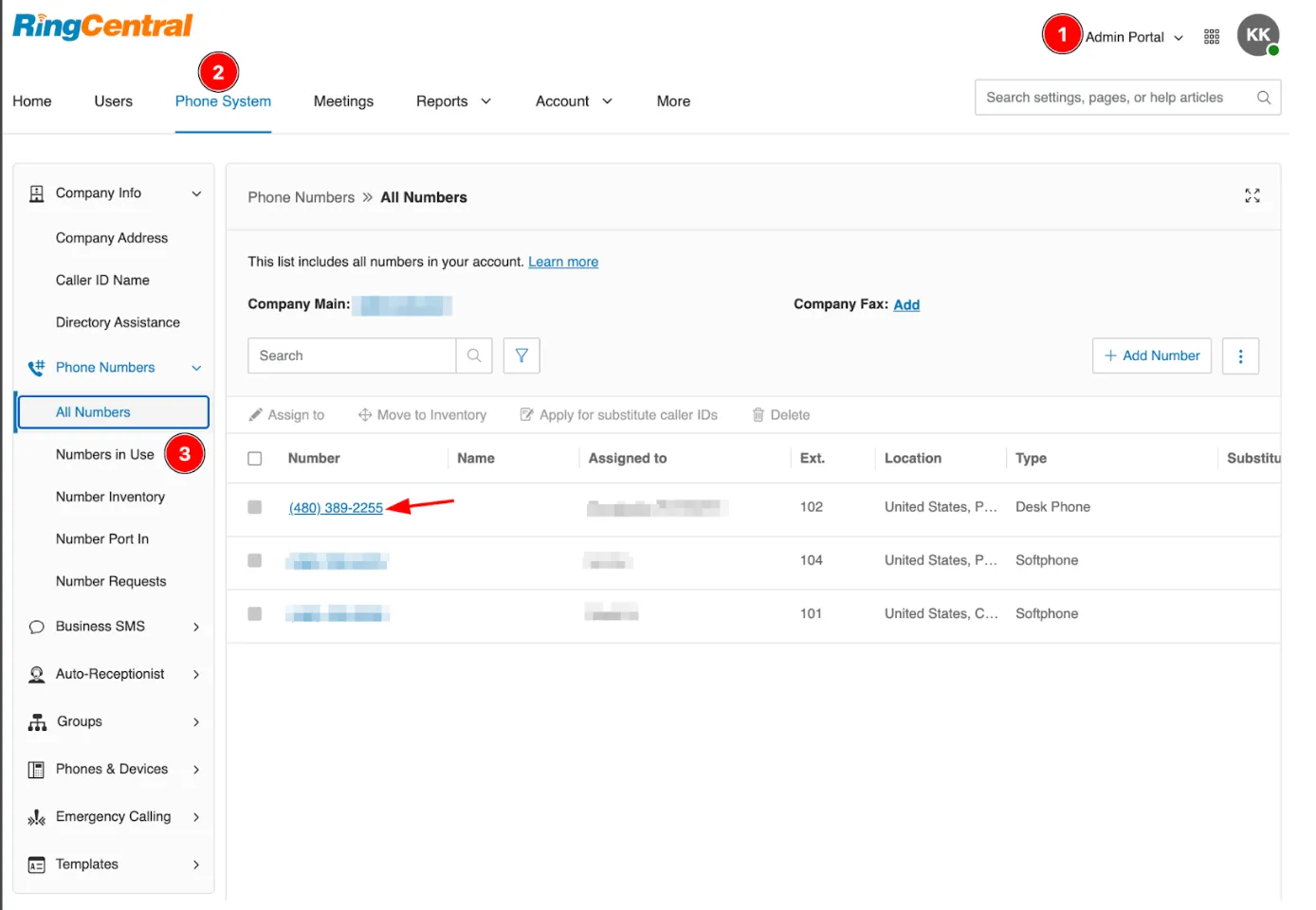
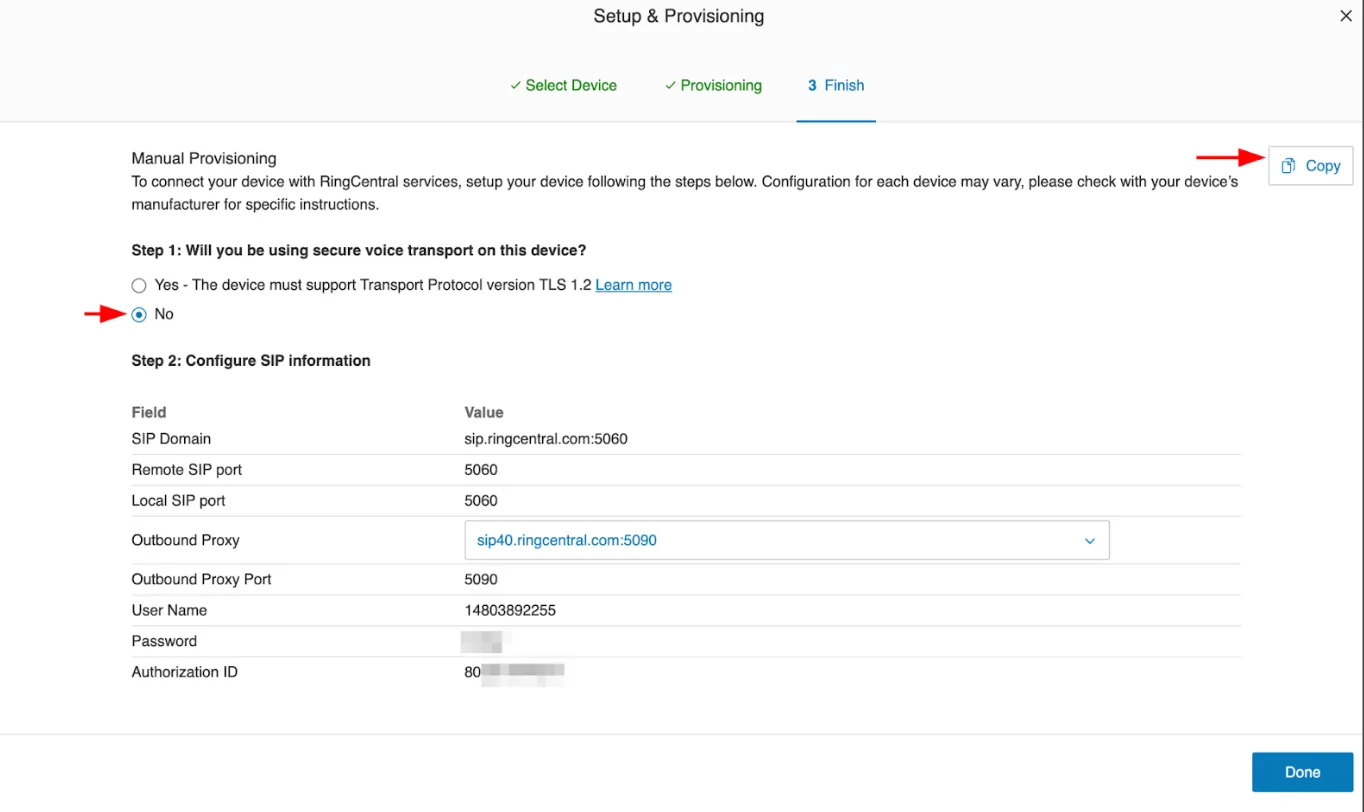
Synthflow connects to RingCentral with the SIP credentials of an IP phone. Get them from the customer’s account in the RingCentral Service Portal. Select an existing generic SIP IP phone, or create one with manual provisioning.
The screenshots below show how to get the IP phone connection details from RingCentral.
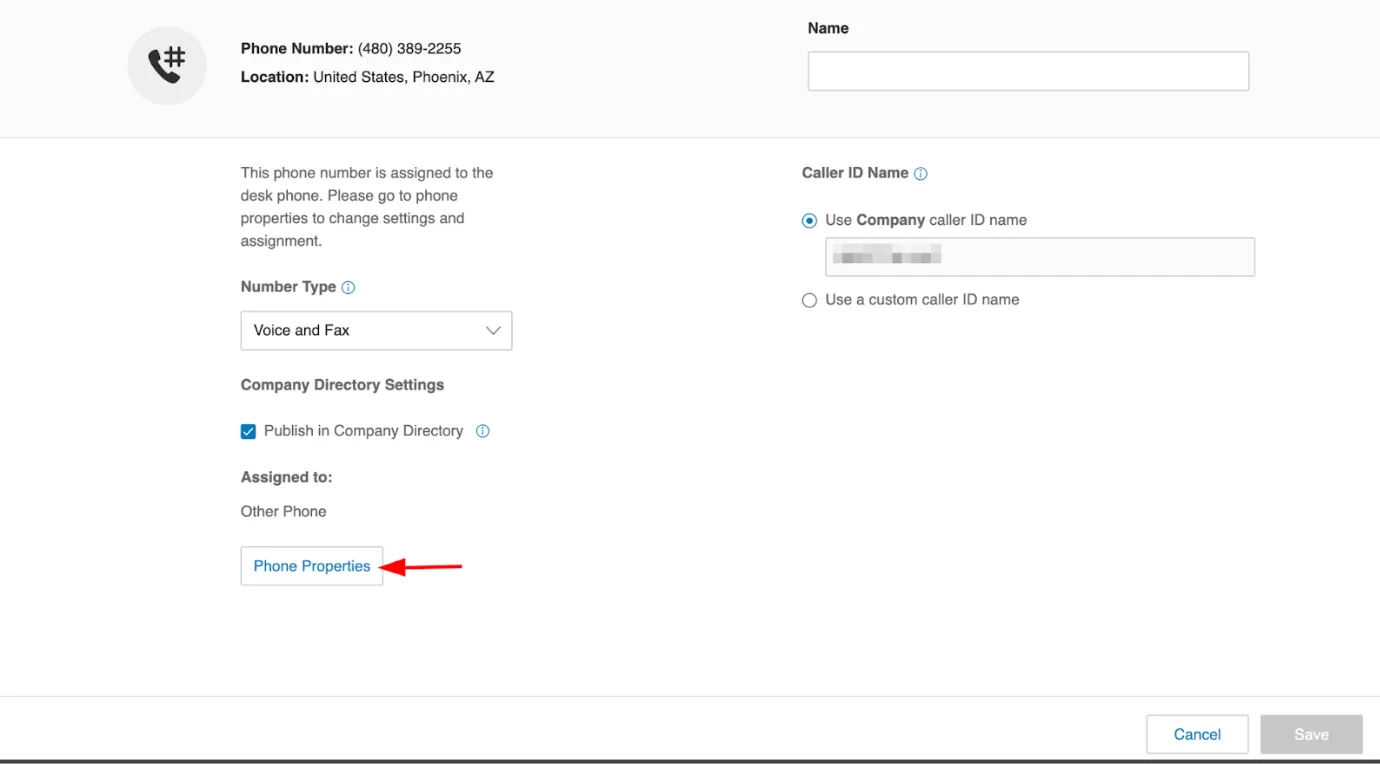
Select Yes.
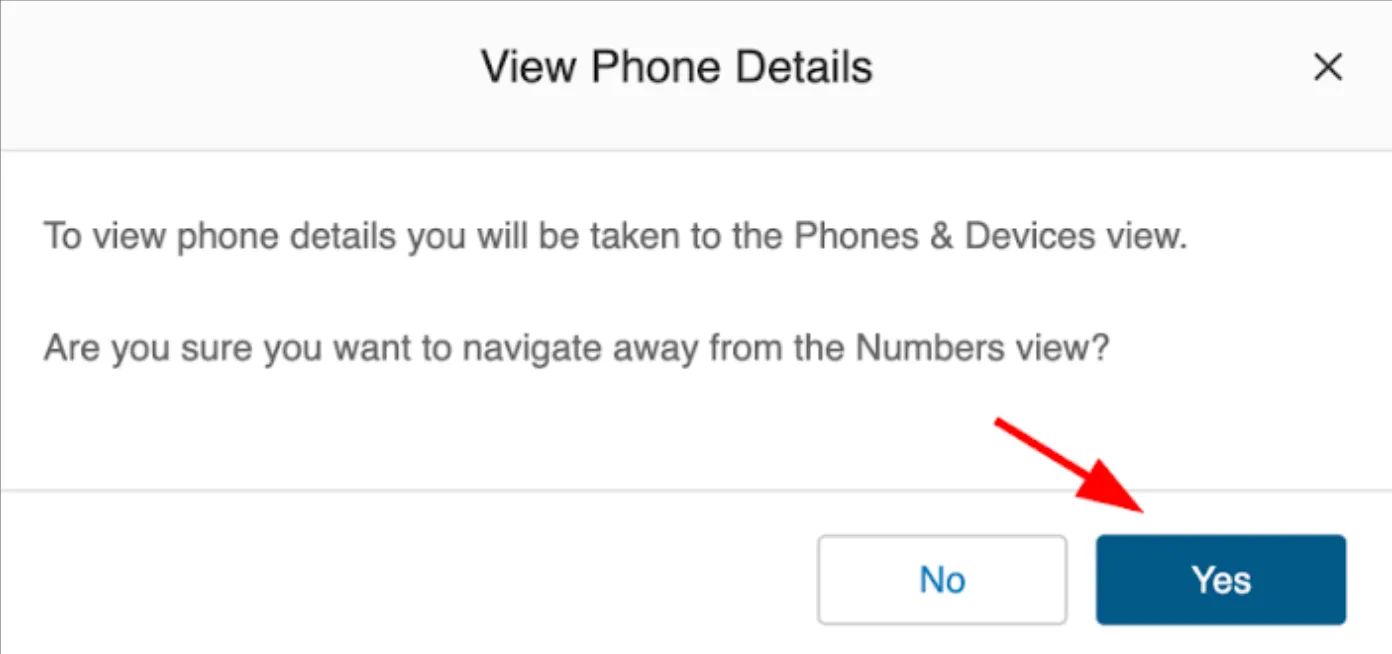
Select Set Up and Provision.
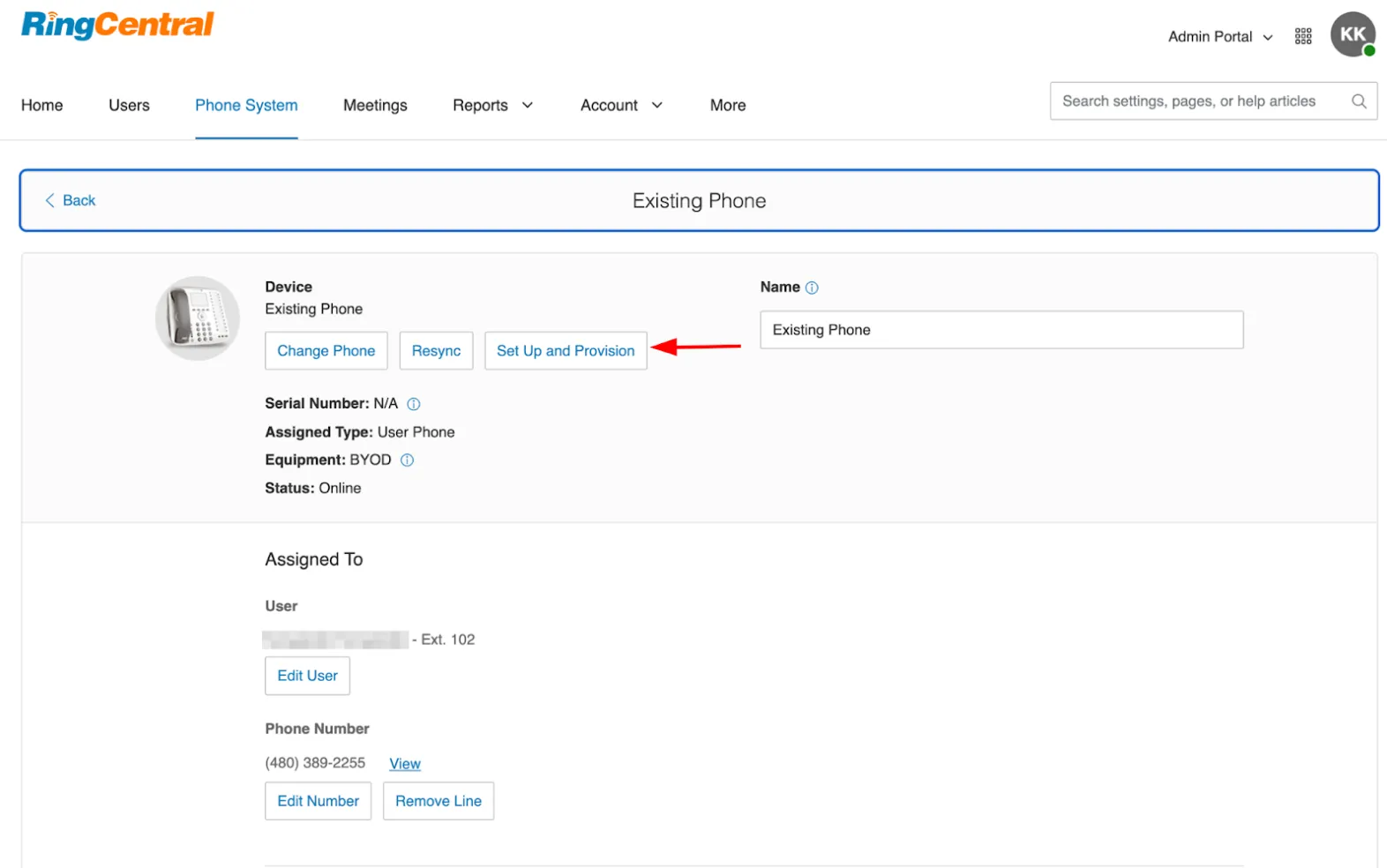
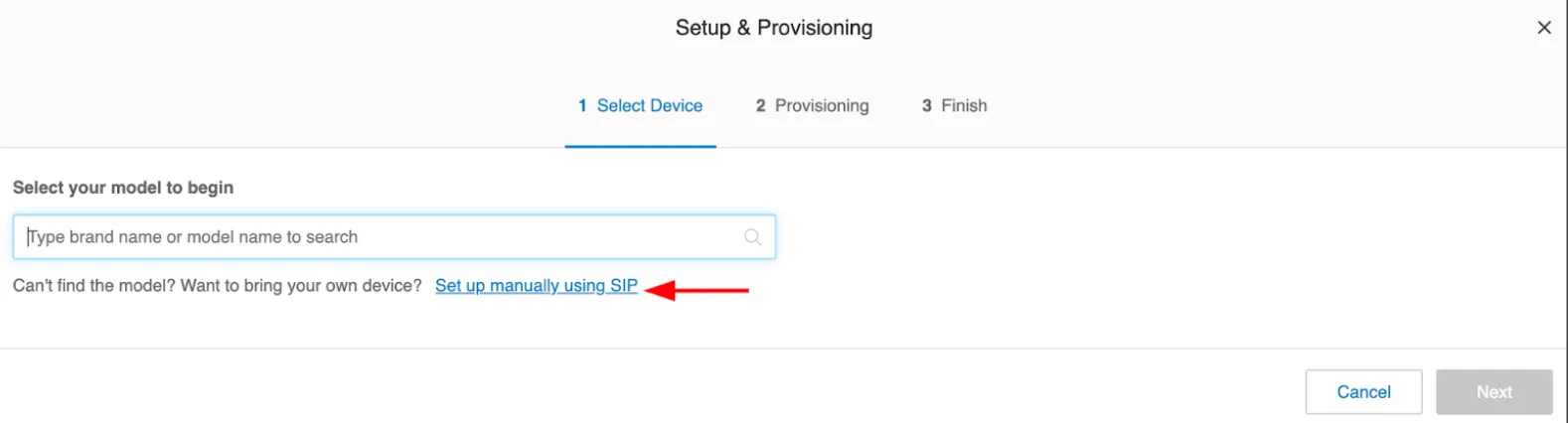
Save the connection details for the next steps.
Copy and paste the SIP details exactly. Imprecise details can get you blocked by RingCentral’s anti-flood logic.
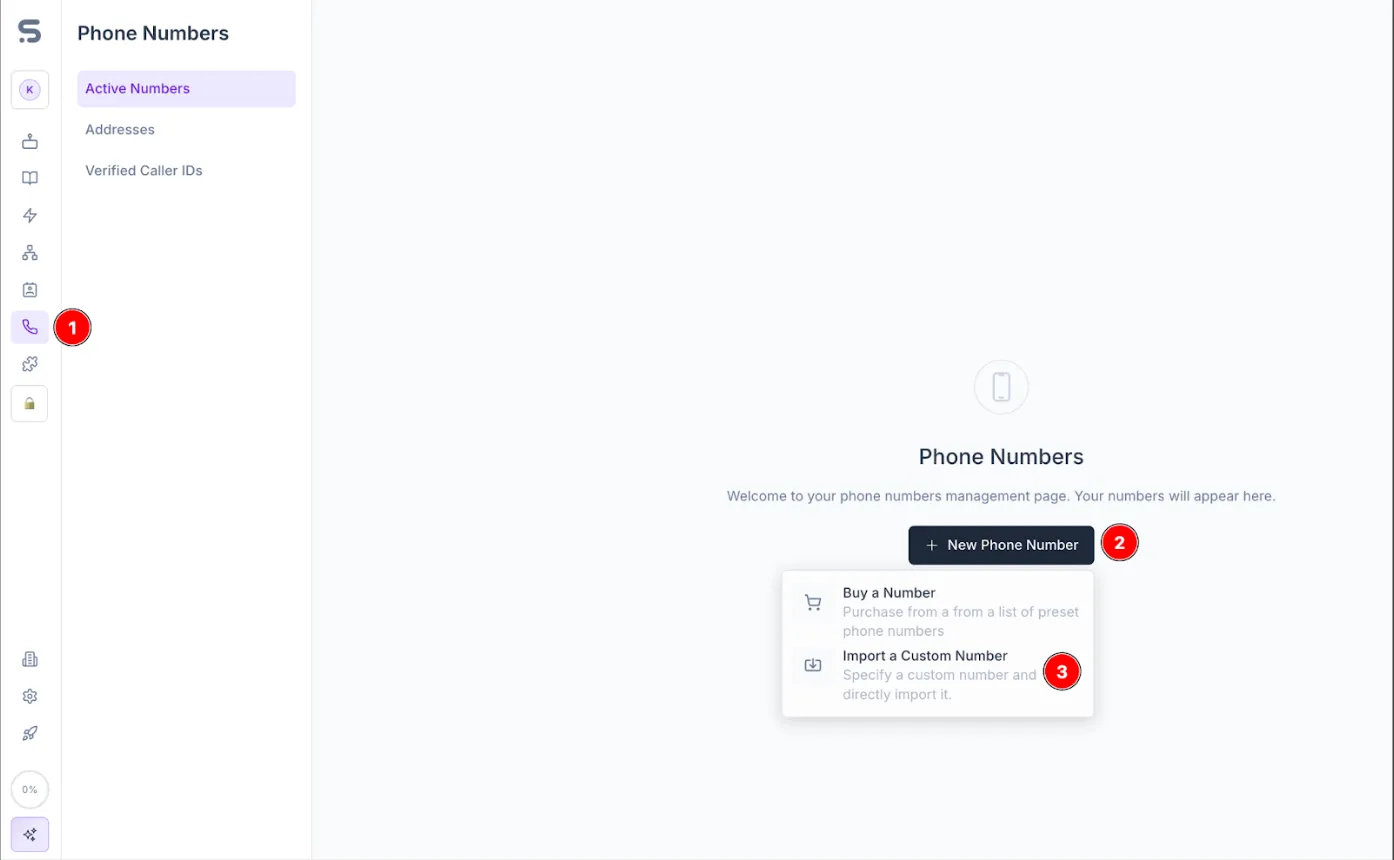
Synthflow number
On the Synthflow Phone Numbers page, add the number to your workspace with the SIP details from RingCentral. The Termination URI is your SIP domain on RingCentral.
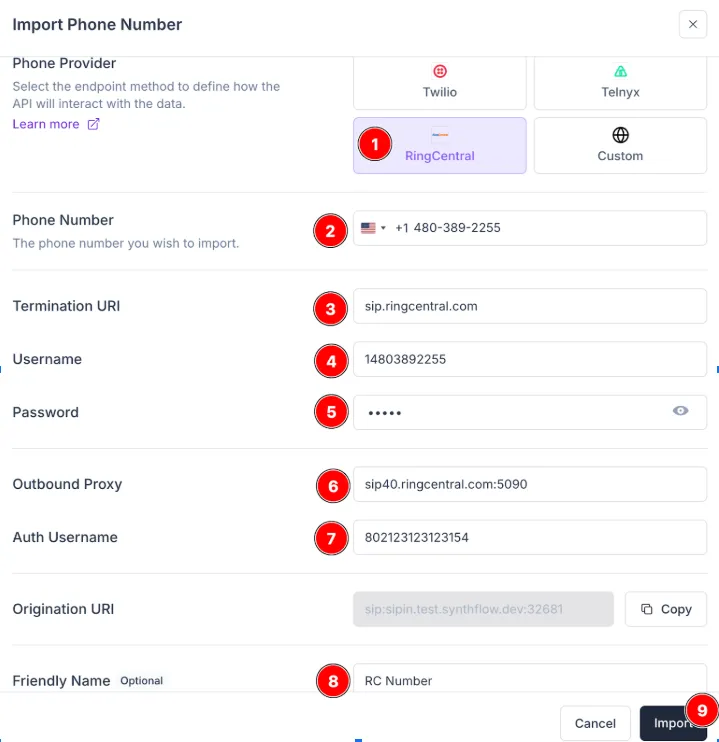
Registration Expiry
RingCentral requires Synthflow to register (send REGISTER traffic) as a SIP extension. Registration is always on for RingCentral numbers, so there is no checkbox to turn it on.
When you add the number, you can set the Registration Expiry: how often, in seconds, Synthflow refreshes the registration with RingCentral. It takes whole numbers from 60 to 3600. The default is 300 (5 minutes).
Agent assignment
Create an agent and attach the number to it. The agent must be on version 2.0.
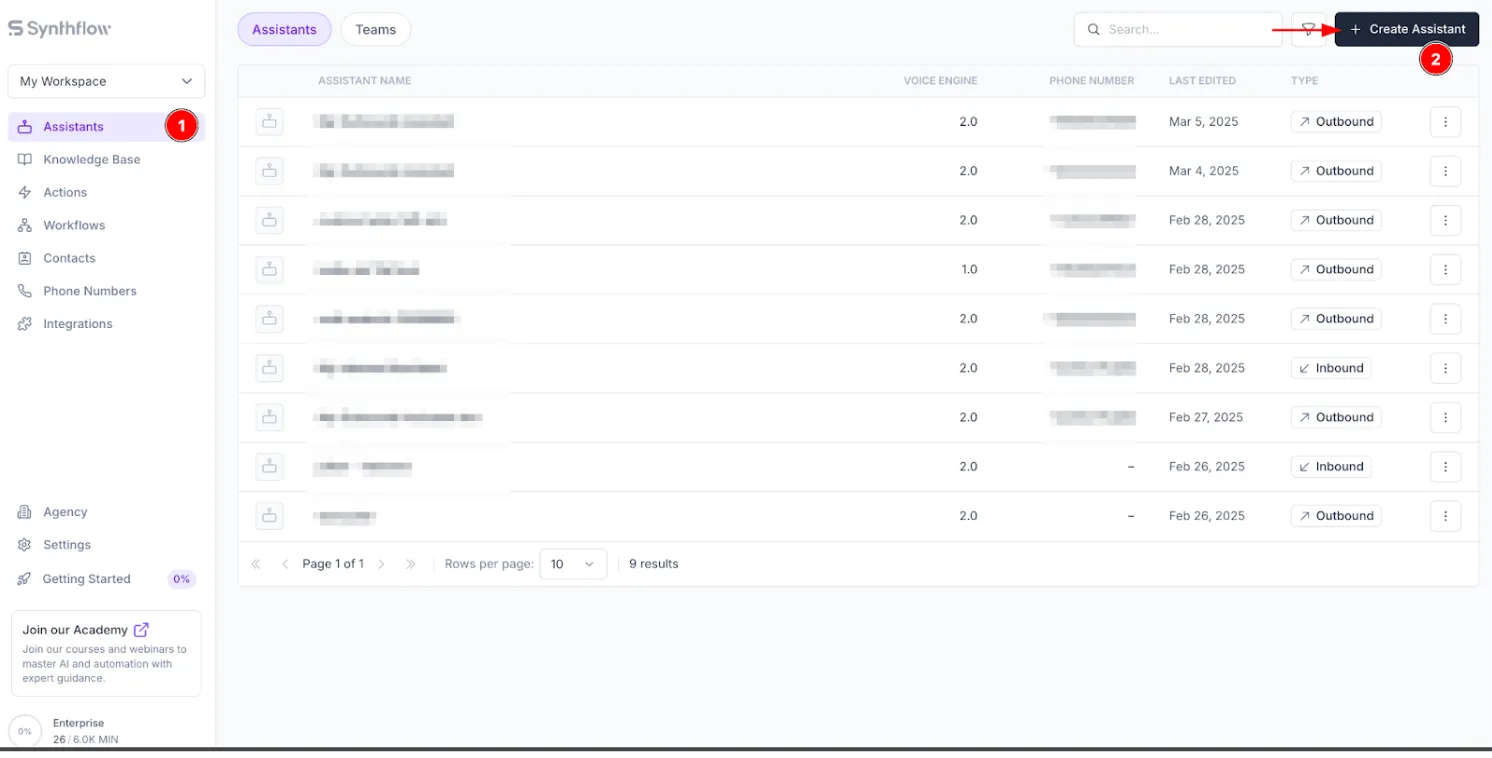

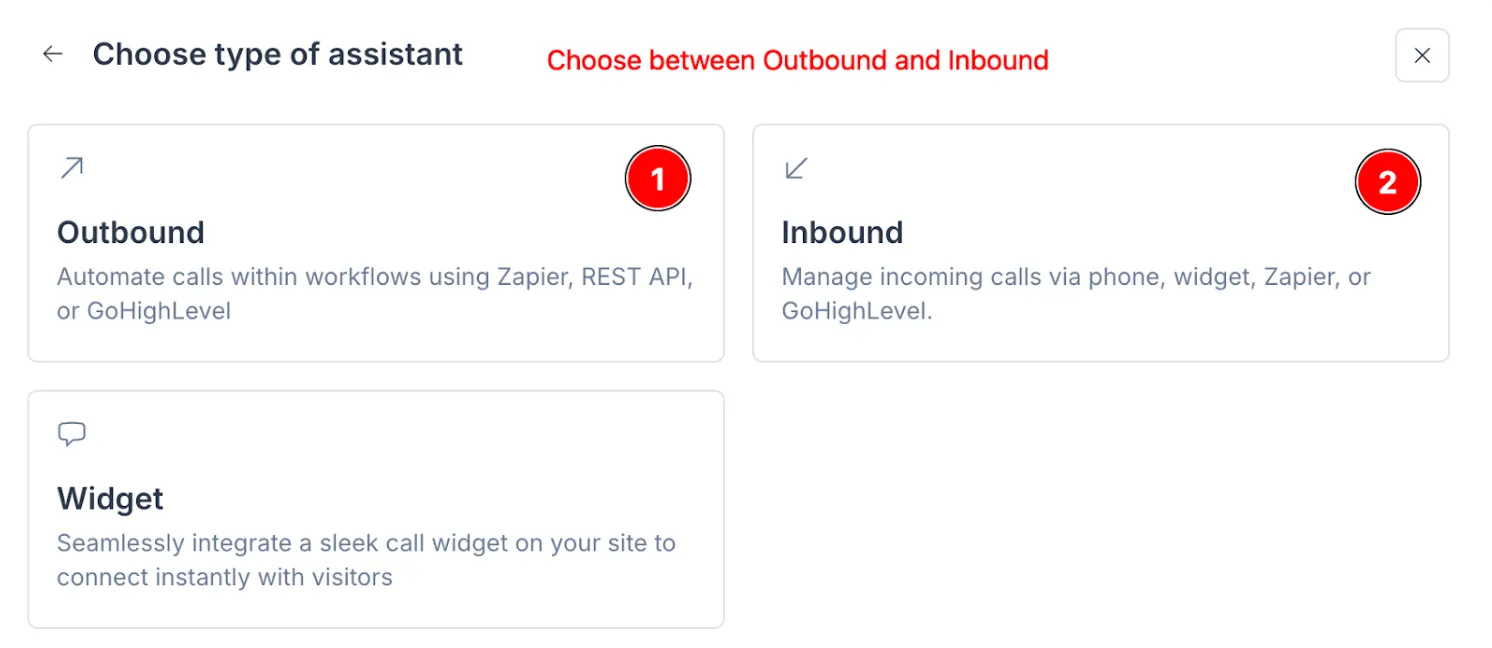
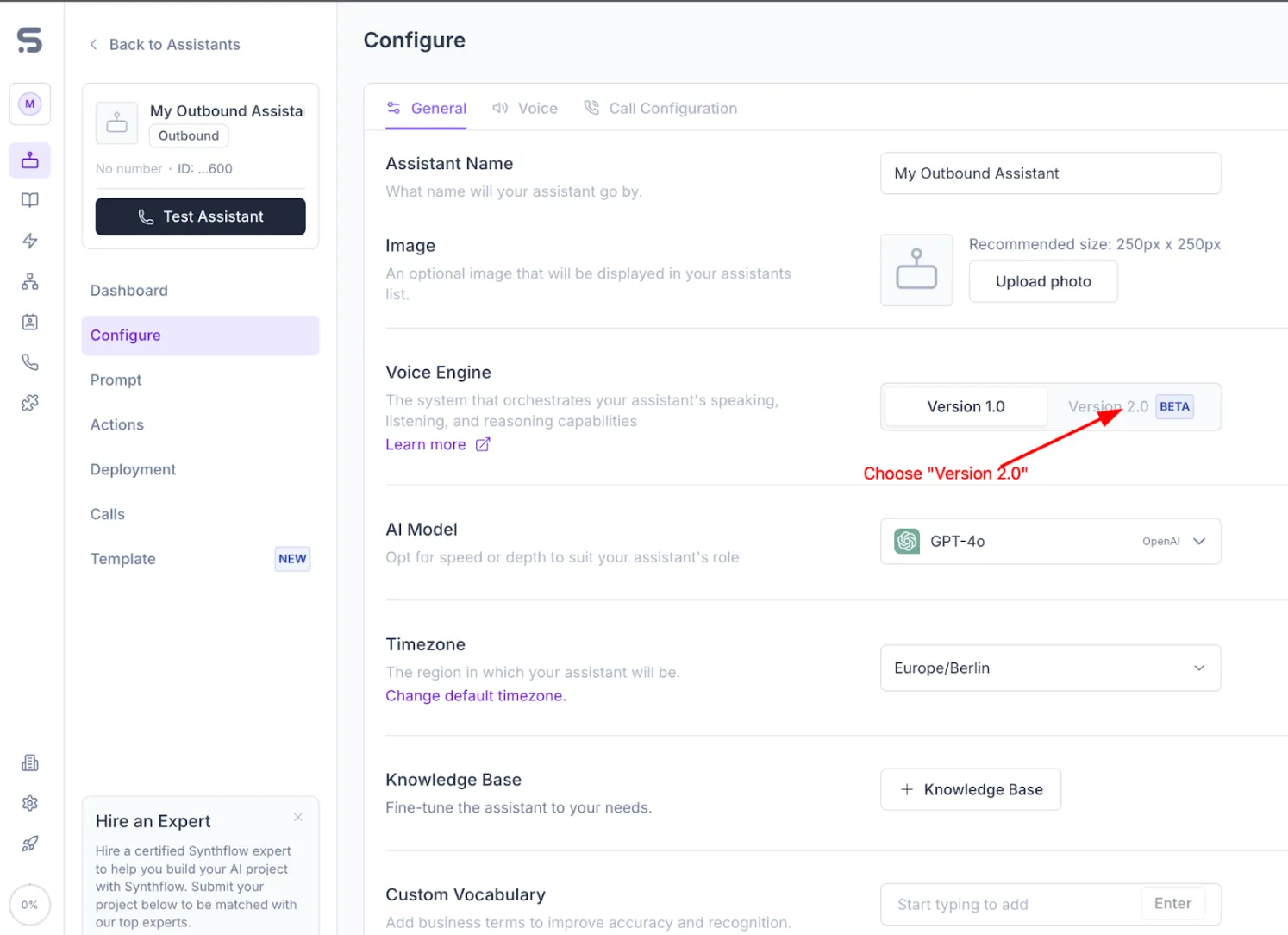
Synthflow creates the SIP trunk when you attach the number to the agent.
RingCentral processes the registration in one to two minutes. After that, you can place a test call.