

Twilio SIP Trunking
A Twilio Elastic SIP Trunk connects Synthflow to the phone network through your Twilio account, so agents place and receive calls on your Twilio numbers. To connect your Twilio account directly instead, including SMS, see Twilio.
If your Twilio account is already trunked into other systems, connect the number to Synthflow through a Twilio subaccount.
Trunk setup
General settings. Create the trunk, give it a name, and open the General Settings tab.
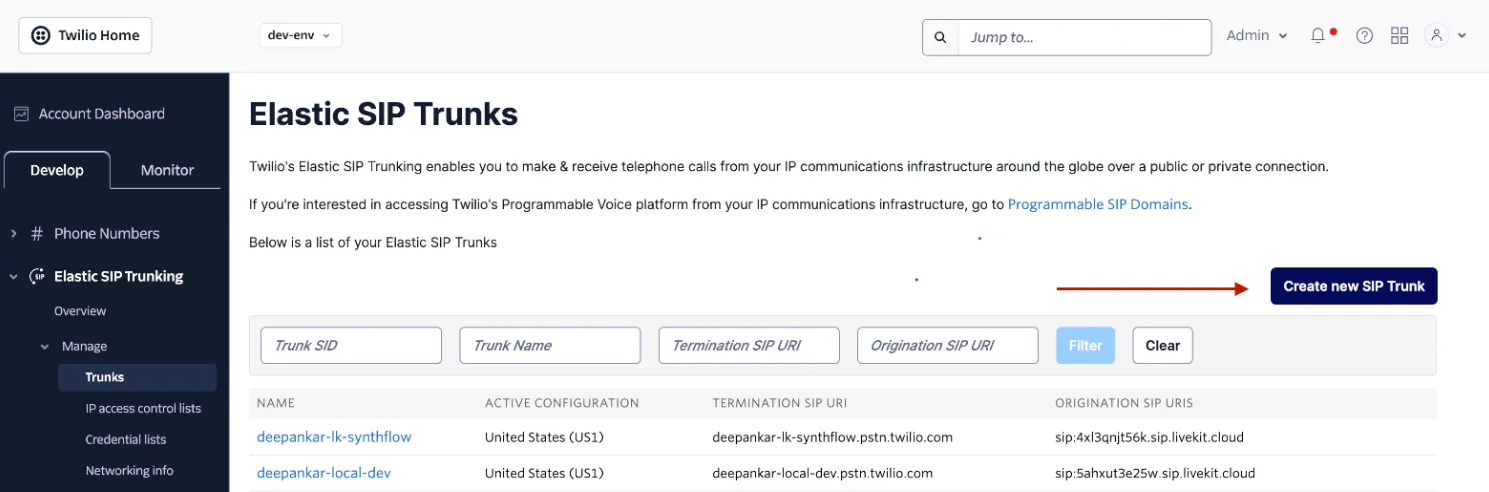
- Turn on call recording.
- Turn on call transfer.
- Leave secure trunking off.
Termination, for outbound calls. Note the Termination SIP URI. You enter it when you import the number into Synthflow.
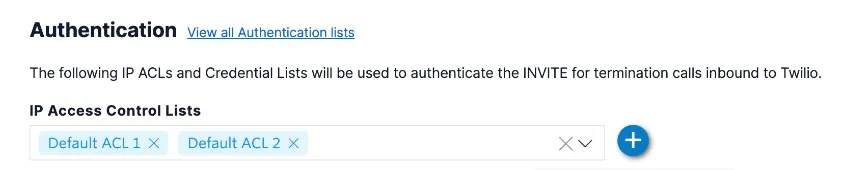
- Add the signaling and media IPs for your region from IP allow lists to a Twilio IP Access Control List. For environment-specific guidance, contact Synthflow support.
- Add both
Default ACL 1andDefault ACL 2, or your region-specific ACLs that contain those IPs, to the trunk.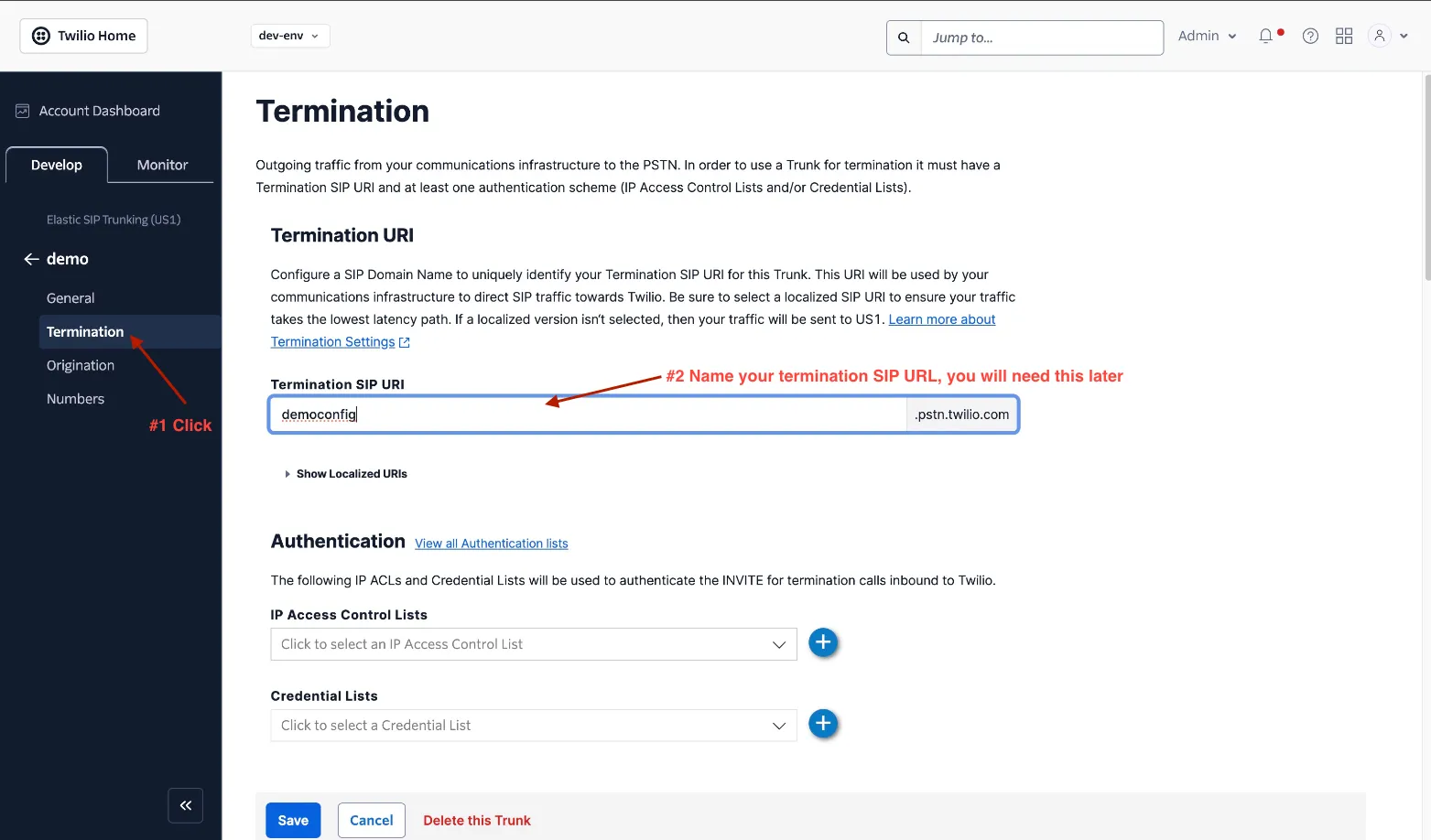
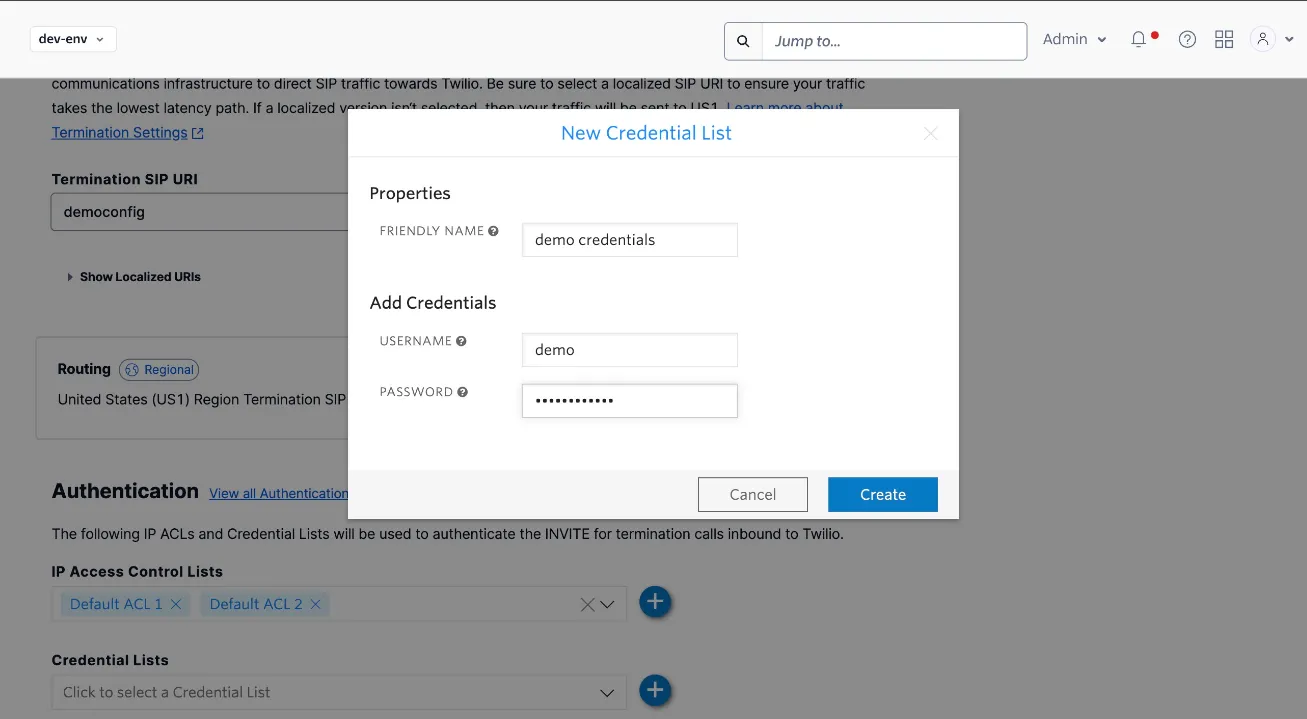
- The trunk accepts outbound requests from allow-listed IPs, or from a username and password. If you use credentials, enter the same username and password when you import the number.

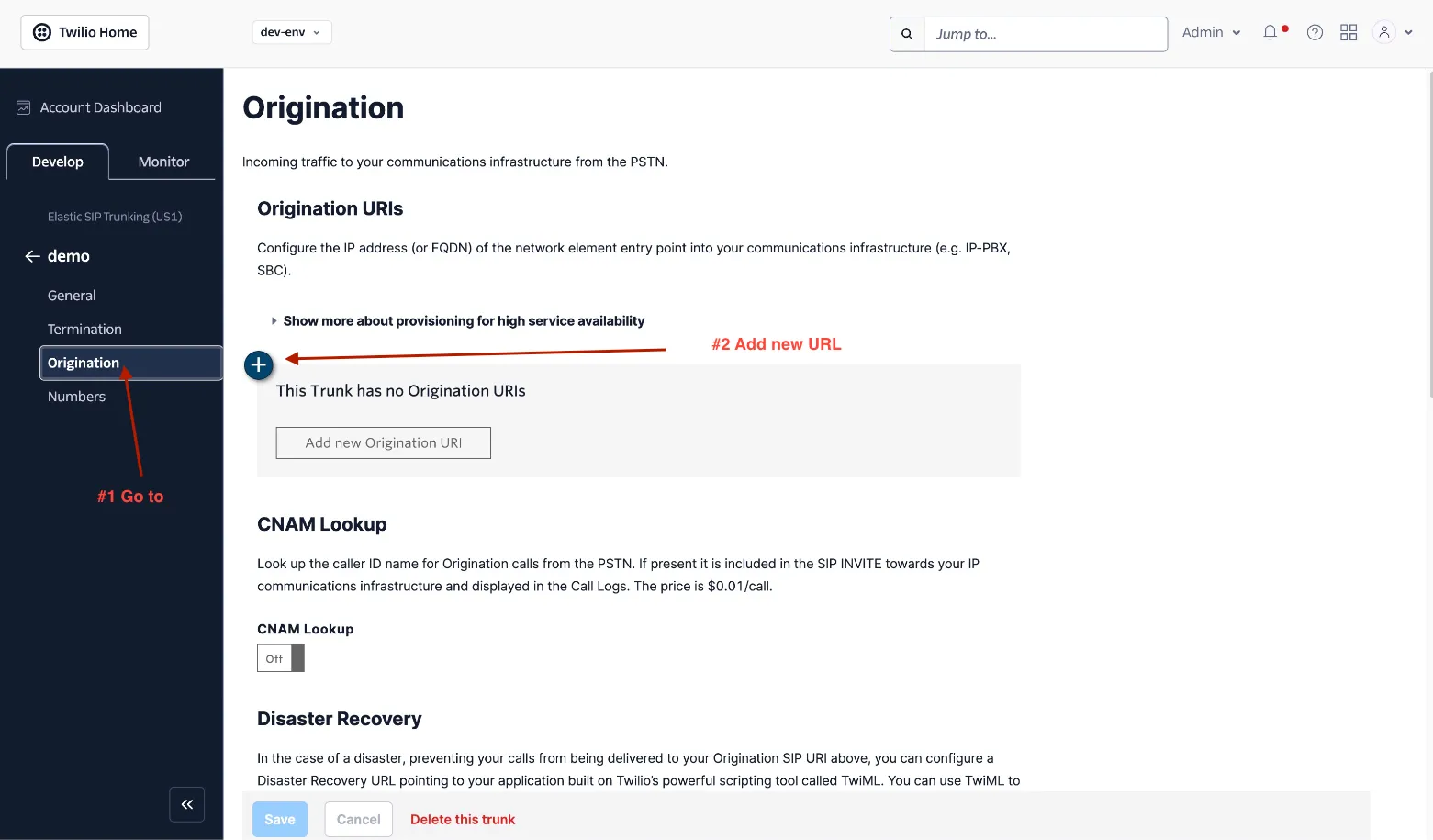
Numbers on the trunk
Buy numbers in Twilio, or move your existing numbers, and assign them to the trunk.
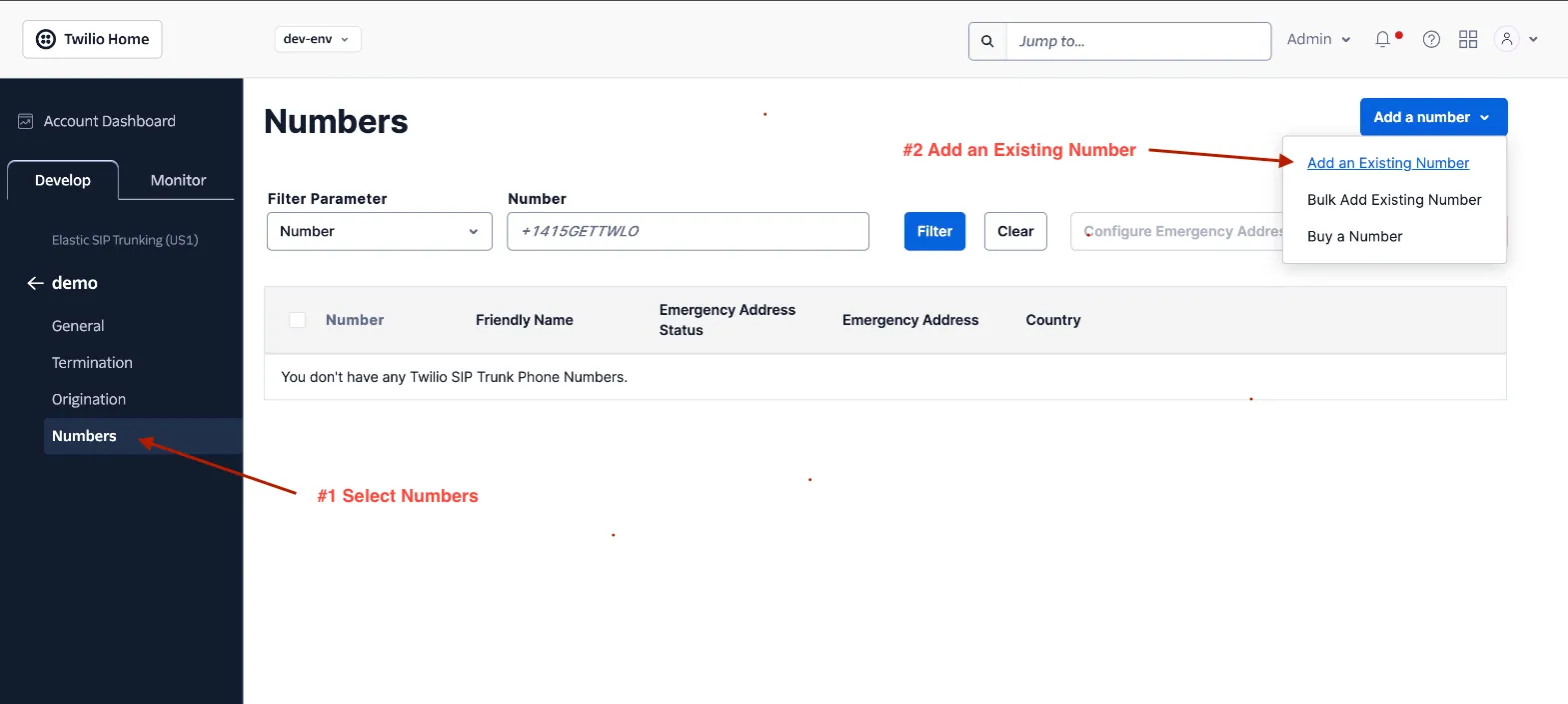
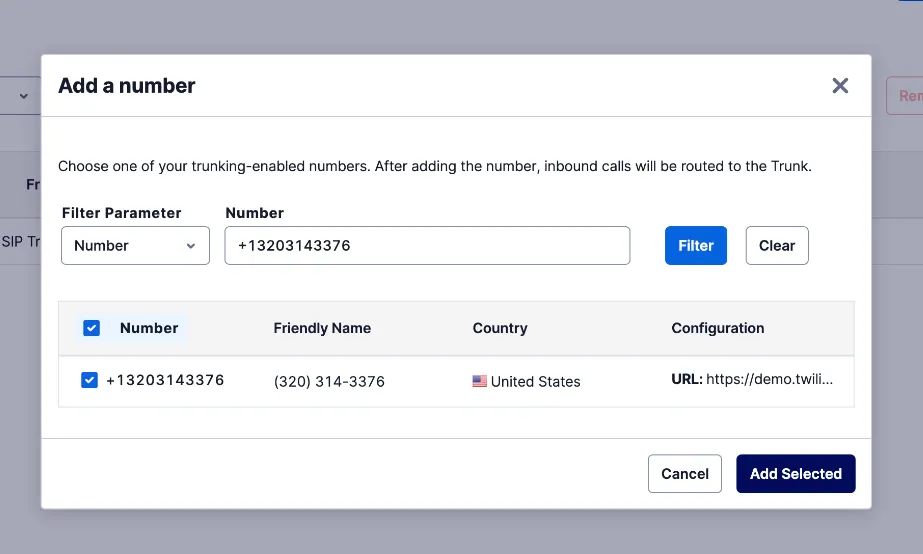
Number import
Import each number into Synthflow as a custom number, so Synthflow knows how to route its calls. Enter the Termination SIP URI from the trunk. If the trunk uses credentials, also enter the username and password.
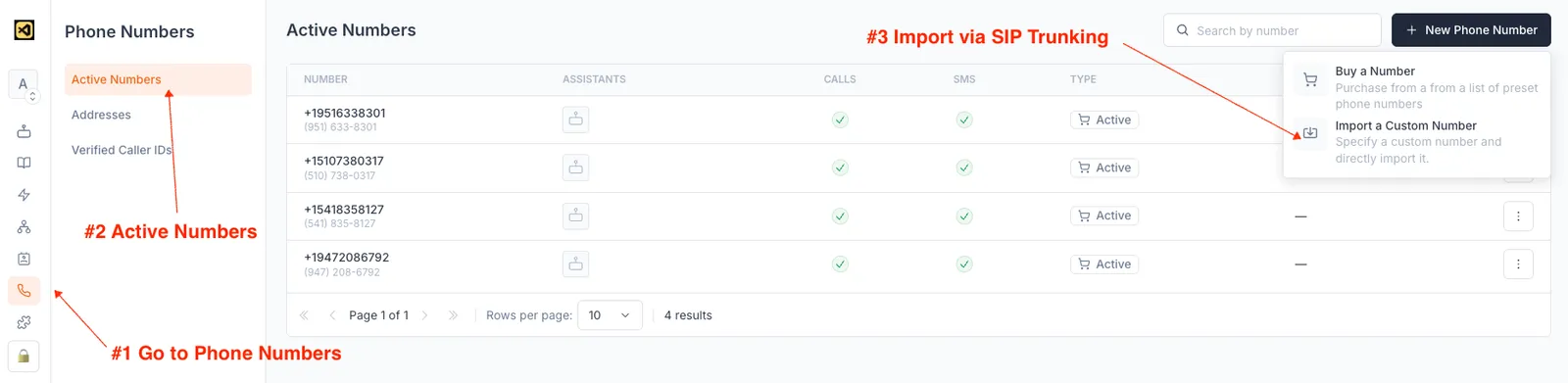
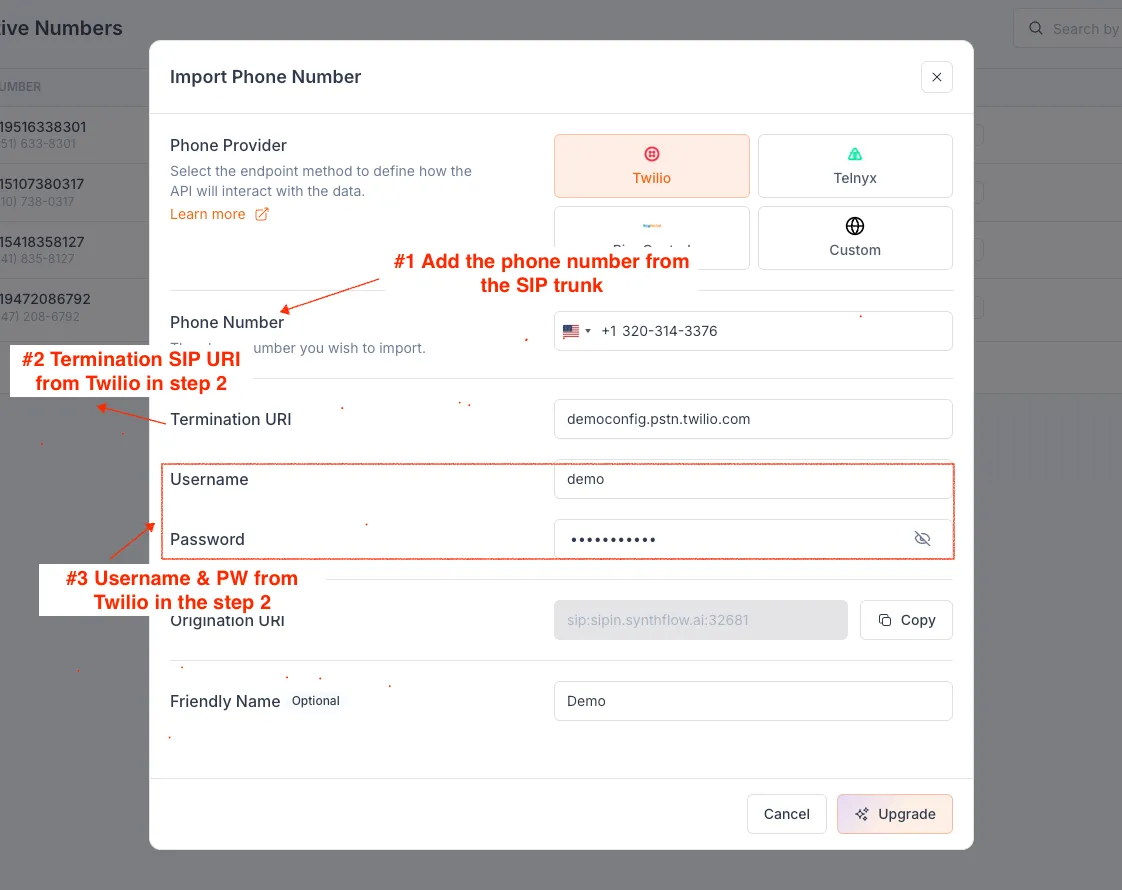
The imported number places and receives calls like a number bought in Synthflow. To stop using it, delete it from Phone Numbers, or with the Delete a phone number API.