Import Knowledge Base Content from Zendesk
Use the Zendesk integration to import your Help Center articles directly into a Knowledge Base. This is useful when your support documentation already lives in Zendesk and you want your agent to answer from the same source of truth.
The import runs asynchronously. Depending on the number of Zendesk articles, syncing can take a few minutes.
Connect and import
Open Import from Integration
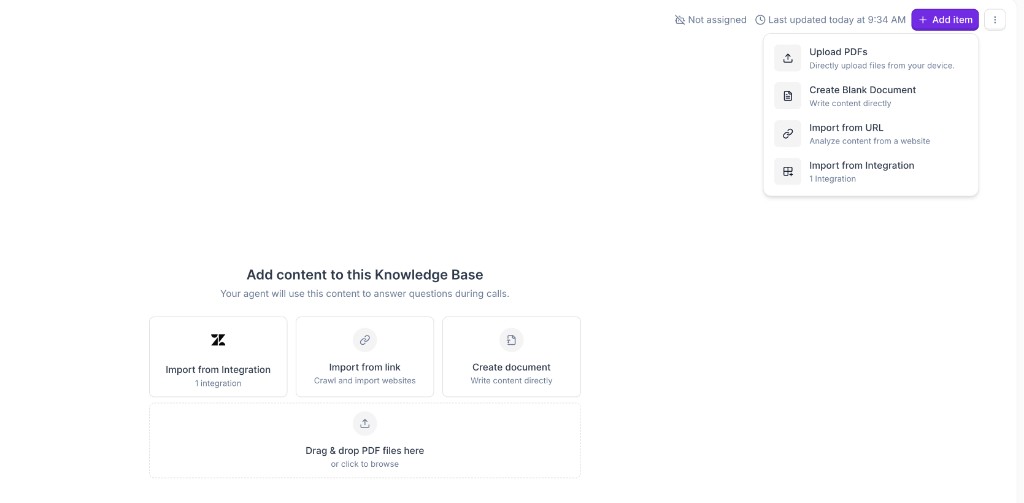
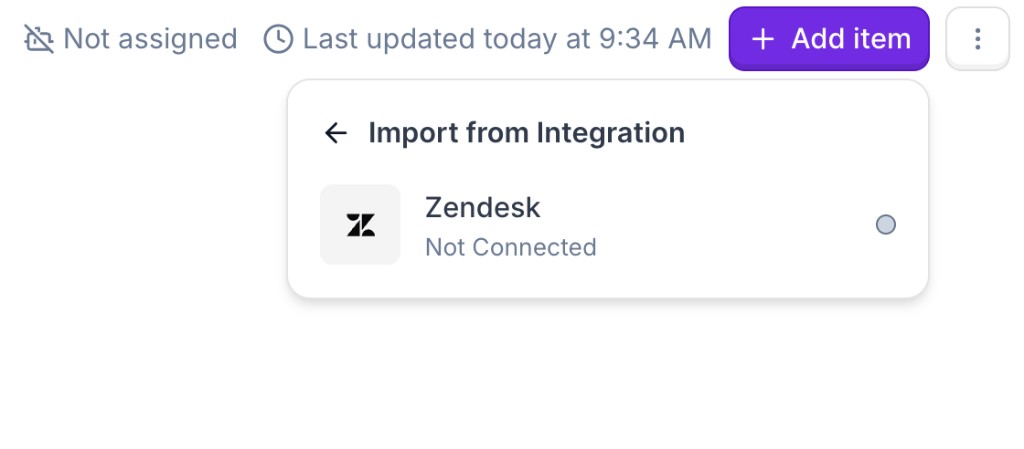
In your Knowledge Base, click Add item and choose Import from Integration. You can also use the Import from Integration tile from the empty-state view.
Connect with Zendesk OAuth
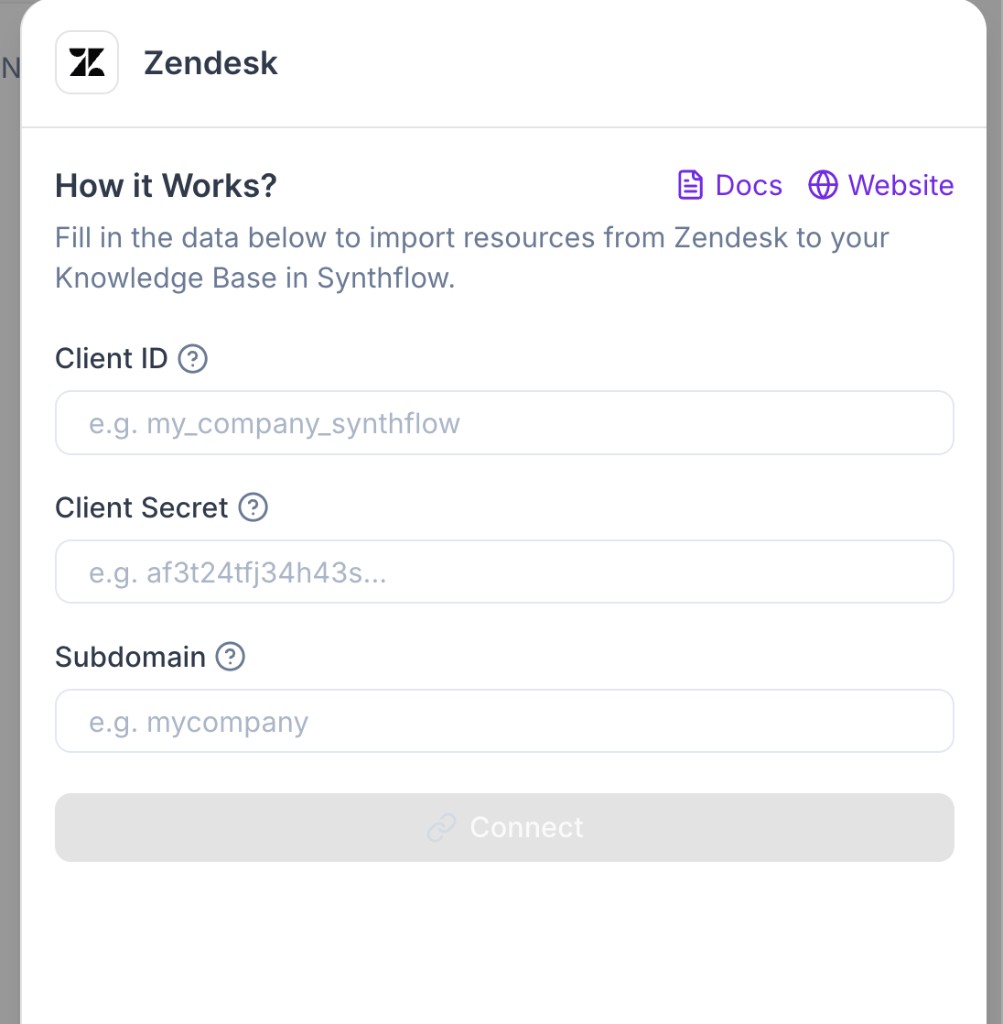
Enter your Zendesk OAuth details and connect your account.
Client IDClient SecretSubdomain


What gets imported
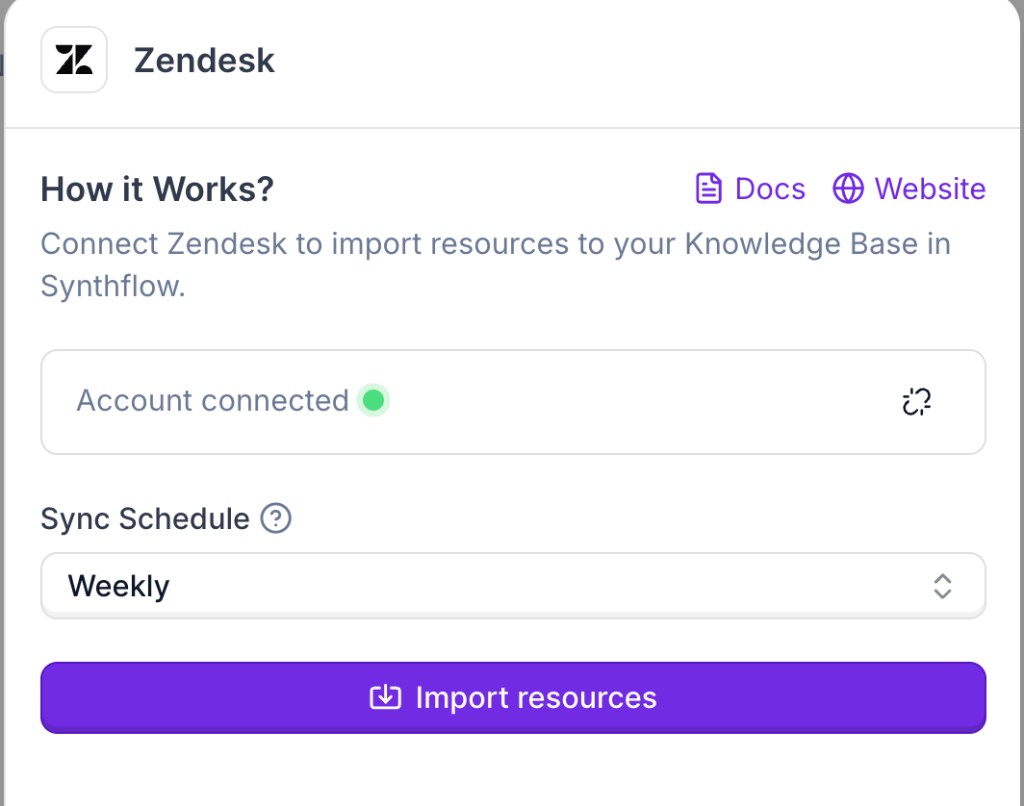
The Zendesk integration crawls your Zendesk Help Center articles and imports them into your Knowledge Base. Once synced, your agent can retrieve this content during RAG search.

