Crawl a Website for Knowledge Base
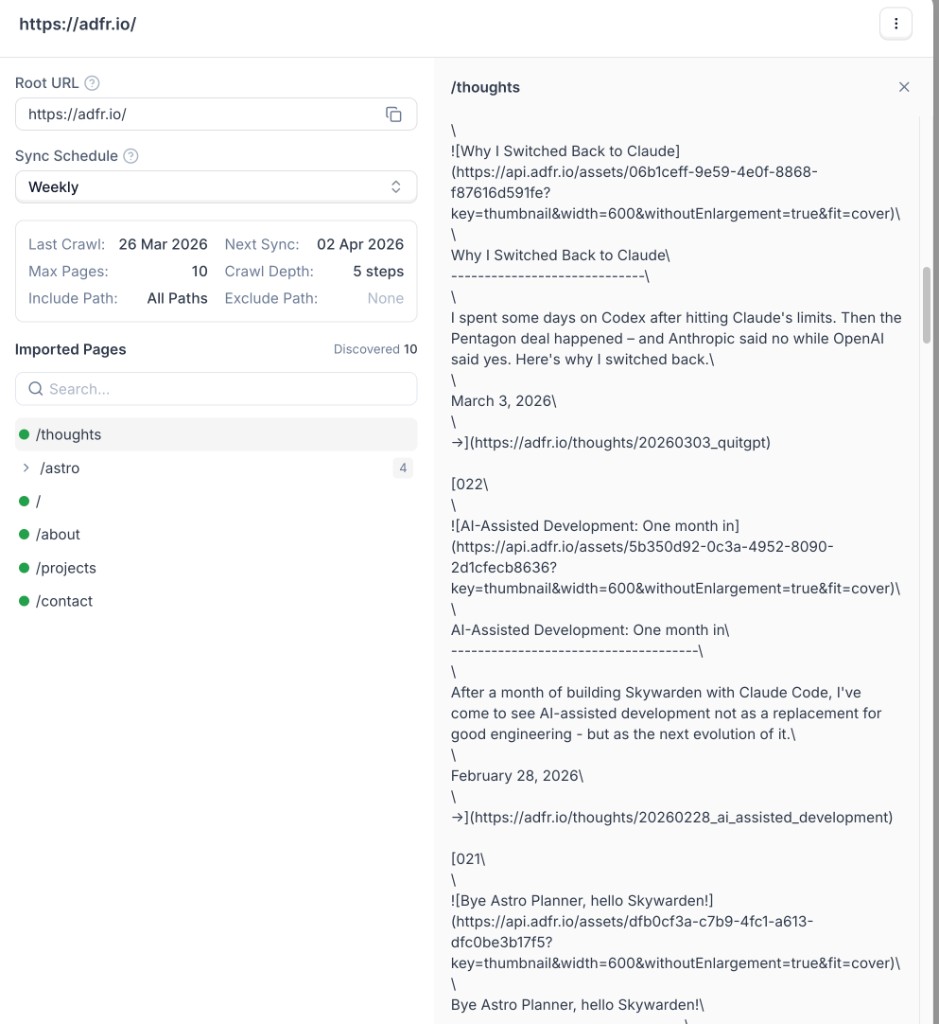
Use the crawler when you want to import more than a single page from your website. The crawler starts from a root URL, follows links based on your settings, and imports discovered pages into your Knowledge Base.
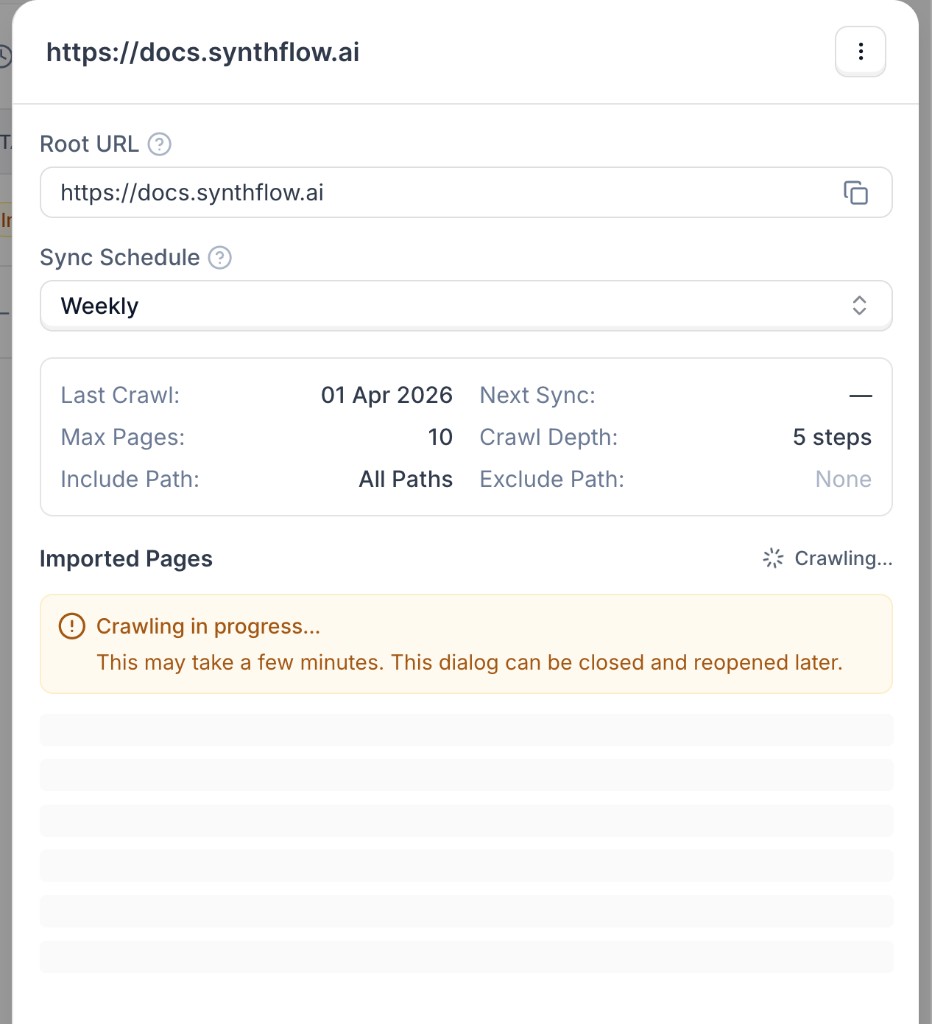
The crawler runs asynchronously. A crawl can take a few minutes depending on your website size, crawl depth, and page limits.
Set up a website crawl
Open the import modal and choose Website Crawl
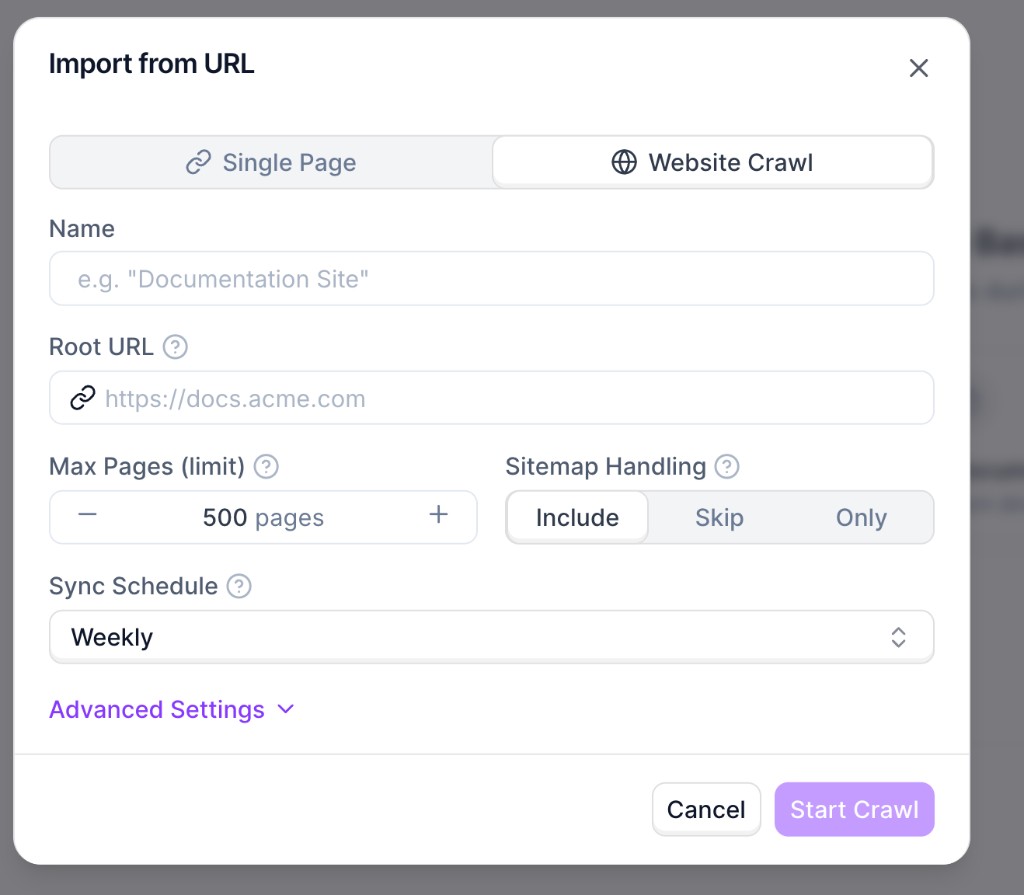
Go to Knowledge Bases and open your knowledge base. Click Add Document, choose Paste from URL, then switch to Website Crawl.
Configure crawl settings
Set the required fields:
- Name: internal name for this source.
- Root URL: starting URL for discovery (for example,
https://docs.synthflow.ai). - Max Pages (limit): maximum number of pages to import.
- Sitemap Handling: whether sitemap URLs are included, skipped, or used exclusively.
- Sync Schedule: automatic recrawl cadence.
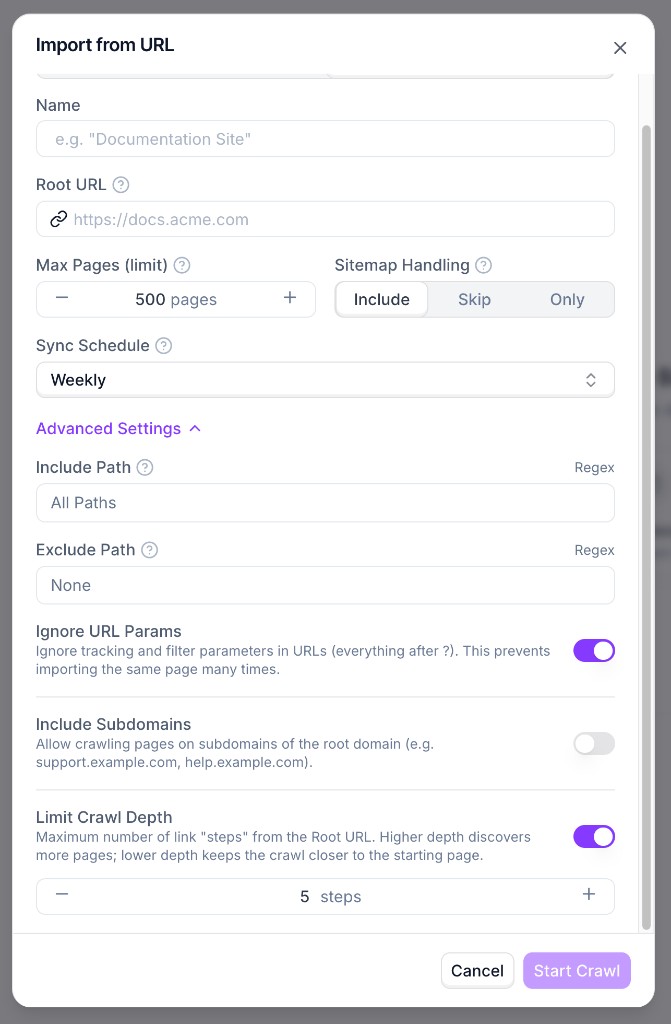
Use Advanced Settings for include/exclude path rules, URL parameter handling, subdomain inclusion, and crawl depth.
Recommendations
- Start with a lower page limit while testing, then increase gradually.
- Use include/exclude rules to avoid irrelevant sections (for example
/blogor/changelog). - Keep URL-parameter ignoring enabled to reduce duplicate page imports.
- Use a lower crawl depth for focused imports and higher depth for full-site coverage.

