

Notifications
Synthflow sends email alerts for product updates, system status incidents, and Academy content. You control which notification types you receive from your account settings.
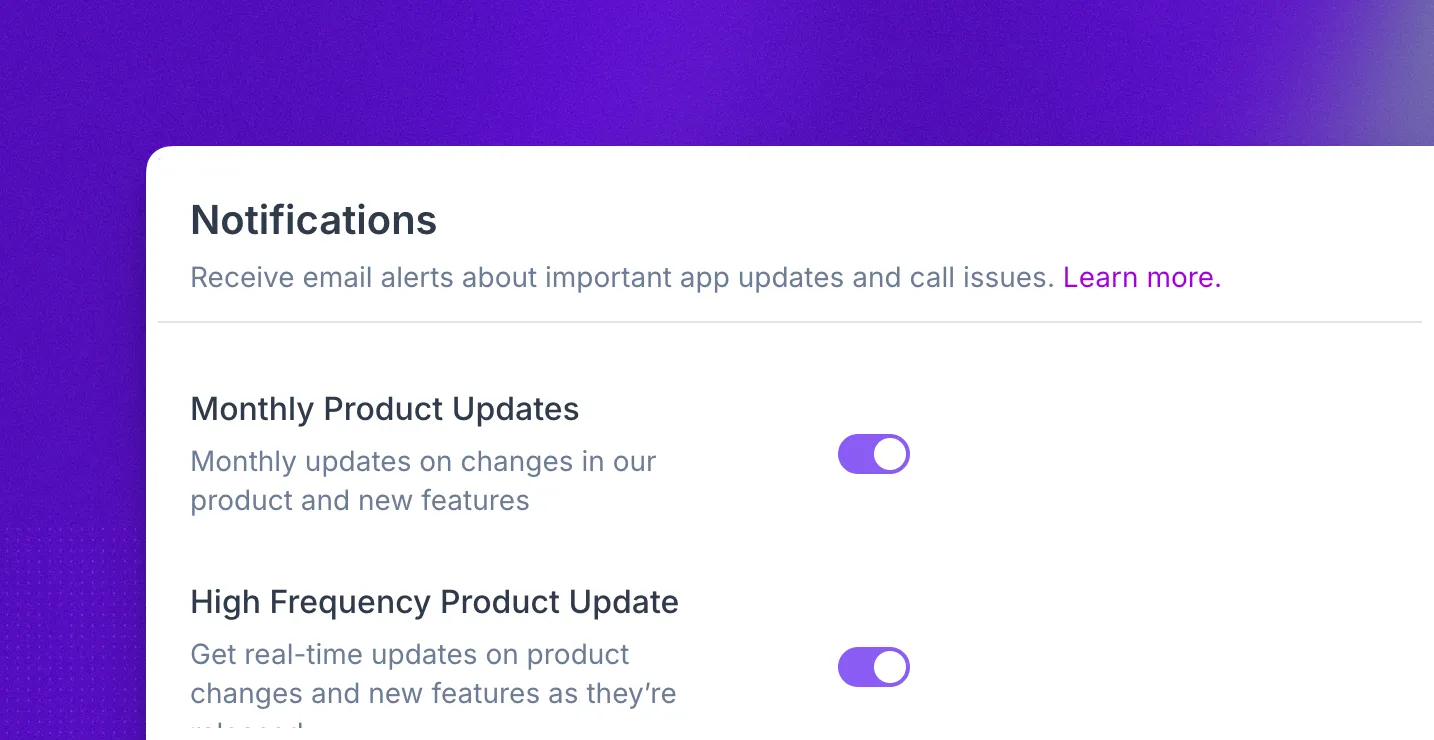
Configure
Open Settings → Personal → Notifications to manage your email preferences.
You can turn each notification type on or off with the toggle next to it. Your choices apply to the email address on your Synthflow account.
Enterprise customers are subscribed to high frequency product updates and system status updates by default. You can unsubscribe at any time by turning off the toggles on this page.
High frequency product updates
High frequency product updates are individual emails sent when a new release ships. Each message covers one changelog entry, such as a new feature, improvement, API change, or deprecation notice.
These updates are especially important if you rely heavily on Synthflow for your day-to-day work. Synthflow averages 2-3 high frequency update emails per week.
Turn these on if you want to hear about updates as they are published.
If you prefer to follow updates outside of email, you can also subscribe to the changelog RSS feed. Click Subscribe on the changelog page to copy the feed URL or a Slack /feed subscribe command that posts each entry to a channel.
Monthly product updates
Monthly product updates summarize all the high frequency updates from the past month in a single digest. They are useful if you prefer one recap instead of individual release emails.
You can enable high frequency updates, monthly updates, both, or neither.
System status updates
System status updates alert you about incidents, outages, and scheduled maintenance affecting Synthflow services. You receive an email when an incident is published on the Synthflow status page and when it is resolved, so you can tell whether an issue on your side is caused by a platform problem.
You can also check current availability at any time on the system status page.
Academy updates
Academy updates notify you when new training content, courses, or tutorials are published in the Synthflow Academy.
FAQ
How do I stop receiving notification emails?
Open Settings → Personal → Notifications and turn off the notification types you no longer want. You can re-enable them at any time.
Why am I already subscribed to some notifications?
Enterprise customers are subscribed to high frequency product updates and system status updates by default. You can unsubscribe at any time by turning off the toggles in Settings → Personal → Notifications.
Can I receive notifications outside of email?
Account notifications are delivered by email only. For product updates, you can also follow the changelog RSS feed in a feed reader or subscribe to it in Slack. For system status, you can subscribe to updates directly on the Synthflow status page.
Does Synthflow have an RSS feed?
What is the difference between high frequency and monthly product updates?
High frequency product updates are sent individually when each release ships. Monthly product updates roll those same releases into one digest at the end of the month.