

Anthropic

Claude, Claude Code, and Cowork can all manage your Synthflow workspace from a conversation. Describe what you want in plain language, and Claude can create agents, review calls, build knowledge bases, and run tests without you opening the Synthflow dashboard.
Synthflow offers two official options in Claude. The connector links Claude to your workspace. The plugin adds extra guidance so Claude follows Synthflow best practices when you ask for things like a call audit or a pre-publish prompt review. If you use both and they point at the same workspace, Claude gets one connection to Synthflow, not two.
This is a good fit when your work already lives in Claude.
Connector vs plugin
Connector only: you want Claude to manage Synthflow and will ask in your own words.
Plugin only: you mainly want the review workflows. You still need a connection to your workspace, either through the connector or through the plugin’s bundled sign-in.
Both: you want full workspace access plus the review workflows. Install the connector (or sign in through the plugin), then add the plugin.
What you can do
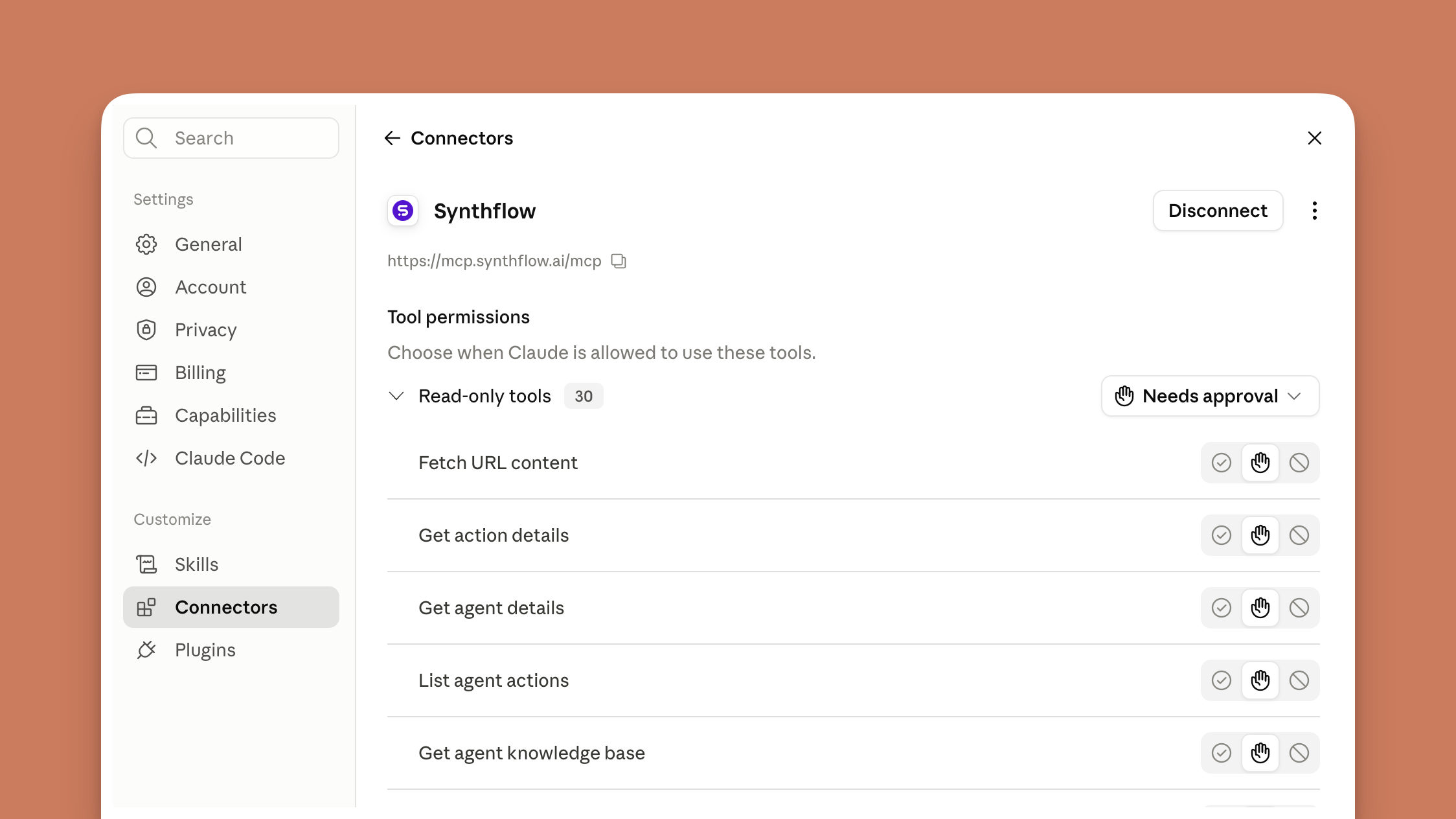
Ask Claude to:
- Build and update agents: Create agents, draft and refine prompts, publish drafts, and compare versions before you go live.
- Manage calls: Place test calls, review recent calls, and surface summaries or negative-sentiment moments when you ask.
- Manage knowledge: Create knowledge bases, add items from files or URLs, and attach them to the agents that should use them.
- Run actions and simulations: Scaffold and test actions, then run simulations to validate behavior before launch.
These capabilities come from the connector (or any connected path to your workspace). Claude groups them into read-only actions that look things up and write and delete actions that change your workspace. You choose whether each group runs automatically or waits for your approval. Keep write and delete actions behind approval unless you are sure. For the full list, see Supported tools.
With the plugin installed, Claude also follows built-in review workflows when you ask for tasks like auditing recent calls or checking a prompt before publish. You do not need to name those workflows. Plain requests such as “review my last 100 calls” or “check this prompt before I publish” are enough.
Setup
You sign in through Synthflow for both paths, so there is no API key to copy unless you run headless automation (see FAQ).
Connector setup
Claude website, desktop app, or Cowork
Enable the official Synthflow connector from Claude’s connector directory, then sign in to Synthflow and pick your workspace. Region selection is handled during sign-in, so you do not need to choose a server URL yourself.
Claude Code, or manual setup
Know which region your workspace belongs to, then connect the Synthflow connector to the matching URL:
You are redirected to Synthflow to log in, where you select the workspace you want to manage.
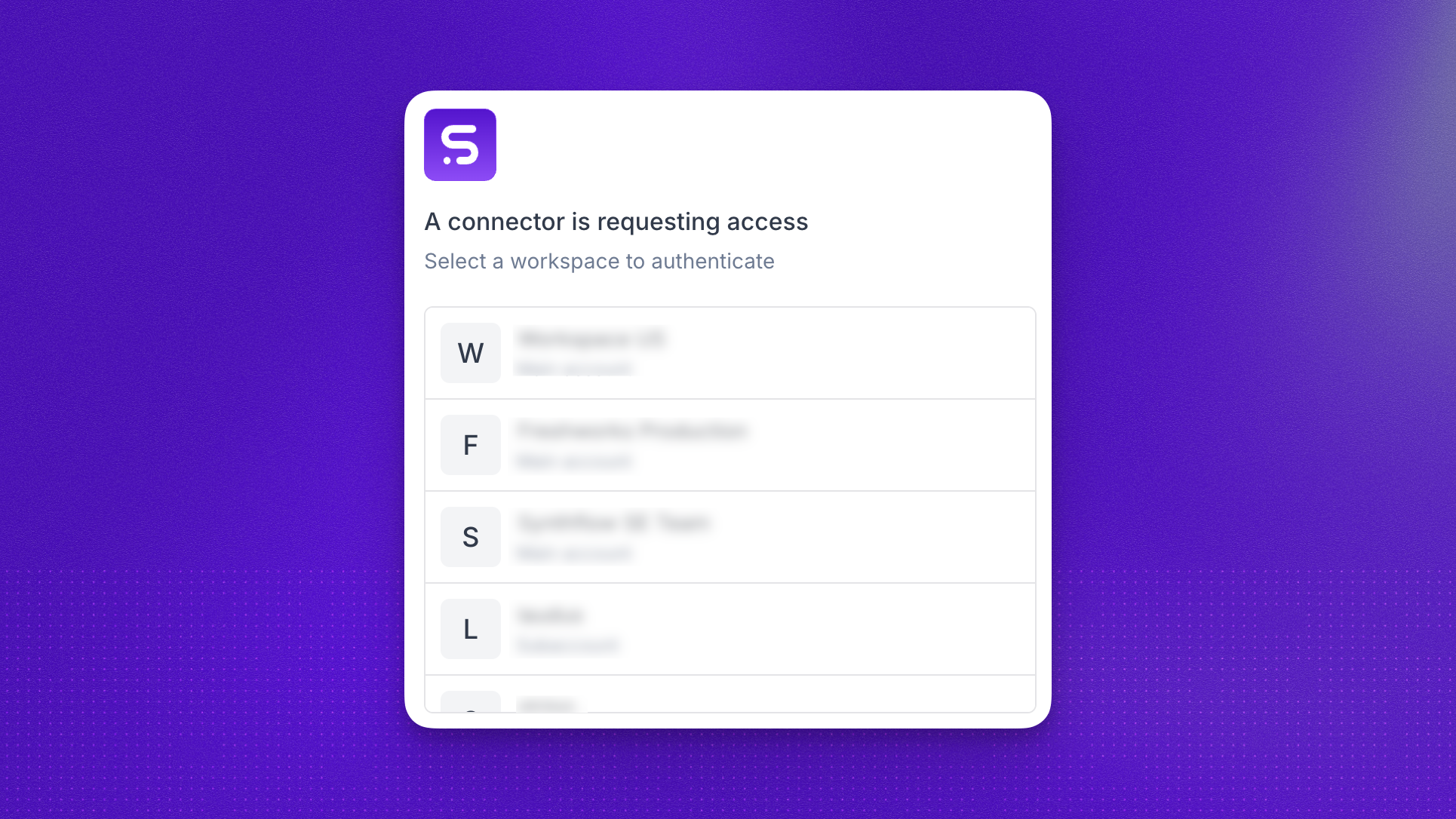
After you select the workspace, click Allow access on the next screen and the connection is established. You can then start prompting.
Plugin setup
Claude chat or Cowork
Open Customize → Plugins, add SynthFlowAI/AnthropicPlugin as a custom GitHub marketplace, install the Synthflow plugin, then sign in to Synthflow when prompted. Use plugins in Claude covers installation in detail.
If you already use the official connector, install the plugin for the review workflows. You do not need to sign in again.
Claude Code
If you already use the official connector, install the plugin for the review workflows and skip step 2 below.
- Add the marketplace and install the plugin:
- If you are not using the official connector, authenticate the plugin’s bundled connection. Run
/mcp, select thesynthflowserver, and sign in to Synthflow in the browser the same way as connector setup.
The plugin’s bundled connection defaults to the Global region. If your workspace is in the United States or European Union, use the official connector instead, or add your region’s URL from the table above. You can keep the plugin installed for the review workflows either way.
Example prompts
Security considerations
Connecting an AI tool to operational tools introduces new risks. The primary risk class unique to these workflows is prompt injection: untrusted content (like call transcripts, user messages, or knowledge base documents) can include instructions that try to trick the model into taking unintended actions. Keep confirm before running tools enabled and review each action carefully.
FAQ
Should I install the connector, the plugin, or both?
Install the connector if you want Claude to manage your Synthflow workspace. Add the plugin if you also want structured call audits and prompt reviews before publish. Many teams use both: the connector for access and the plugin for the review workflows.
Do the connector and plugin expose different capabilities?
No. Both connect Claude to the same Synthflow workspace tools. The plugin adds review workflows on top. It does not replace the connector or give you a second set of workspace actions. If you install both, Claude deduplicates the connection and you do not see duplicate tools.
What do the plugin review workflows do?
Call review checks recent calls against a problem checklist (unresolved outcomes, repetition, drop-offs, compliance risks) and reports flagged calls with transcript evidence. Prompt review checks a voice-agent prompt before deployment for contradictions, missing context, action alignment, escalation gaps, compliance risk, and regression risk compared to the live version.
Do Claude, Claude Code, and Cowork set up differently?
The connector uses the same sign-in flow everywhere: pick your workspace in Synthflow and allow access. On the Claude website, desktop, or Cowork, enable it from the connector directory. In Claude Code, connect by URL or use the directory. The plugin installs from Customize → Plugins in chat and Cowork, or from the plugin marketplace in Claude Code.
What if my workspace is in the US or EU region and I use the plugin?
The plugin’s bundled connection defaults to Global. For US or EU workspaces, use the official connector (recommended), or add your region’s URL from the setup table by hand in Claude Code. You can keep the plugin installed for the review workflows either way. An unauthenticated Global entry from the plugin is safe to ignore when you use a regional connector instead.
How does the plugin get updates?
New Synthflow workspace tools appear automatically because they come from the hosted server, not the plugin package. Skill and configuration updates ship as new plugin versions through the marketplace.
Can I use this in CI or headless runs?
The official connector requires an interactive browser sign-in, so it is not suited to CI or scheduled jobs. For automation, connect with a Synthflow API key from Admin → Workspace Settings → API Keys instead. See the Synthflow plugin repository for the headless setup command.
How is this different from Aurora?
How is this different from MCP Connectors?
MCP Connectors let a voice agent call tools on an external server during a live call. Claude and Claude Code are the opposite direction: they call tools to manage your Synthflow workspace.
How is model usage billed?
Claude and Claude Code run in your own Anthropic account, so model and subscription charges are billed by Anthropic according to your plan. Synthflow bills only for the workspace usage your actions generate, such as calls, under your existing Synthflow plan.