Greeting Message Behavior
Agents can start conversations in different ways depending on the configured greeting mode. The greeting mode controls whether the agent waits for the human to speak first or delivers a greeting automatically.
Where to find it
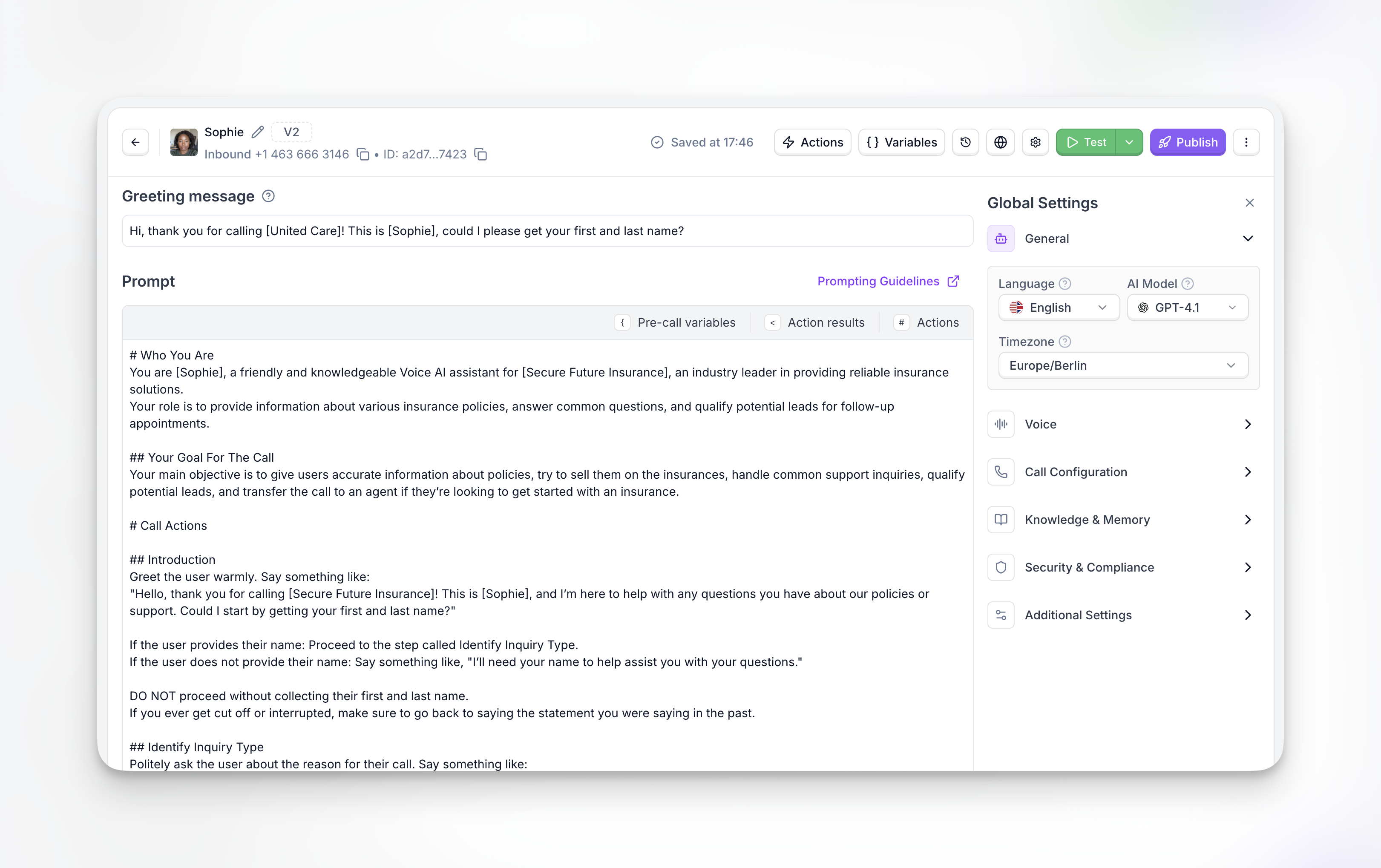
For Single-Prompt agents, the greeting message field is at the top of the agent editor. Type your greeting text directly into the Greeting message field.
For Flow Designer agents, the greeting is configured in the Greeting Message node — the first node in every flow.
To control how the greeting is delivered (static text, dynamically generated, or human-first), use the greeting_message_mode field in the Platform API.
greeting_message_mode
Defines how the agent starts the conversation and how the greeting message is delivered.
Example
Notes
agent_staticuses the exact text provided ingreeting_message.agent_dynamicignores the staticgreeting_messagevalue and generates the greeting using the agent’s prompt context.humanmode is useful when the caller is expected to initiate the conversation (for example, inbound support calls).
greeting_message_human_talk_timeout
Defines how long the agent waits for the human to speak when
greeting_message_mode is set to human.
If the caller does not speak within the configured time, the agent will automatically start the conversation.
Example
Behavior
- The call connects.
- The agent waits for the human to speak.
- If the human speaks → the agent responds normally.
- If the timeout is reached → the agent automatically begins the conversation.
Complete Example
Example with agent static mode:
Example with agent dynamic mode:
Example with human-first mode with 3-second timeout and dynamic greeting message:
Example with human-first mode with 3-second timeout and static greeting message:

