

Overview
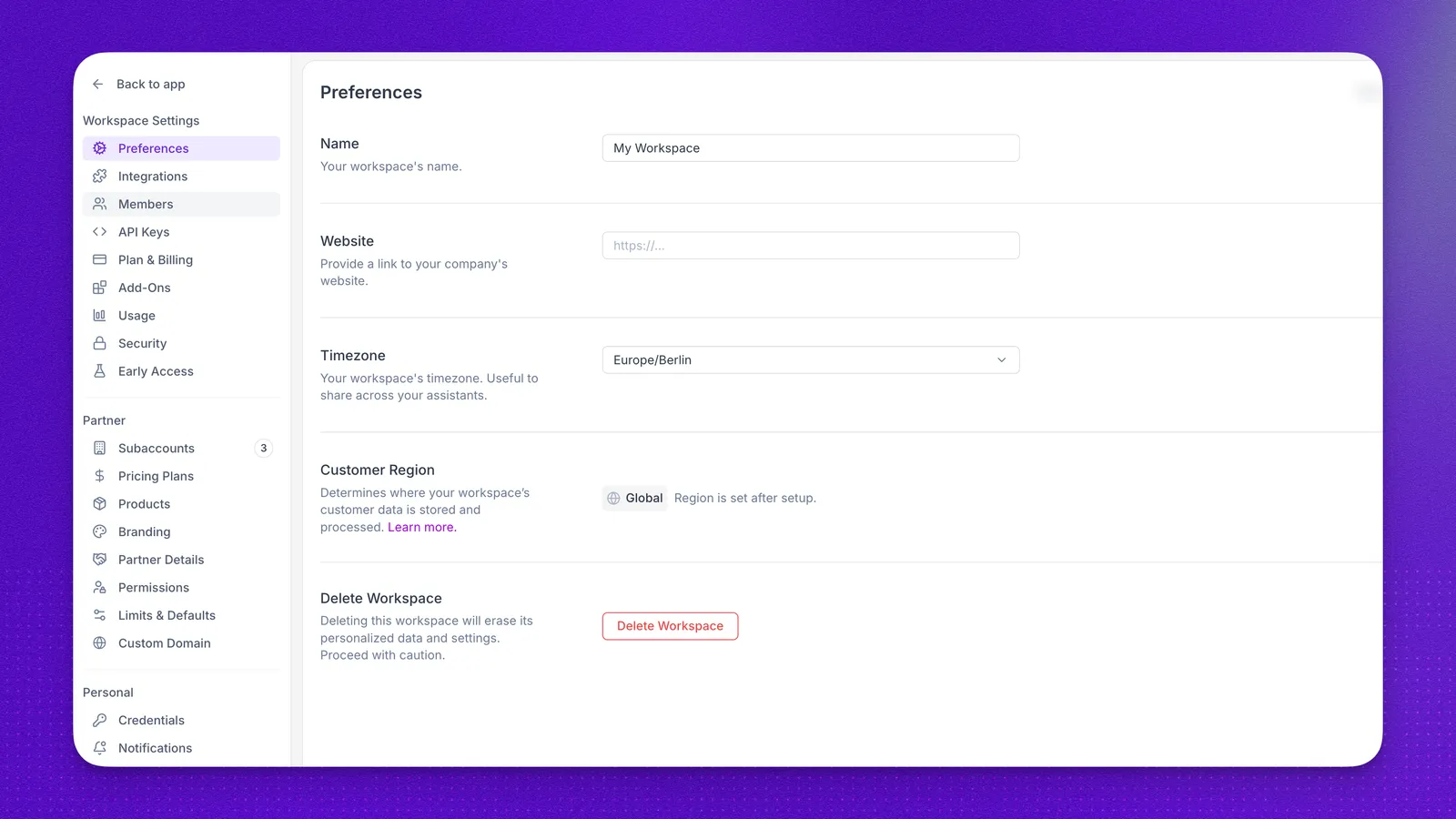
Settings is where you manage workspace settings, whitelabel configuration, and personal account preferences. Open Settings from the main sidebar. The sidebar is grouped into Workspace Settings, Partner, and Personal.
If you run an agency workspace, Partner is where you manage subaccounts, permissions, branding, and limits under your own brand. You can offer voice AI services to clients, set your own pricing, and control which features and integrations each subaccount can use.
Workspace Settings
Workspace-wide configuration lives under Workspace Settings in the Settings sidebar:
- Data Region: confirm where your workspace data is stored and processed
- Billing overview: plans, payment methods, and subscription management
- Usage: minute usage, costs, and billing events
- Security: two-factor authentication, domain allowlists, and webhook signing
- Team Members: invite users and assign roles
- Early Access Program: opt into preview features
- Authentication: create and manage API keys under API Keys
- Integrations: connect third-party services
Partner
Partner covers day-to-day whitelabel work. Open it in the Settings sidebar for subaccounts, branding, domain, and products.
Subaccounts and access
- Subaccounts: create, manage, or delete subaccounts
- Permissions: control what each subaccount can access, including the Agent Editor permission group
- Limits and capabilities: set limits for new and existing subaccounts
- Subaccount analytics: compare total minutes, calls, and average duration across subaccounts, then open any subaccount’s full dashboard
Branding and domain
- Custom domain: host your whitelabel app on your own domain
- Branding: name, logo, theme, brand color, and support documentation URL
Products
- Products: import agents, workflows, phone numbers, and actions into subaccounts
Personal
Personal settings apply to your individual account:
- Account Access and Login: sign-in methods and credentials
- Notifications: email alerts for product updates and system status
FAQ
Where do I find API keys?
Open Settings → Workspace Settings → API Keys. See Authentication for how to create and use keys.
Where do whitelabel and subaccount settings live?
Whitelabel settings are under Settings → Partner. That section includes subaccounts, permissions, branding, custom domain, and limits.
Why do some Settings pages open in a new tab?
In the new Synthflow app, Workspace Settings, Personal preferences, and Subaccounts still run on fine-tuner.ai and open in a separate tab. This is temporary while those pages move into the new app.
What is the difference between Workspace Settings and Partner?
Workspace Settings covers billing, security, team access, integrations, and other configuration for your own workspace. Partner covers whitelabel tools for managing subaccounts, including permissions, branding, and reselling.